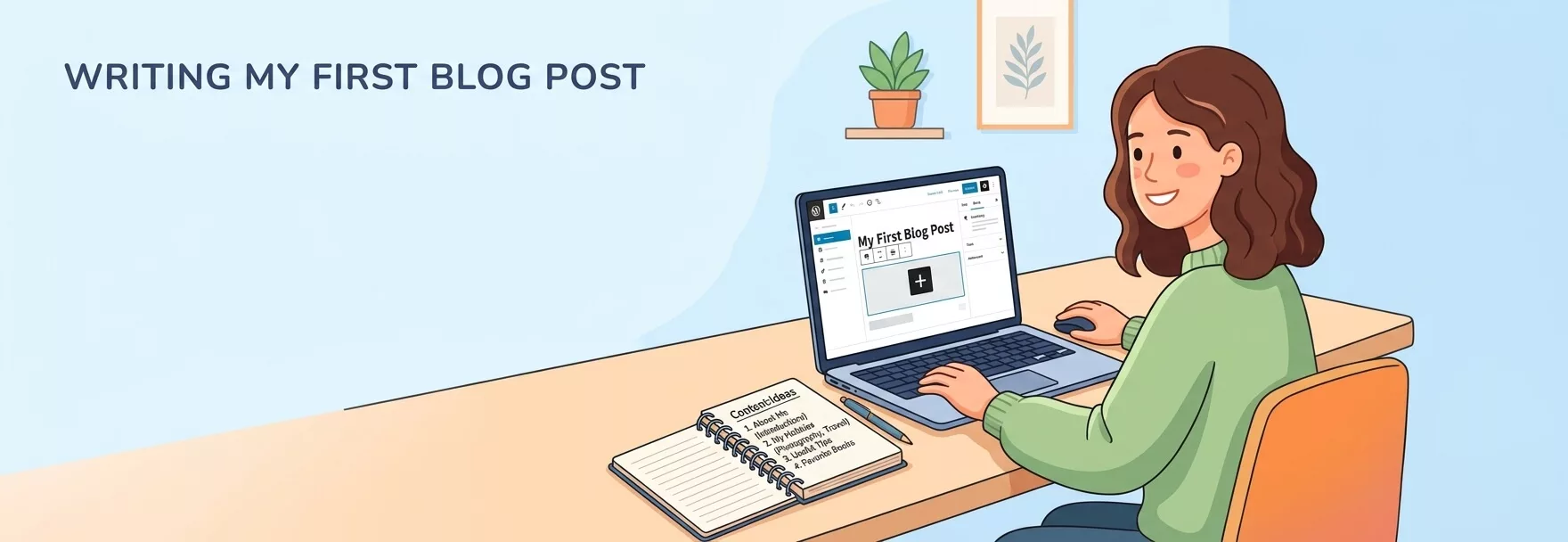
You bought the domain, installed WordPress, picked a theme, and then it happened: a blank editor, a blinking cursor, and a default “Hello world!” post staring back at you. If that sounds familiar, you are in very good company. WordPress runs roughly 40% of all websites according to W3Techs, which means millions of people have stood exactly where you are standing right now.
The good news is that writer’s block at the start of a blog is rarely a talent problem. It is a format problem. Nobody tells beginners that most successful blogs are built from a small set of repeatable post types. Once you know the formats, you stop asking “what should I write about?” and start asking “which format fits today?”
This guide gives you 20 easy content ideas for beginners that you can publish on a brand-new WordPress site, even if you have no audience, no camera skills and no spare weekend. You will also get platform-specific ideas for vlogs, YouTube, TikTok, Instagram and fitness creators, a 30-day plan, copy-and-paste WordPress templates, and a publishing checklist. If you have not built your site yet, start with our guide on how to start your own blog or the walkthrough for how to create a WordPress website, then come back here.
Quick answer: The easiest first posts are “introduce yourself”, “why I started this blog”, a “[topic] for beginners” explainer, a step-by-step tutorial, a beginner-mistakes post, a question-and-answer post, and a tools list. Publish two of them a week for a month and you will have eight posts, a clear voice and a ready-made idea bank.
Why Beginners Get Stuck (and Why It Is Normal)
Three things usually freeze new bloggers. First, the blank page: a wide-open editor offers no structure, so every sentence feels like a decision. Second, the expert myth: you assume you must know everything before you are allowed to publish. Third, the audience gap: with zero readers, it is hard to believe anyone will care what you write.
All three problems shrink when you work from a simple loop instead of from inspiration. Start with a real question a reader might have, choose a format that fits it, draft quickly, publish, and then reuse the post in other places. That loop is the engine behind every idea in this article.
Content Ideas for Beginners: The Numbers That Matter
Before the list, a quick reality check. The data below is not here to scare you. It shows which habits actually separate blogs that keep going from blogs that fade after three posts.
| Statistic | Figure | What it means for you |
|---|---|---|
| Websites running WordPress | About 40% of all websites and roughly 59% of sites with a known CMS (October 2026) | You are using the most popular publishing platform, so help and plugins are everywhere. Source: W3Techs. Figures shift slightly month to month. |
| Average blog post length | 1,333 words (2025 survey) | You do not need a 5,000-word epic for every post. Aim for 800 to 1,500 words while you find your voice. |
| Average time to write one post | About 3 hours 25 minutes | Plan one focused writing session per post, and expect to get faster with practice. |
| Most popular blog formats | How-to articles (76%) and listicles (54%) | Tutorials and lists are proven formats, so they are safe starting points. Source: Orbit Media annual blogger survey. |
| People using social media | Roughly 5.8 billion user identities (April 2026) | Your future readers are already on social platforms, which is why repurposing matters. Source: DataReportal. |
The pattern is clear: most bloggers publish how-tos and lists, they write about 1,300 words, and a post takes an afternoon. You can match that pace without any special equipment.
How to Pick Your First Content Ideas in 60 Seconds
Use this three-filter test on any idea before you spend time on it:
- Can I explain it? You do not need to be the world’s top expert. You only need to be a step or two ahead of your reader.
- Does someone ask it? Type the topic into Google and check the “People also ask” box, or look at the questions on AnswerThePublic. Compare interest over time on Google Trends.
- Can I finish it this week? If the idea needs more than two or three hours, shrink it. A finished small post beats an unfinished epic every time.
Google’s own guidance rewards content written for people rather than for search engines, with first-hand experience and clear usefulness. Their page on creating helpful, reliable, people-first content is worth reading once before you publish your first post.
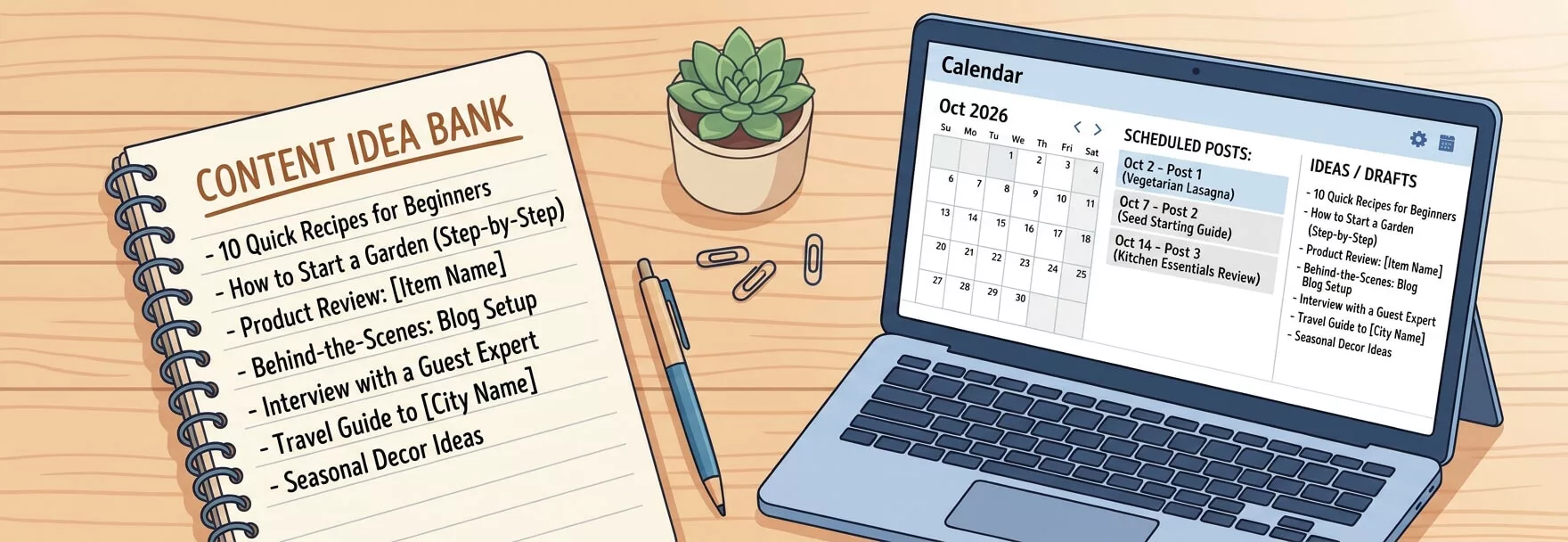
Keep every idea in one place. A plain notes app works, and so does a private list inside WordPress (there is a free snippet for that later in this guide). The point is that you never start a writing session by searching for ideas again.
20 Easy Content Ideas for Beginners Starting a WordPress Blog
Each idea below includes what the post is, why it works for a new site, example titles you can adapt, and a WordPress tip so you can build it faster. Pick any five that suit your topic and start there.
1. Introduce Yourself
Your first real post should answer one question: who is behind this blog? Share who you are, who the blog is for, what readers will get from it, and how often you plan to publish. Add one personal detail that makes you memorable. This post builds trust immediately and gives future readers a place to land.
Example titles: “Hi, I’m Maya, and This Is What I’m Learning About Home Baking”; “Welcome to My Blog: What to Expect.”
WordPress tip: Delete or edit the default “Hello world!” post, set a featured image, and link to this post from your About page.
2. Explain Why You Started the Blog
Origin stories work because people connect with motivation. Describe the problem you faced, what you tried, and why you decided to share what you learn. If you are a beginner in your niche, say so. “Learning in public” is a genuine selling point because beginners trust other beginners who are one step ahead.
Example titles: “Why I Started Blogging After Losing 20 Pounds the Slow Way”; “The Reason I’m Documenting My First Year of Freelancing.”
WordPress tip: Use the Quote block for one standout sentence. It breaks up the text and gives you a line to reuse on social media.
3. Write a “[Topic] for Beginners” Explainer
This is the format behind the phrase you searched to find this article. Beginners type “[topic] for beginners” into search engines constantly, so an explainer aimed at them has built-in demand. Cover what the topic is, five key terms, the first three steps to try, common worries, and where to go next.
Example titles: “Strength Training for Beginners: Your First Four Weeks”; “Watercolor for Beginners: The Only Supplies You Need.”
WordPress tip: Treat this as a hub. Every future post should link back to it, and it should link out to your best posts.
4. Publish a Step-by-Step Tutorial
Teach one small skill you recently learned. Because you remember the confusion, you often explain it better than an expert who has forgotten what being a beginner feels like. Use numbered steps, one action per step, and a photo or screenshot for any step that could go wrong.
Example titles: “How to Plan a Week of Meals in 20 Minutes”; “How to Set Up a Home Photo Backdrop for Under $20.”
WordPress tip: Use an ordered list for steps and an Image block after each tricky one. Compress your images first.
5. Share the Mistakes You Made
Mistake posts are honest, quick to write, and genuinely useful. List what went wrong, what it cost you, and what you would do differently. Readers save and share these because they promise a shortcut around pain.
Example titles: “7 Mistakes I Made in My First Month of Running”; “What I Wish I Knew Before Buying My First Camera.”
WordPress tip: Use H3 headings for each mistake so the post is easy to scan and can earn jump links in search results.
6. Answer One Question Your Readers Ask
Choose a single, specific question and answer it directly in the first two sentences, then add detail. Short, precise answers suit how people search and how search engines pull featured snippets. Find questions through Google’s “People also ask”, forums, comment sections and the replies to your own social posts. If you want to go deeper on optimizing these posts, our beginner’s guide to WordPress on-page SEO covers titles, headings and snippets in plain language.
Example titles: “How Often Should Beginners Work Out?”; “Can You Paint Over Wallpaper?”
WordPress tip: Put the direct answer in a short paragraph right under the heading, and add a small FAQ at the end with the Details block.
7. Share the Tools and Gear You Actually Use
A “what’s in my toolkit” post is easy to write because you already know the answer. Explain what each tool does, why you picked it, and what you would skip. If you use affiliate links, say so clearly. The US Federal Trade Commission explains what a clear disclosure looks like in Disclosures 101, and the same principles apply to blogs.
If your own topic is WordPress, a post like this can double as a plugin roundup. Our list of must-have WordPress plugins shows how to structure one.
Example titles: “My Beginner Podcasting Setup for Under $100”; “The Apps I Use to Plan My Week.”
WordPress tip: Use the Table block for a quick “tool, what it does, price” summary.
8. Write a Listicle Roundup
Lists are the second most popular blog format in the Orbit Media survey for good reason: readers know exactly what they will get. Choose a number you can fill with real value, such as 7 or 10, and give each item two or three useful sentences instead of one-line filler.
Example titles: “10 Easy Breakfast Ideas for Busy Mornings”; “8 Free Resources for Learning Photography.”
WordPress tip: Use H3 headings for each list item and add an image to every second or third one.
9. Publish an Honest Review
Review a product, book, course, app or service you have genuinely used. State who it suits, what you liked, what disappointed you, and your verdict. Honest negatives make the positives believable. Cooking bloggers, for example, can review kitchen gadgets and then show the results in recipes; if that is your lane, our roundup of food blog WordPress themes will help your site look the part.
Example titles: “I Used a Standing Desk for 60 Days: Worth It?”; “Beginner Yoga App Review: What You Get for Free.”
WordPress tip: Add a short “verdict” section near the top for skimmers and a pros-and-cons list near the bottom.
10. Bust Common Myths
Every niche is full of half-truths that confuse beginners. A myth-busting post lists five or six of them, explains what is actually true, and cites a trustworthy source for each claim. These posts are shareable because people love correcting each other politely.
Example titles: “6 Gardening Myths That Waste Your Money”; “5 Photography Myths Beginners Believe.”
WordPress tip: Format each myth as a bold line followed by a short “reality” paragraph. Link the evidence to a reputable source.
11. Create a Checklist or Cheat Sheet
Checklists are small to write and highly practical. Think “packing list”, “first-week routine” or “setup checklist”. Turn it into a downloadable PDF and you also have a lead magnet for building an email list later.
Example titles: “The First-Time Camper’s Packing Checklist”; “Your New Puppy’s First Week: A Simple Checklist.”
WordPress tip: Use a List block for the on-page version and the File block to offer the PDF download.
12. Build a Glossary of Jargon
Every field has words that intimidate newcomers. Explain ten to twenty terms in plain language with one example each. A glossary also builds topical depth and gives you an easy post to link from every future article.
Example titles: “Photography Terms Explained in Plain English”; “Running Jargon Decoded: PR, Fartlek, Tempo and More.”
WordPress tip: Give each term its own heading so you can link directly to a definition from other posts.
13. Share a Before-and-After Case Study
Show a real result and the steps that led to it: a room makeover, a recipe improvement, a budget turnaround, or a design redo. Include the starting point, the changes, the cost or time involved, and what you would change next time. Proof beats opinion.
Example titles: “My Balcony Garden: Week 1 vs Week 8”; “How I Cut My Grocery Bill by 25% in a Month.”
WordPress tip: Put two images side by side with the Columns block, and label them clearly “Before” and “After.”
14. Document a 30-Day Challenge
Challenges create natural content and natural accountability. Choose something small and measurable, publish a short update each week, and write a wrap-up at the end. This format is especially strong for beginners in fitness, language learning, art and habits.
Example titles: “I Walked 8,000 Steps a Day for 30 Days: Here’s What Changed”; “30 Days of Learning Spanish: My Honest Progress.”
WordPress tip: Use a Series tag or a short list at the top that links to each week’s update.
15. Interview Someone (Even a Friend)
You do not need a famous guest. Email five questions to a friend, colleague, local expert or fellow beginner and publish the answers. You get fresh perspective, they probably share the post with their own audience, and you do half the work.
Example titles: “5 Questions for a Barista Who Opened Her Own Café”; “What a Personal Trainer Wishes Beginners Knew.”
WordPress tip: Add a headshot with the Image block and format each question as a heading so the post is easy to scan.
16. Publish a Weekly Roundup of Links
Collect five to seven useful links from the week with one or two sentences of your own commentary on each. This is one of the easiest posts to repeat, and it trains the habit of reading with a pen in hand. For ideas on how established publishers curate and teach, browse our list of the best WordPress blogs to follow.
Example titles: “This Week in Home Cooking: 6 Things Worth Your Time”; “Friday Finds: What I Read, Watched and Tried.”
WordPress tip: Create a reusable block with the headings so each week’s post takes ten minutes to assemble.
17. Go Behind the Scenes (Day in the Life)
Show how you work, practise or create. Describe your routine, your workspace, a project in progress, or a messy first attempt. Behind-the-scenes posts feel personal, and they are also a bridge to vlog-style content if you later add video.
Example titles: “A Day in My Life as a Beginner Illustrator”; “What My First Week of Freelancing Actually Looked Like.”
WordPress tip: Use the Gallery block for process photos and caption each one with what is happening.
18. Pair a Video With a Written Post
If you have a YouTube video, do not leave it alone. Write a companion post with a short summary, the key steps, timestamps and a transcript. Search engines cannot watch a video the way they can read text, and many readers prefer to skim rather than press play.
Example titles: “How to Brew Pour-Over Coffee (Video + Written Steps)”; “Beginner Stretching Routine: Watch and Follow Along.”
WordPress tip: Paste the YouTube URL on its own line in the editor and WordPress embeds it automatically.
19. Turn Your Best Social Post Into a Blog Post
Take a short video, Reel, carousel or thread that did well and expand it into a full article. Social posts show you what your audience responds to; the blog post adds depth, search visibility and a permanent home. Optimizing the images you reuse matters too, so see our guide to using WebP images in WordPress for faster pages.
Example titles: “The 3-Move Warm-Up From My Most Viewed Reel, Explained”; “That Viral Packing Hack: A Full Step-by-Step.”
WordPress tip: Link back to the original social post from the article to connect the two.
20. Compare Two Options
“X vs Y” posts attract readers who are close to making a decision. Explain who each option suits, compare them on the same criteria, and give a clear recommendation. Our own post on Rank Math vs Yoast SEO shows how a side-by-side table keeps things fair and clear.
Example titles: “Running Shoes vs Walking Shoes: Which Should a Beginner Buy?”; “Canon vs Sony for Beginner Photographers.”
WordPress tip: Use a Table block with the same rows for each option, and finish with a short “which should you pick?” section.
Content Creation Ideas for Beginners by Platform
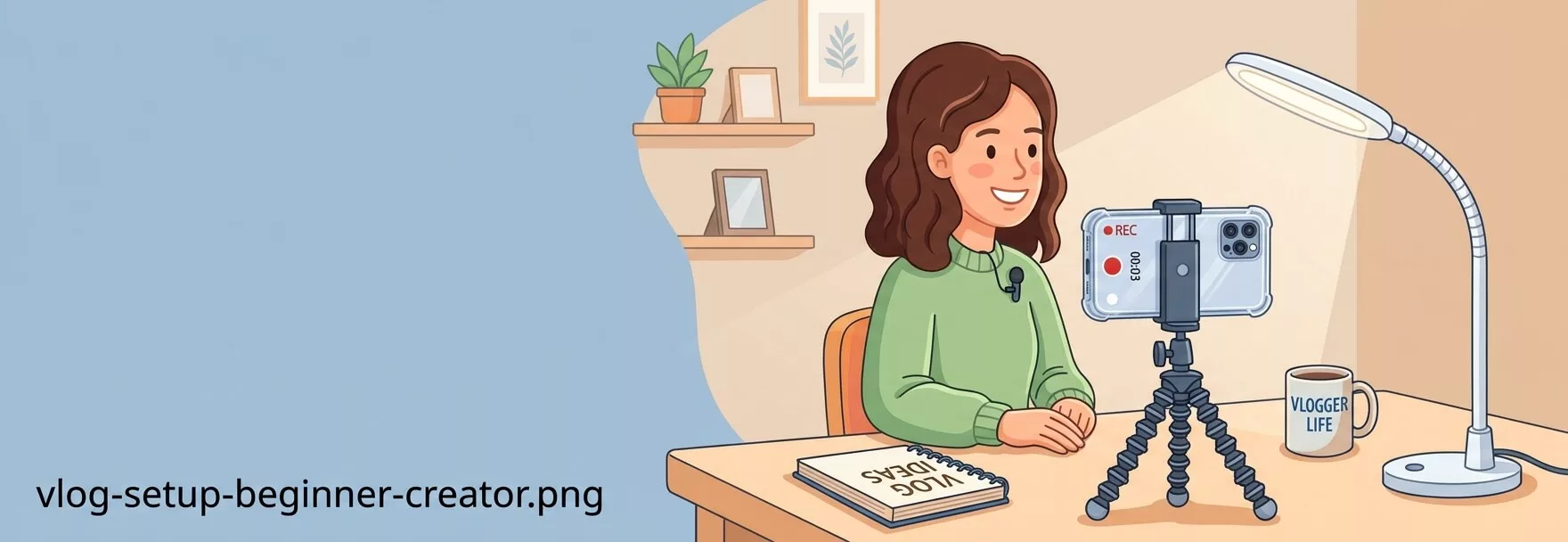
Your WordPress blog does not have to live alone. Many beginners also want to try video or social content. The ideas below work as standalone content and as fuel for your blog, because each one can link back to a matching post.
Vlog Content Ideas for Beginners
Vlogging suits people who like talking more than typing. Start with simple, repeatable topics:
- A day in my life (work, study, training or travel)
- A desk, studio or workspace tour
- What I learned this week
- A weekly recap of wins and failures
- Unboxing or first impressions of something you bought
- Answering questions from readers or friends
- Behind the scenes of a project from start to finish
- Beginner vs experienced attempt at the same task
Travel vloggers can pair their videos with a written destination guide on a theme like our travel blog WordPress themes collection.
YouTube Content Ideas for Beginners
YouTube works like a search engine, so the best beginner videos answer one specific question. Try these:
- One tutorial per video, titled with the exact question people type
- “Beginner mistakes” and “what I wish I knew” videos
- “Tools I use” and honest review videos
- A numbered series, such as “Week 1 to Week 8”
- Short clips cut from longer tutorials
- Reaction or commentary videos with your own expert twist
Study how established creators structure their lessons. Our list of top WordPress YouTube channels is a good example of channels teaching beginners step by step, and YouTube’s own Creators hub explains the basics of publishing and growing a channel. Always embed each video in the matching post (idea 18).
TikTok Content Ideas for Beginners
TikTok rewards short, clear, useful clips. Keep each one focused on a single point:
- “3 things I wish I knew before starting [topic]”
- Myth vs fact in 30 seconds
- A quick tip, hack or shortcut with on-screen text
- Day-in-the-life and process clips
- Part 1, Part 2, Part 3 mini series
- Stitches or duets that add real value to someone else’s video
- Answering a comment with a new video
Put your blog address in your bio so viewers have somewhere to go for the full story. Creators who want a polished home for their content can look at these influencer WordPress themes, and TikTok’s Creator Portal covers platform tools and guidelines.
Instagram Content Ideas for Beginners
Instagram is flexible, which makes it ideal for testing blog ideas quickly:
- Swipeable carousels that teach one lesson in five to eight slides
- Short Reels showing a tip or a before-and-after
- Story polls asking which topic you should cover next
- Quote cards pulled from your blog posts
- Highlights that act as a mini FAQ
- Behind-the-scenes photos of your process
Show your feed on your site to keep both places alive; our guide to Instagram plugins for WordPress compares your options.
Fitness Content Ideas for Beginners
Fitness is one of the most popular beginner niches, and trust matters more than anywhere else. Start with ideas like these:
- A beginner workout of the week (with easy modifications)
- Form tutorials for one exercise at a time
- Meal-prep ideas and simple shopping lists
- A 30-day walking, stretching or strength challenge
- Myth-busting posts about common training advice
- Gear lists: what a beginner really needs and what they can skip
- A progress diary written in your own words
Stay honest and safe. Share what worked for you rather than promising results, and point readers to official guidance. The World Health Organization’s physical activity fact sheet explains how much activity adults are generally advised to do each week. If you are building a fitness site, see our healthy WordPress themes for gyms and fitness.
OnlyFans Content Ideas for Beginners (Keep It Safe and Smart)
OnlyFans is a subscription platform used by many kinds of creators, including fitness coaches, musicians, chefs, artists and educators. Whatever your niche, a few ground rules apply. You must be 18 or older, you must follow the platform’s rules and your local laws, and you should check your web host’s acceptable use policy before publishing anything that is not general-audience on your own site.
For non-adult creators, these ideas work well:
- Early access to tutorials, workouts, recipes or lessons
- Behind-the-scenes process posts and works in progress
- Subscriber-only Q&As and polls that decide your next topic
- Monthly challenges, feedback sessions or live classes
- Bonus downloads, such as presets, plans or printable guides
Use WordPress as your public, general-audience home base: an About page, a blog with free samples, and a link to your subscription page. Protect your privacy by using a stage name if you want one, avoiding photos that show your home address or workplace, and removing location data from images before you upload them. Be careful with anything you promise, and never publish other people’s content without permission.
Turn One Idea Into Five Pieces of Content
The most efficient creators do not chase more ideas. They stretch each idea further. Here is how one blog post can feed five channels:
| Output | Where it goes | What you reuse |
|---|---|---|
| Blog post | Your WordPress site | The full idea with images and links |
| Short video | TikTok, Reels, YouTube Shorts | The single best tip from the post |
| Carousel | Instagram, LinkedIn | The headings turned into slides |
| Newsletter | Email subscribers | A short summary with a link to the post |
| Quote graphic | Pinterest, Stories, X | One strong sentence from the article |
Your First 30 Days: A Simple Publishing Plan
A plan removes the daily decision. Here is a four-week schedule using two posts a week, so you finish the month with eight published posts and no burnout:
After month one, rotate in the other formats: a myth-buster, a checklist, an interview, a weekly roundup, a video companion, or a comparison. Review which posts got the most views and comments, and make more like them.
Make the Blog Look Ready Before You Publish
A clean, fast theme lets your writing do the work. If you are still choosing, our list of free WordPress blog themes includes lightweight options designed for readability.
Free WordPress Templates to Store Your Ideas
These two small resources keep your ideas inside WordPress. Add the PHP snippet with a code-snippets plugin or a child theme. If you have not done that before, our guide to code snippets for WordPress explains the safe way to add them, and you should always take a backup first.
Snippet 1: A Private “Content Ideas” Section in Your Dashboard
This registers a private post type that never appears on your public site. Use it as an idea bank with a title, notes and an excerpt for the angle.
add_action( 'init', function () {
    register_post_type( 'content_idea', array(
        'labels'       => array(
            'name'          => 'Content Ideas',
            'singular_name' => 'Content Idea',
            'add_new_item'  => 'Add New Idea',
        ),
        'public'       => false,
        'show_ui'      => true,
        'show_in_rest' => true,
        'menu_icon'    => 'dashicons-lightbulb',
        'supports'     => array( 'title', 'editor', 'excerpt' ),
    ) );
} );
Snippet 2: A Reusable “How-To Post” Block Skeleton
Paste this into the Code Editor view of a new post (press Ctrl+Shift+Alt+M or use the three-dot menu) and fill in the blanks. It gives you a hook, requirements, steps and a wrap-up.
<!-- wp:paragraph -->
<p>Hook: one sentence that names the problem and promises a fix.</p>
<!-- /wp:paragraph -->

<!-- wp:heading -->
<h2 class="wp-block-heading">What you need</h2>
<!-- /wp:heading -->

<!-- wp:list -->
<ul><li>Item one</li><li>Item two</li></ul>
<!-- /wp:list -->

<!-- wp:heading -->
<h2 class="wp-block-heading">Step-by-step</h2>
<!-- /wp:heading -->

<!-- wp:list {"ordered":true} -->
<ol><li>Step one</li><li>Step two</li><li>Step three</li></ol>
<!-- /wp:list -->

<!-- wp:heading -->
<h2 class="wp-block-heading">Common mistakes</h2>
<!-- /wp:heading -->

<!-- wp:paragraph -->
<p>What goes wrong and how to fix it.</p>
<!-- /wp:paragraph -->

<!-- wp:heading -->
<h2 class="wp-block-heading">Next step</h2>
<!-- /wp:heading -->

<!-- wp:paragraph -->
<p>Link to your next related post.</p>
<!-- /wp:paragraph -->
You can also save this skeleton as a Pattern from the editor’s options menu so it is one click away. For more on the editor itself, the official WordPress documentation is the best free reference.
Publishing Checklist for Every Post
Run through this before you hit Publish. It takes five minutes and prevents most beginner errors.
- The title is clear, includes the main keyword naturally, and promises one benefit
- The URL slug is short and readable
- The first paragraph answers the reader’s question or states what they will learn
- Headings (H2 and H3) break the post into scannable sections
- Paragraphs are short, with no walls of text
- Every image has descriptive alt text and is compressed
- Two or three internal links point to related posts on your site
- At least one external link points to a trustworthy source
- A featured image is set and the meta description is written
- You have proofread the post out loud once
- Affiliate links, if any, are clearly disclosed
Beginner Mistakes to Avoid
- Waiting for perfect. Done and published beats polished and hidden. You can update any post later.
- Choosing a topic that is too broad. “Health” is crowded; “walking workouts for new moms” is a place to start.
- Writing 200-word posts. Short answers are fine, but most posts need enough depth to be genuinely helpful.
- Skipping internal links. Linking your own posts together helps readers stay and helps search engines understand your site.
- Using huge, uncompressed images. They slow your pages and frustrate mobile readers.
- Copying other blogs. Borrowing structure is fine; borrowing sentences is not. Add your own experience.
- Never updating old posts. A quick refresh every few months keeps posts accurate and useful.
- Publishing once and vanishing. A modest, steady schedule beats a burst followed by silence.
Frequently Asked Questions
What are the best content ideas for beginners?
The easiest starting points are an introduction post, a “why I started” story, a “[topic] for beginners” explainer, a step-by-step tutorial, a beginner-mistakes post, a question-and-answer post and a tools list. These formats rely on what you already know and what you have recently learned.
How often should a beginner publish on WordPress?
Choose a pace you can keep for at least three months. For most beginners that is one or two posts a week. Consistency matters more than volume, and you can always increase the pace later.
How long should my first blog posts be?
Aim for roughly 800 to 1,500 words for most posts. The average across bloggers is about 1,300 words, according to the Orbit Media survey. Cover the topic fully rather than chasing a word count.
Do I need video to start a content blog?
No. Written posts with good images are enough to start. Add video later if you enjoy it, then embed each video in a matching post so both formats support each other.
Can I use TikTok, Instagram or YouTube ideas on my WordPress blog?
Yes. Short-form ideas are excellent topic tests. If a clip or carousel performs well, expand it into a full article and link the two together.
How do I never run out of content ideas?
Keep an idea bank, note every question readers ask, and revisit your best posts for follow-ups. Use the “reader question, format, draft, publish, repurpose” loop from this guide so each post creates the next one.
Can I promote a subscription page, such as OnlyFans, from my WordPress site?
Often yes, provided your content is legal, you are an adult, you follow the platform’s rules, and your hosting provider’s acceptable use policy allows it. Keep your public site general-audience, link to your page responsibly and check your host’s terms first.
Final Thoughts: Pick One Idea and Publish Today
You do not need a perfect niche, a big audience or an expensive camera to begin. You need a clear idea, a simple format and the willingness to hit Publish before you feel ready. Start with idea 1 or idea 3 from this list, write for one afternoon, and let the rest of the plan carry you through the first month.
Which idea will you publish first? Tell us in the comments, and bookmark this page so you always have 20 easy ideas waiting when the blank page returns.