
A community site lives or dies on one thing: how easy it feels to join, post and come back. BuddyPress supplies the social features. Your theme decides whether those features feel like a polished social network or a plugin bolted onto a blog. This guide compares the 15 best WordPress BuddyPress themes for social networks, membership sites, course communities, gaming hubs and private intranets, with real feature notes, honest trade-offs and a buyer’s checklist you can use before spending a cent.
What is BuddyPress?
BuddyPress is a free, open-source plugin that adds social networking features to a WordPress website. Once it is active, visitors can register, build extended profiles, post to an activity stream, send friend requests, exchange private messages, join groups and receive notifications. The project is maintained by the WordPress community and documented on BuddyPress.org, and you can install it straight from the WordPress.org plugin directory.
People often ask what kinds of sites BuddyPress suits. The common ones are:
- Interest-based social networks, such as a hobby, sports or alumni community.
- Paid membership sites with private groups and member directories.
- Course and coaching communities that sit alongside an LMS.
- Company intranets, extranets and partner portals.
- Niche communities such as gaming, local neighborhoods, dating or professional peer networks.
If you are still comparing options at the shortlist stage, our broader roundup of the best community WordPress themes covers themes that work with other community plugins too.
BuddyPress pricing: what does a community site really cost?
The BuddyPress plugin itself is free under the GPL. Your real budget goes to everything around it, so plan for these line items instead of looking for a single price tag:
| Cost area | Pricing model | What to check |
|---|---|---|
| BuddyPress plugin | Free | Keep it updated; security releases do happen. |
| Theme | Free, one-time license or yearly plan | Support length, renewal price, what is bundled. |
| Add-ons | Free and paid plugins | Polls, reactions, moderation, private messaging, member reviews. |
| Hosting | Monthly or yearly | Communities generate many logged-in, uncached requests. |
| Email delivery | Usually usage-based | Notifications and digests need reliable sending. |
| Moderation and security | Time and plugins | Spam, abuse reports, backups, malware scanning. |
As one concrete example, Join Up lists a one-time regular license with six months of included support, extendable to twelve, and bundles the Youzify and Slider Revolution plugins. That bundle matters: a theme that includes profile and slider plugins can save you separate license costs.
Because communities attract signups and spam bots in equal measure, budget for protection from day one. Our guide to the best WordPress security plugins is a good starting point.
BuddyPress design and blocks
Good BuddyPress design is mostly about the pages members use daily: the activity feed, the member directory, the profile header, group pages and the message inbox. Check those first in any demo, not the homepage.
Modern BuddyPress releases also include BuddyPress blocks you can place in the block editor, such as blocks for members, groups, activity updates and login. That lets you build landing pages and sidebars without shortcodes. When you evaluate a theme, ask whether it styles those blocks cleanly, whether it supports block-based layouts, and whether it also works with the page builder you already use. Our explainer on WordPress block themes helps if you want to go fully block-based.
How these themes were chosen
We compared each theme against the same practical criteria, using vendor listings, documentation, changelogs and public demos:
- BuddyPress depth: custom templates for profiles, groups, directories and messages, not just generic styling.
- Ecosystem fit: bbPress forums, WooCommerce, memberships, LMS plugins and gamification.
- Editing experience: Elementor, WPBakery, block editor and one-click demo import.
- Performance and accessibility: lean markup, mobile behavior and keyboard-friendly navigation.
- Maintenance: recent updates, documentation and the support model.
- International readiness: translation files, multilingual plugin support and RTL.
Features and prices change often. Always confirm the current feature list, version and license on the vendor page before you buy.
Quick comparison of the best BuddyPress WordPress themes
| Theme | Builder | Standout strength | Best for |
|---|---|---|---|
| BuddyX | Elementor, block editor | Clean layout, dark mode, LMS support | Fast social and learning communities |
| Reign | Elementor, block editor | Many community layouts, member reviews | Membership and niche communities |
| BuddyBoss Theme | Platform layouts | Polished platform, mobile app route | Funded community businesses |
| WildCommunity | WPBakery | Dozens of BuddyPress page templates | Multi-purpose community sites |
| Aardvark | WPBakery | Many demos, RTL and multilingual | International projects |
| SocialV | Elementor | Light and dark modes, stories | Modern social feeds |
| Vikinger | Elementor | GamiPress badges and ranks | Gaming and gamified communities |
| Join Up | Elementor, WPBakery | Youzify and Slider Revolution bundled | Budget-aware social networks |
| OneCommunity | Page builder included | Color schemes, member-only content | Classic community portals |
| Socialize | WPBakery | Homepage and blog layout variety | Content-rich communities |
| Ureg | Theme options | Projects, files, calendar, Slack | Intranets and extranets |
| Anesta | Elementor | Polls, charts, light and dark demos | Private company communities |
| Jannah | Elementor, WPBakery | News layouts with BuddyPress support | Publishers adding a community |
| CommunityJunction | Check listing | Community-first demo structure | Straightforward community launches |
| SocialMag | Customizer | Free, ad spaces, header video | Testing an idea on a budget |
1. BuddyX: best all-round BuddyPress theme
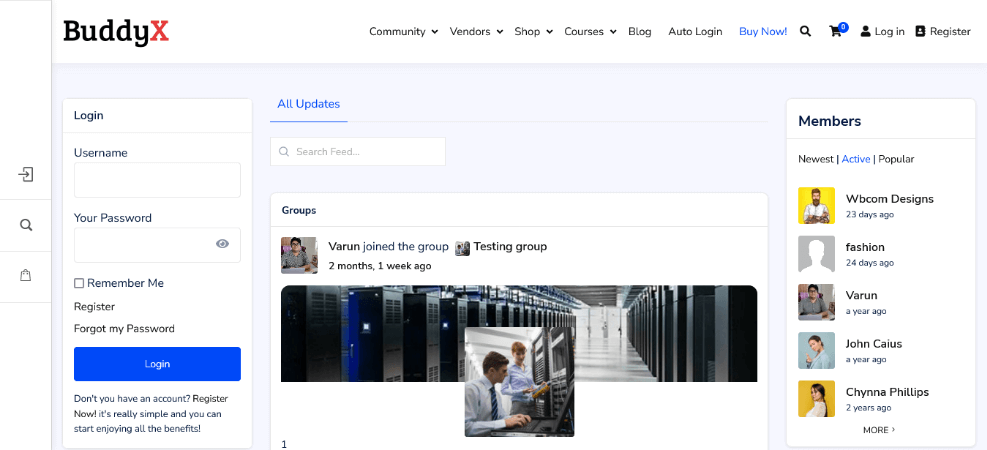
BuddyX from Wbcom Designs is built around a lightweight, clean layout for BuddyPress pages. It supports BuddyPress add-ons from the same team, offers a dark mode, and works with popular LMS plugins, which makes it a strong pick for learning communities.
- Clean activity, member and directory page styling.
- Built-in support for LMS plugins such as LearnDash, LifterLMS, LearnPress and Tutor LMS.
- One-click demo import and WooCommerce support.
- Works with Elementor and the block editor.
Ideal users: course creators, startups and site owners who want a community that loads quickly.
- Clean, modern layout
- Large add-on family for BuddyPress
- Some advanced features need paid add-ons
- Fewer design extras than multipurpose themes
Best for: fast social learning communities and general BuddyPress sites.
2. Reign: best for membership and niche communities
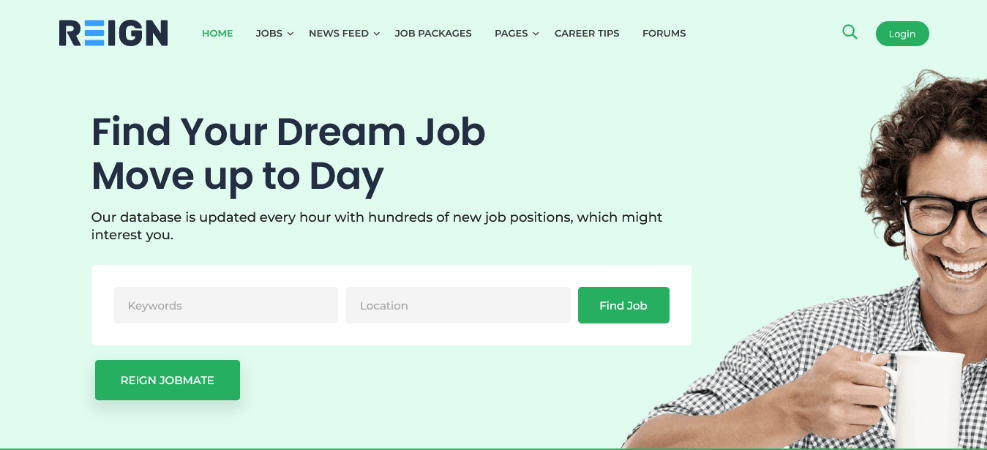
Reign is another Wbcom Designs theme, aimed at sites that need more layout choice than BuddyX. It ships with BuddyPress-specific widgets, profile search and member reviews, plus ready-made layouts for niches such as directories, marketplaces and e-learning.
- Compatible with the BuddyPress Nouveau template pack.
- Social login, profile search and member reviews.
- WooCommerce support for selling products and digital items.
- Front-end forms and unlimited color options.
Ideal users: membership site owners, marketplaces and directory builders who want community and commerce in one place.
- Wide range of community layouts
- Good documentation for beginners
- Many options to configure at first
- Add-ons can raise the total cost
Best for: paid membership and niche communities with a shop.
3. BuddyBoss Theme: best for a polished platform and mobile app route
BuddyBoss deserves an honest note: it runs on its own BuddyBoss Platform, which started as a fork of BuddyPress, rather than on the standard BuddyPress plugin. That is why it also counts as a WordPress BuddyPress alternative. In return you get a more integrated product with built-in community tools.
- Public, private and hidden groups with detailed member profiles.
- Zoom integration for live sessions.
- Works with GamiPress and WooCommerce for gamification and sales.
- A route to a branded mobile app.
Ideal users: community businesses, creators and associations with a real budget and long-term plans.
- Polished, integrated experience
- Mobile app option for engagement
- Not the plain BuddyPress plugin
- Higher ongoing cost than lightweight themes
Best for: serious community products that want one supported platform.
4. WildCommunity: best for flexible multi-purpose community sites
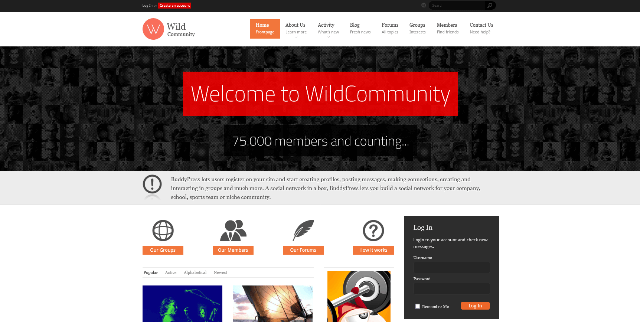
WildCommunity is a long-running multipurpose theme with dozens of pre-designed BuddyPress inner pages. A profile search tool helps members find each other, and support for geo-directory plugins adds location features.
- Over 40 pre-designed BuddyPress page templates.
- Demos for shops, eLearning, portfolios and directories.
- Profile search and geo-directory support.
- Translation-ready with content restriction for non-members.
Ideal users: agencies and owners who might combine a community, a shop and a directory.
- Huge template library
- Easy demo installs
- Multipurpose themes carry extra weight
- Bundled plugins need ongoing updates
Best for: communities that also need a directory or shop.
5. Aardvark: best for international and multilingual communities
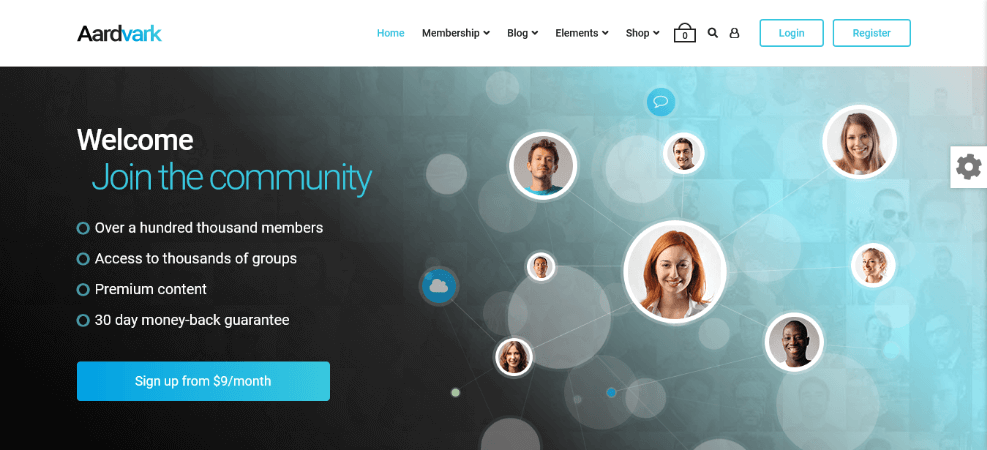
Aardvark is a multipurpose BuddyPress and membership theme with demos for social networks, dating, intranets and eLearning. Social login lets visitors register with existing accounts, and it works with multilingual plugins and right-to-left languages.
- Many ready-made demos for different community types.
- Social registration and login.
- Compatible with membership, eCommerce and course plugins.
- Multilingual and RTL friendly.
Ideal users: teams launching in several languages, including RTL markets.
- Strong language support
- Broad demo selection
- Relies on WPBakery for layouts
- Needs trimming to stay fast
Best for: multilingual communities and membership sites.
6. SocialV: best for a modern social feed with stories
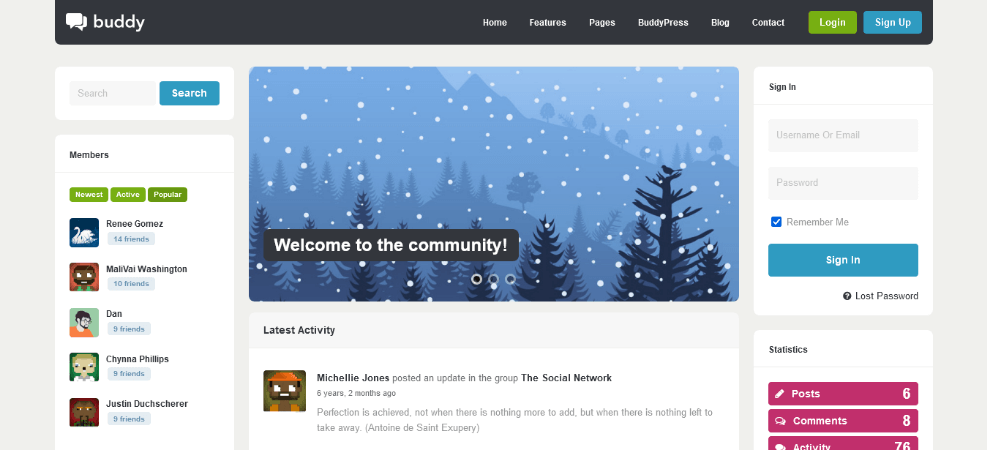
SocialV mimics the feel of today’s social apps. It offers light and dark modes, pre-built pages for news feed, groups, members and forums, and full Elementor support.
- Compatible with Better Messages for private chat.
- LearnPress integration for selling courses.
- A stories plugin for Facebook-style posts.
- Multiple menu styles and Customizer controls.
Ideal users: founders who want an app-like look for younger audiences.
- App-like interface
- Chat and course integrations
- Stories and chat add plugin load
- Less suited to formal intranets
Best for: modern, mobile-first social networks.
7. Vikinger: best for gaming and gamified communities
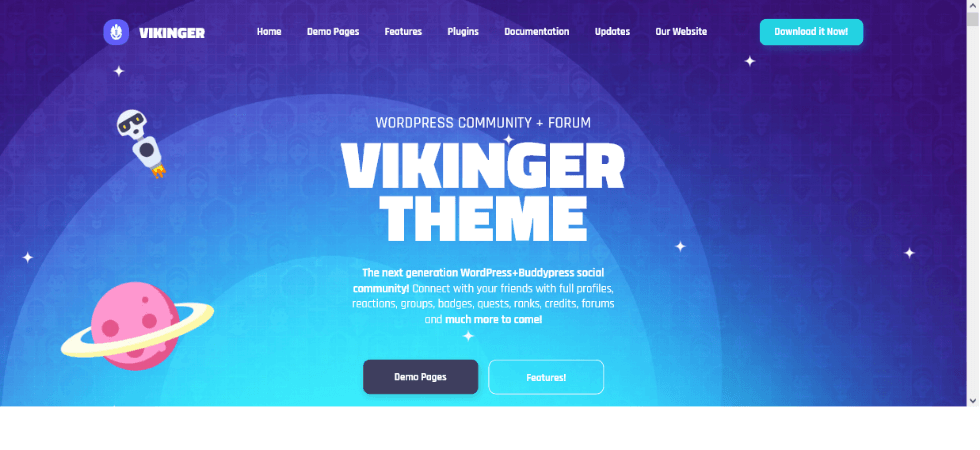
Vikinger pairs BuddyPress with bbPress and GamiPress, so members earn points, badges and ranks for taking part. Its demo style suits gaming, but the system works for any community that rewards activity.
- Points, achievements and rank displays on profiles.
- Forum support through bbPress.
- Elementor for editing demo templates.
- Bold, energetic visual style.
Ideal users: esports teams, game studios, fan clubs and learning communities that use rewards.
- Best-in-list gamification
- Distinctive visual identity
- Style may feel too playful for corporate use
- Customizing the look takes effort
Best for: gaming hubs and engagement-driven communities.
8. Join Up: best value with profile plugin bundled
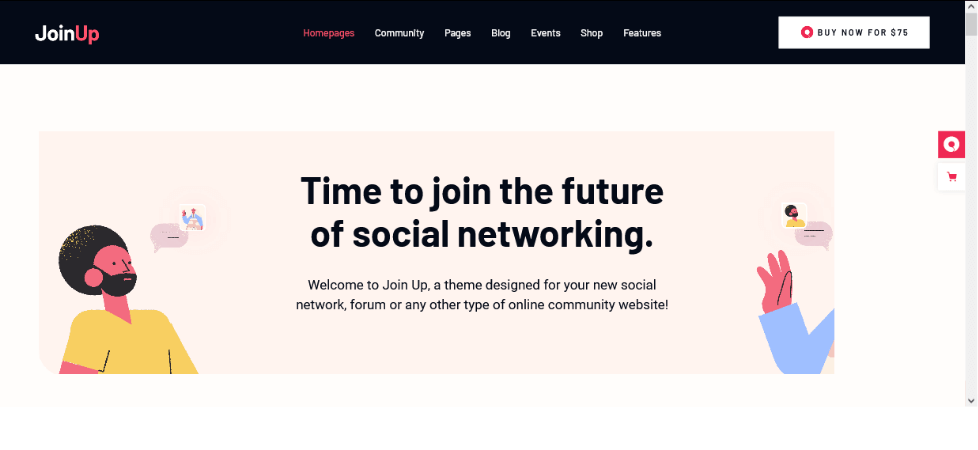
Join Up from Mikado-Themes is a contemporary community theme for social networks and forums. It bundles Youzify and Slider Revolution, is compatible with bbPress, Elementor, WPBakery, WooCommerce and The Events Calendar, and includes WPML compatibility and a child theme.
- Shortcodes for activity feeds, top members, badges, groups and forums.
- Widgets for friend suggestions, active groups and login.
- One-click demo import with multiple header types.
- Recent update that lists current WordPress and WooCommerce compatibility.
Ideal users: small teams that want profile features without buying extra plugins.
- Useful plugins included
- Clear shortcodes and widgets
- Fewer demos than the biggest themes
- Smaller sales base than long-running rivals
Best for: budget-aware social networks that need profile customization.
9. OneCommunity: best classic community portal
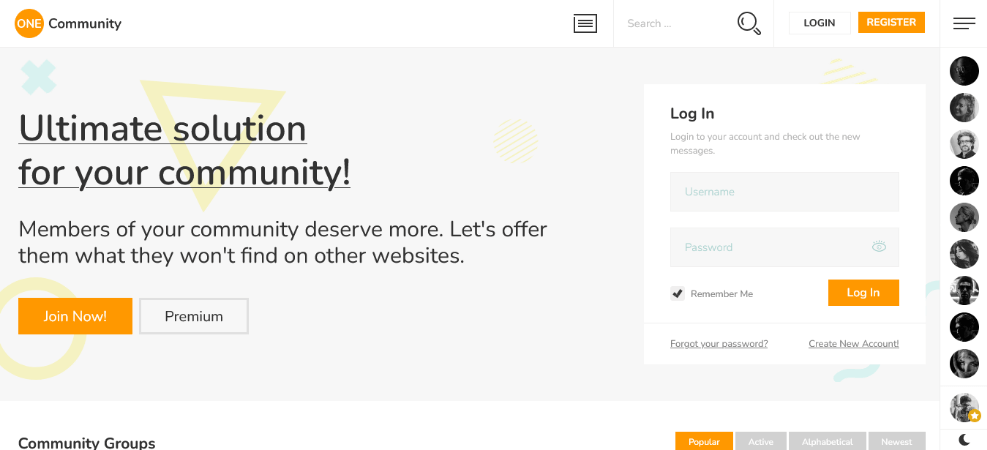
OneCommunity is a veteran theme built around BuddyPress and bbPress. It offers multiple color schemes, pop-up notifications and different content for members and guests, so visitors see an invitation while members see their feed.
- Nine color schemes you can switch in a few clicks.
- Full support for bbPress and many BuddyPress extensions.
- Demo content for fast setup.
- Pop-up notifications for relevant updates.
Ideal users: owners who prefer a proven, traditional layout.
- Mature and well understood
- Strong forum integration
- Older design language
- Verify current builder and update status
Best for: forum-led community portals.
10. Socialize: best for content-rich communities
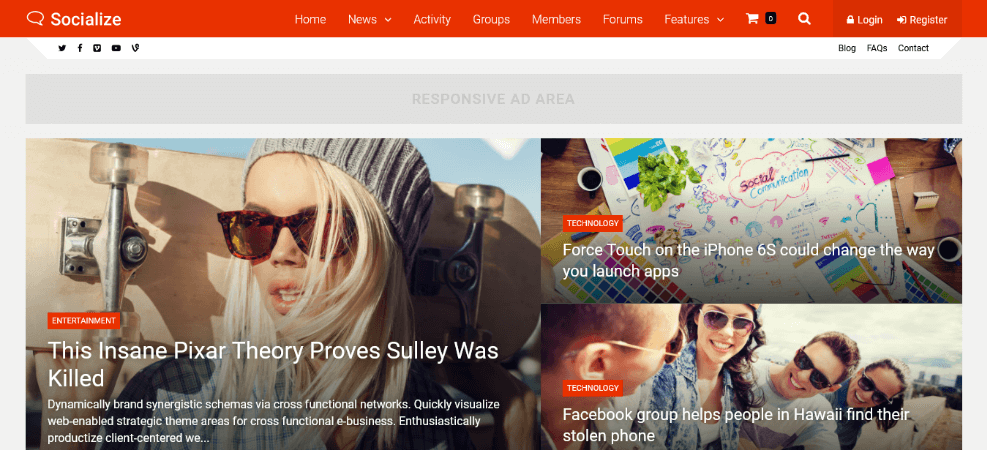
Socialize treats the blog as a first-class feature. It provides several homepage layouts, many blog layouts, animation effects and integrations with event calendars, WooCommerce and multilingual setups.
- Four homepage layouts and six blog layouts.
- Social sign-in with existing accounts.
- Notification counter and ad areas.
- Sticky sidebars for long pages.
Ideal users: communities that publish lots of articles alongside member activity.
- Excellent blog presentation
- Good for ad-supported sites
- Animations can slow weak hosting
- Check current builder bundle
Best for: publishing-heavy social communities.
11. Ureg: best for private intranets and extranets
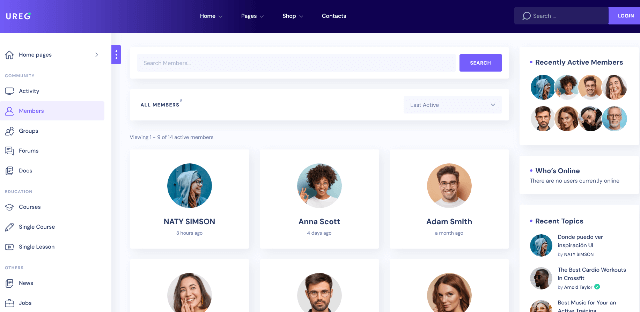
Ureg turns BuddyPress into a company workspace, with projects, task tracking, file sharing, calendars, events and Slack notifications. For a deeper look at this category, see our list of WordPress intranet themes.
- Task tracking and user assignment.
- Directory and member listing support.
- Calendar syncing and event publishing.
- Social login options.
Ideal users: agencies, associations and distributed teams.
- Real collaboration tools
- Works for public or private use
- Overkill for a simple social site
- Private networks need careful permissions
Best for: internal team portals and partner extranets.
12. Anesta: best for modern private communities
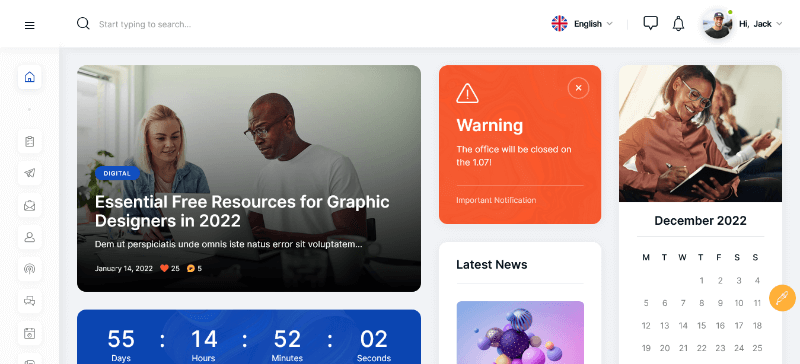
Anesta offers intranet, extranet and public community demos that switch between light and dark modes. It works with Elementor and adds its own widgets for polls, charts and calendars.
- Demos for public and private communities.
- Polls, charts, graphs and calendar elements.
- Works with membership plugins to restrict content.
- Clean, contemporary visual style.
Ideal users: HR teams, clubs and organizations that want a tidy members area.
- Attractive private-area demos
- Useful data widgets
- Fewer niche demos than WildCommunity
- Confirm current feature set before buying
Best for: organizations that want a modern, restricted community.
13. Jannah: best for publishers adding a community
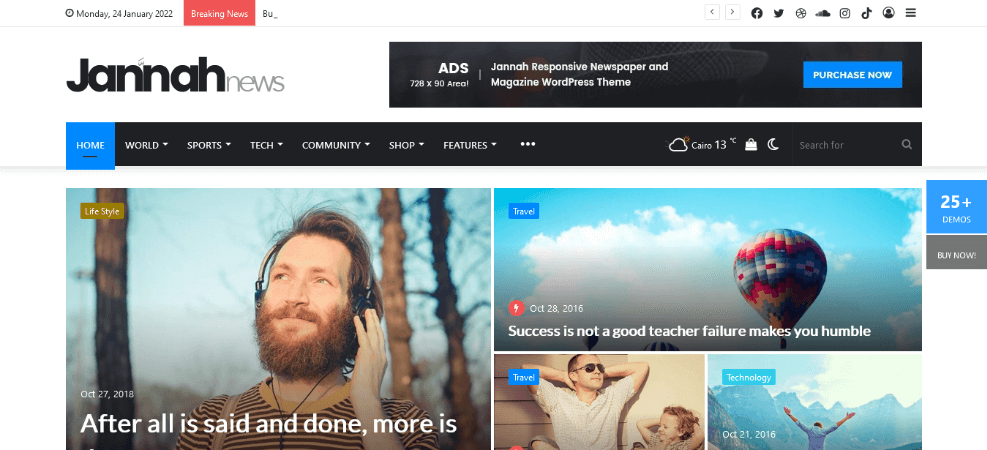
Jannah is primarily a news and magazine theme, with BuddyPress and bbPress compatibility added on top. That makes it unusual on this list: it is the right choice when content leads and community supports it. If you run a media site, our guide for journalist WordPress themes is a helpful companion.
- Editorial layouts, sliders and category styling.
- Compatibility with BuddyPress, bbPress and WooCommerce.
- Large demo library for niche magazines.
- Strong monetization spaces for ads.
Ideal users: publishers, bloggers and news sites wanting comments, profiles and member pages.
- Best editorial design here
- Mature and widely used
- Social features are secondary
- Less tailored than dedicated community themes
Best for: news and magazine sites with a member community.
14. CommunityJunction: best for a straightforward community launch
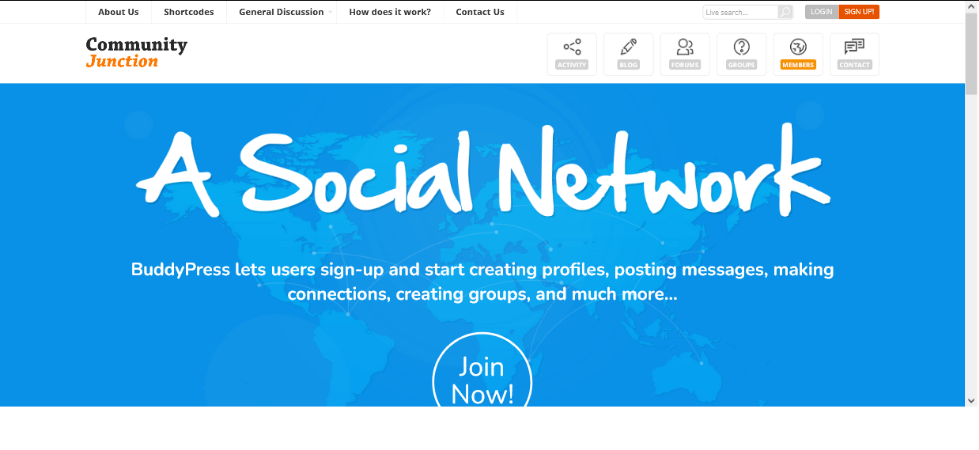
CommunityJunction is a BuddyPress-focused theme for owners who want the community front and center rather than a general-purpose toolbox. Because older listings can lag behind current WordPress releases, check the changelog and compatibility fields carefully before you commit.
- Community-first demo structure and sign-up flow.
- Styling for member, group and activity pages.
- Suitable base for forums and member directories.
Ideal users: hobby groups and local communities with simple needs.
- Focused scope
- Easy to understand
- Verify update frequency
- Fewer extras than multipurpose rivals
Best for: simple, focused community sites.
15. SocialMag: best free BuddyPress theme
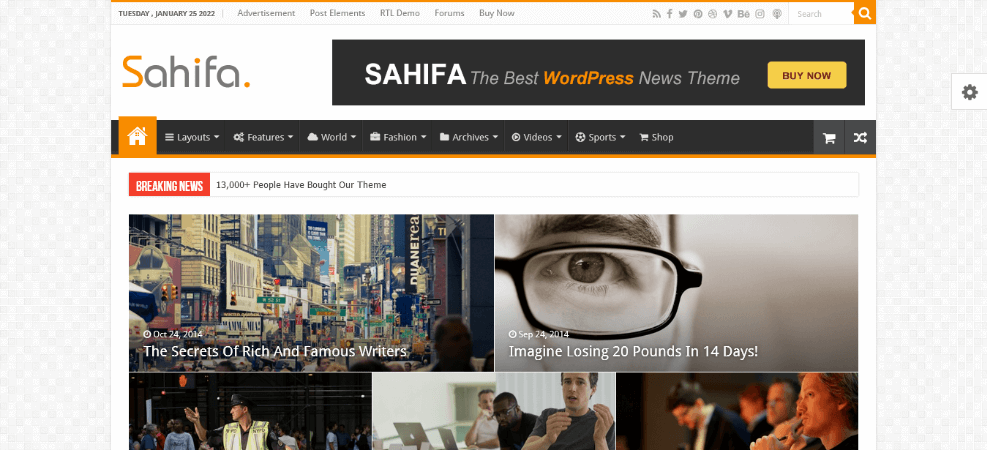
SocialMag is a free theme from the WordPress.org directory. It includes a header video option, ad management and Google AdSense integration, WooCommerce compatibility and bbPress support, all controlled from the Customizer.
- Social sharing and header video.
- Ad spaces and AdSense support.
- Several color choices through the Customizer.
- No license cost.
Ideal users: first-time builders testing a community idea.
- Costs nothing
- Good for validating demand
- Fewer templates and demos
- Community-forum support only
Best for: proof-of-concept communities and tight budgets.
How to choose a BuddyPress theme: buying tips
- Start with the demo, logged in. A BuddyPress WordPress demo that only shows the homepage hides the pages that matter. Look for test-user access, as some vendors provide, then click through the feed, profile, group and inbox.
- Match the builder to your team. Choose Elementor, WPBakery or the block editor based on what you already know. Re-learning a builder costs more than any license.
- Read the changelog. Recent entries that mention current WordPress and WooCommerce versions are a healthier sign than a long gap.
- Count the bundled plugins. Bundled plugins save money but add update tasks. Confirm you can update them without an extra renewal.
- Test speed with real content. Community pages are dynamic and often bypass caching. Review our notes on the fastest WordPress themes and measure against Core Web Vitals on a staging copy.
- Plan how you will earn. A dedicated eCommerce theme suits a store-first project, while a community-first site can add WooCommerce through the theme. For creators and nonprofits, tips & donations offer a lighter way to monetize without a full membership model.
- Check support terms. Note how long support lasts, what it covers and the renewal cost.
- Verify accessibility. Test keyboard navigation and color contrast against the WCAG guidelines, especially in dark mode.
Launch checklist for a BuddyPress community
- Install on a staging site first and import one demo only.
- Enable the BuddyPress components you need and disable the rest.
- Set registration rules: open, approval-based or invitation-only.
- Add spam protection and email verification before you invite members.
- Write community guidelines and a clear report-abuse path.
- Test notification emails and check they reach inboxes.
- Back up the site and keep BuddyPress current; maintenance releases have included security fixes, so check BuddyPress news regularly.
Building for Germany, Austria, Switzerland and France
If your members live in the DACH region or France, a few extra decisions matter more than theme colors:
- Translation quality. Pick a theme that ships translation files and works with a multilingual plugin. Decide early between informal and formal address, such as “du” and “Sie” in German. Our multilingual WordPress themes guide covers the technical side.
- Privacy by design. Member profiles, messages and activity are personal data. Review the GDPR text, the guidance from France’s CNIL and Switzerland’s Federal Data Protection and Information Commissioner. Use consent for cookies and optional tracking, and offer account deletion and data export.
- Legal notice. Many sites in Germany, Austria and Switzerland need a legal notice (Impressum). Ask a qualified lawyer what applies to you.
- Hosting location. Many European communities prefer servers inside the EU or Switzerland to simplify data-transfer questions.
- Currency and payments. If you sell memberships, confirm EUR and CHF support and local payment methods.
This section is general information, not legal advice.
WordPress BuddyPress alternatives
BuddyPress is not the only way to build a community. Consider these options if your needs differ:
- BuddyBoss Platform: an integrated, commercial community product, covered above.
- bbPress: a lightweight forum plugin from the bbPress project when discussion is all you need.
- Profile and membership plugins: plugins focused on directories, profiles and member roles.
- Q&A tools: see our list of WordPress question and answer plugins for support-style communities.
- Hosted community platforms: they remove maintenance but limit control and data ownership.
Frequently asked questions
What is BuddyPress used for?
BuddyPress turns a WordPress site into a social network with profiles, groups, activity streams, friendships and private messages. It is used for communities, memberships and intranets.
Is BuddyPress free?
Yes. The plugin is free and open source. Costs come from the theme, add-ons, hosting, email delivery and moderation.
What is the best WordPress BuddyPress theme?
It depends on the goal. BuddyX and Reign suit most community sites, Vikinger suits gamified communities, Ureg suits intranets, and SocialMag suits free tests.
Do any free BuddyPress themes exist?
Yes. SocialMag is available from the WordPress.org theme directory. Many general-purpose themes also work with BuddyPress, though they may lack custom community templates.
Can I use BuddyPress with Elementor?
Yes. Many themes here, including BuddyX, Reign, SocialV, Vikinger and Join Up, support Elementor for building pages around BuddyPress content.
Are there BuddyPress blocks?
Yes. Current BuddyPress versions include blocks for common elements such as members, groups and activity updates, so you can place them in the block editor. Check each theme for styling support.
How do I choose between BuddyPress and BuddyBoss?
Choose BuddyPress for a flexible, low-cost build you control piece by piece. Choose BuddyBoss for a more integrated paid platform with mobile app options.
Will a BuddyPress site be slow?
It can be, because logged-in pages are dynamic. Use good hosting, a lean theme, object caching and only the components you need.
Final thoughts
The best WordPress BuddyPress theme is the one that fits your community model, your editing skills and your budget. Shortlist two or three themes, walk through their demos as a logged-in member, then test them on a staging site with real content. Start with a small, focused feature set, listen to your first members and expand from there.