If your audience speaks more than one language, a single-language website quietly turns visitors away. The fix does not have to be expensive. The right multilingual WordPress theme gives you clean language-switcher support, translation files, right-to-left layouts and compatibility with the plugins that actually translate your content.
This guide compares 12 multilingual WordPress themes that are translation ready, work with WPML or Polylang, and are flexible enough for business sites, magazines and online stores. You will also find a plain-English explanation of how a multilingual WordPress website really works, a step-by-step setup, and ten website examples showing which theme suits which kind of project.
What Is a Multilingual WordPress Theme?
WordPress itself does not publish one page in several languages out of the box. A multilingual WordPress theme is a theme built so that a translation plugin can do that job cleanly. In practice that means four things:
- Translation-ready code. Every visible string, from the “Read more” button to the search placeholder, is wrapped in WordPress translation functions so it can be translated without touching the theme files.
- Language files. A good theme ships a .pot file (Portable Object Template). You open it in Poedit or Loco Translate, add your language, and save the matching .po and .mo files.
- Plugin compatibility. The theme has been tested with WPML, Polylang, TranslatePress or Weglot, so menus, widgets and language switchers behave.
- RTL support. Arabic, Hebrew, Persian and Urdu read right to left, so the layout must mirror itself properly.
The theme prepares the stage; a translation plugin handles the actors. WordPress’s own internationalization guide for theme developers explains how the translation functions work if you want the technical side.
Multilingual Theme vs Translate-Ready Theme
You will see both phrases in theme marketplaces. A translate-ready WordPress template only promises that its text can be translated. A theme marketed as multilingual usually goes further: it lists a tested plugin (most often WPML), includes a language switcher area and often handles RTL. When in doubt, check the item description for the words “.pot”, “WPML”, “Polylang” and “RTL”.
How to Choose the Right Multilingual Theme
Before you fall for a gorgeous demo, run any candidate through this short checklist:
- Check for a .pot file. It proves the developer prepared the strings for translation.
- Confirm plugin support. Look for named compatibility with WPML, Polylang, TranslatePress or Weglot. Pick the plugin first if you already know which you want.
- Test RTL. If you will publish in Arabic or Hebrew, open the demo with an RTL language, or read our guide to RTL WordPress themes.
- Look at the language switcher. It should fit in the header, a menu or a widget area without breaking the design.
- Mind the speed. Every extra language adds database rows and pages. A lean codebase matters; see our list of the fastest WordPress themes.
- Review standards and updates. A theme that follows the WordPress theme standards is far more likely to keep working with translation plugins after core updates.
- Plan for long text. German and Russian often run 20 to 30 percent longer than English. Flexible buttons and menus save you from broken layouts.
The 12 Best Multilingual WordPress Themes
The themes below are ordered by use case rather than by a made-up score, so you can jump to the one that matches your project.
1. Betheme: Best for Large Multi-Purpose Sites
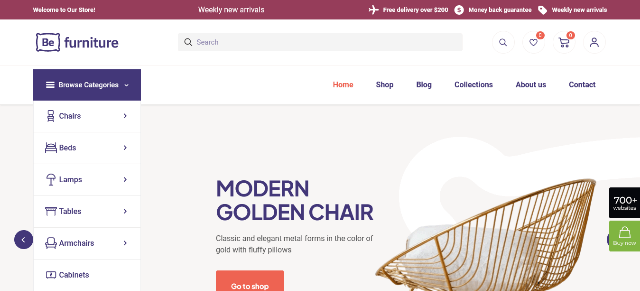
Betheme is a heavyweight multipurpose theme with a very large library of pre-built websites and a drag-and-drop builder. It supports WPML, is RTL ready and includes a built-in translator that helps you localize theme strings without extra tools. That combination makes it a comfortable pick for agencies that deliver many multilingual client sites with different looks.
- Best for: agencies, corporate sites, portfolios
- Translation tools: built-in translator, WPML, RTL
- Watch out for: the sheer number of options can feel heavy for a small blog
2. Polo: Best for Multilingual Business and Portfolio Sites
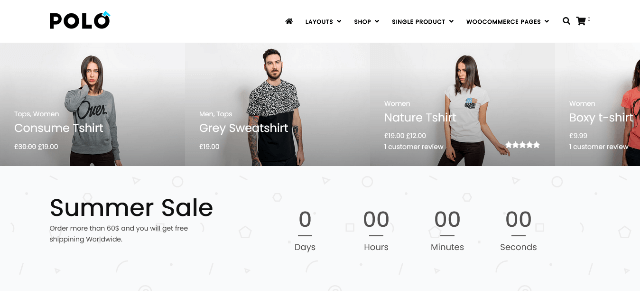
Polo by Crumina offers more than 120 demo layouts built on WPBakery Page Builder. Its multilingual section is refreshingly explicit: it is compatible with WPML, Polylang and Loco Translate, and it includes translation files. There is also a language-switcher option for the top bar, which is a tidy touch for corporate headers.
- Best for: business, blog and portfolio sites
- Translation tools: WPML, Polylang, Loco Translate, bundled translation files
- Watch out for: it relies on WPBakery rather than Elementor or blocks
3. Iteck: Best for Software and Technology Companies

Iteck is an Elementor theme for IT services, SaaS startups and digital agencies. For multilingual use it ships a .pot file for Poedit or Loco Translate, works with WPML and WPGlobus, and flips to RTL automatically for languages such as Arabic and Persian. Header, footer and side-panel builders let you design a switcher placement that suits your brand.
- Best for: tech, SaaS and agency sites
- Translation tools: .pot file, WPML, WPGlobus, automatic RTL
- Watch out for: it is tuned for tech niches, so other industries need more design work
4. SimpleMag: Best for Multilingual Magazines and Blogs
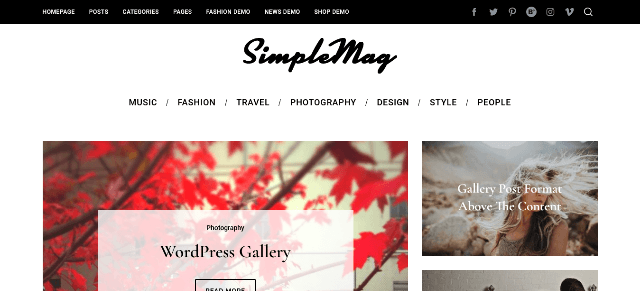
SimpleMag is a long-standing magazine theme with a page composer, several category layouts and ad placeholders. Its feature list states full WPML support and RTL language support, which is exactly what a news site publishing in two or three languages needs. Support from the author is not included, so you will lean on the documentation and community.
- Best for: magazines, news and creative blogs
- Translation tools: full WPML support, RTL
- Watch out for: the item is older and not built for the block editor
5. Globy: Best for Multilingual Corporate Websites

Globy is a clean Elementor business theme from TemplateMonster aimed at consulting firms, financial advisors and professional services. Multilingual support is listed among its features alongside typography controls, several header styles and a one-click demo import. It is a straightforward starting point if you need a polished corporate site in two or three languages without a complicated setup.
- Best for: consulting, finance and service businesses
- Translation tools: multilingual support, Elementor-friendly
- Watch out for: the blog design is simpler than the corporate pages
6. The9 Store Pro: Best for Multilingual WooCommerce Stores
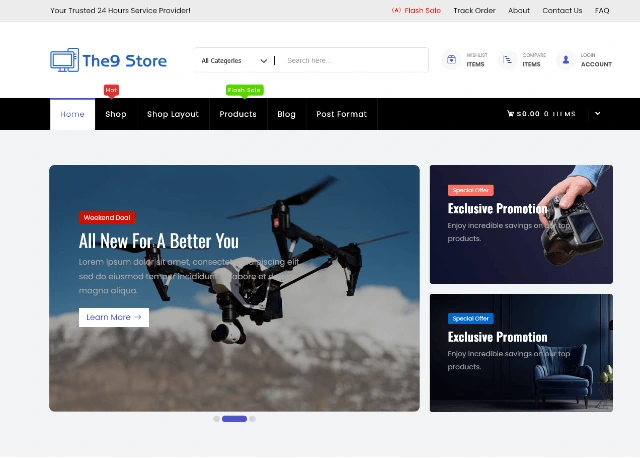
The9 Store Pro is our own storefront theme for selling electronics, fashion, furniture, beauty products and more. It is WPML-ready and includes translation files (.po and .mo), so a store owner can translate product pages, cart and checkout into other languages. It also adds custom Elementor elements and a WooCommerce development toolkit for unique store layouts. If you want to see how much WooCommerce can do, browse our best free WooCommerce themes for more options.
- Best for: international online shops
- Translation tools: WPML-ready, .po/.mo files included
- Extras: GPL license, unlimited site usage, free installation on paid items
7. Prime Shopping Cart Pro: Best for Fast Multilingual Shops with a Fly Cart
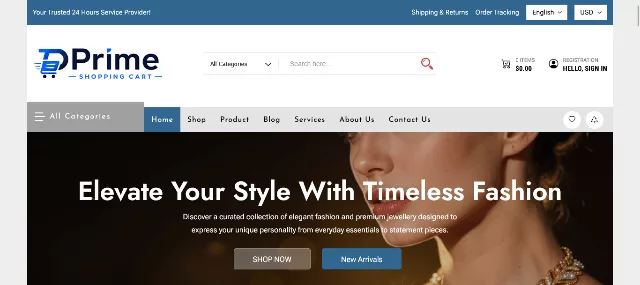
Prime Shopping Cart Pro is a lightweight, translation-ready WooCommerce theme with a floating cart, AJAX live search, wishlist, comparison tools and a built-in currency converter. That currency converter is a real advantage when you sell to several countries, because shoppers see familiar prices as soon as they switch language. More than 30 custom widgets and Elementor layouts mean you can customize the design without extra add-ons.
- Best for: multi-country WooCommerce stores
- Translation tools: translation ready, built-in currency converter
- Extras: bundled search, AJAX add to cart and variation swatches
8. Avada: Best for Page-Builder Flexibility in Many Languages

Avada comes with its own Fusion Builder, translation files, WPML and Polylang compatibility and built-in RTL. Several languages are already translated, and more are added over time. It is a safe, well-known choice when you want maximum design freedom and a large community behind the theme.
- Best for: design-heavy business and brand websites
- Translation tools: language files, WPML, Polylang, RTL
- Watch out for: feature-rich themes need good hosting to stay quick
9. Divi: Best for Visual Builders Working with a Translation Plugin
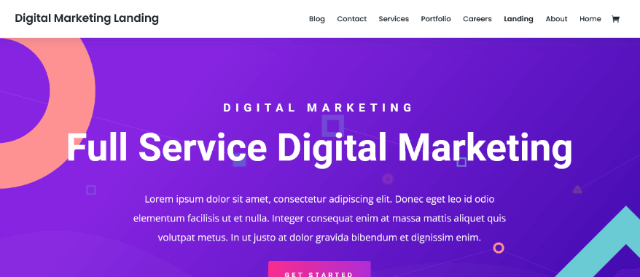
Divi is fully translatable and ships with many built-in interface translations. To be precise, Divi does not publish one page in several languages by itself; you pair it with WPML, Polylang or a similar plugin, and Elegant Themes documents that workflow. Once that is set up, Divi’s visual builder makes it easy to lay out each language version.
- Best for: designers who prefer a front-end visual builder
- Translation tools: translatable theme, works with major translation plugins
- Watch out for: you still need a multilingual plugin
10. The7: Best for Performance-Minded Multipurpose Sites
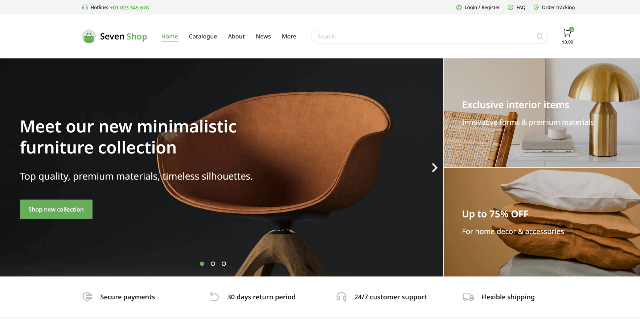
The7 is a scalable multipurpose theme described as translation ready and fully compatible with WPML. It suits everything from small studio sites to large corporate portals, and its focus on SEO-friendly, retina-ready design makes multilingual rollouts less stressful.
- Best for: corporate portals and studio sites
- Translation tools: translation ready, WPML
- Watch out for: plan time to configure the many options
11. Astra: Best Free Starting Point

Astra is a lightweight, free-to-start theme that is translation ready and widely used with Polylang, WPML and TranslatePress. Its small footprint keeps pages quick even when you add a second or third language, which is why it is a favorite for blogs, small businesses and starter shops. If you want a gentle first step into multilingual publishing, this is the one to test first.
- Best for: beginners and small budgets
- Translation tools: translation ready, works with popular multilingual plugins
- Watch out for: some design extras sit in the paid version
12. Enfold: Best for Clean Business and Shop Sites
Enfold is a flexible, responsive theme built on the Avia Framework. It supports the WPML multilingual plugin and suits business sites, shops and portfolios. Its layout builder is easy to learn, so editors can keep every language version consistent.
- Best for: business sites, small shops, portfolios
- Translation tools: WPML support
- Watch out for: confirm RTL behavior in the demo if you need it
Tip: Theme details change as authors ship updates. Before you buy, open the live demo, read the changelog and confirm the exact plugin you plan to use. Our guide on WordPress theme providers shows where to find reliable sellers.
Quick Comparison Table
| Theme | Best for | Translation plugin support | RTL | Language files |
|---|---|---|---|---|
| Betheme | Multipurpose sites | WPML, built-in translator | Yes | Yes |
| Polo | Business, portfolio | WPML, Polylang, Loco Translate | Check demo | Yes |
| Iteck | Tech, SaaS | WPML, WPGlobus | Yes | .pot |
| SimpleMag | Magazines | WPML | Yes | Yes |
| Globy | Corporate | Multilingual support listed | Check demo | Check item page |
| The9 Store Pro | WooCommerce stores | WPML | Check demo | .po/.mo |
| Prime Shopping Cart Pro | WooCommerce stores | Translation ready | Check demo | Yes |
| Avada | Design-heavy sites | WPML, Polylang | Yes | Yes |
| Divi | Visual builder users | Works with major plugins | Yes | Yes |
| The7 | Corporate portals | WPML | Check demo | Yes |
| Astra | Beginners, free start | Polylang, WPML, TranslatePress | Yes | Yes |
| Enfold | Business, shops | WPML | Check demo | Yes |
How to Create a Multilingual WordPress Website
Here is the practical workflow for anyone asking how to make multilingual websites with WordPress. You can finish the basics in an afternoon.
Step 1: Choose Your Multilingual Approach
There are two common ways to build a WordPress multilingual website:
- One site plus a translation plugin. The plugin stores each language version inside the same installation. This is the easiest route for most people.
- A separate site per language using Multisite. Each language lives on its own subsite. It gives you total separation but means more maintenance. Read our walkthrough on multisite network setup in WordPress before choosing this path.
Step 2: Install a Multilingual-Ready Theme
Pick a theme from the list above and install it. If you have never done this, follow our guide on how to install a WordPress theme. If you are starting a site from zero, how to create a WordPress website covers hosting, domain and the first setup.
Step 3: Add a Translation Plugin
The plugin does the heavy lifting. These four are the most common choices:
- WPML: premium, supports unlimited languages and offers AI-assisted translation; popular on professional and agency sites.
- Polylang: has a free version and handles posts, pages, custom post types and RTL scripts; no automatic translation in the free edition.
- TranslatePress: lets you translate from a live front-end editor and supports automatic translation.
- Weglot: a cloud-based service that translates automatically and lets you edit the results.
Step 4: Translate the Theme Strings with the .pot File
Plugins translate your content, but theme text such as button labels still comes from the theme’s language files. Install Loco Translate or use Poedit, open the theme’s .pot file, and create a new language. Save it and WordPress loads the right .mo file when that language is active.
Step 5: Build the Language Switcher
Place the switcher where visitors expect it, usually the header or the main menu. Use language names instead of flags alone: a flag represents a country, not a language, and Spanish speakers live in many countries.
Step 6: Translate Pages, Menus and Media
Translate your core pages first (home, services or shop, about, contact), then menus, product categories and image alt text. If you use customizable WordPress themes with header and footer builders, remember to translate those builder areas too.
Step 7: Test on Mobile and in Every Language
Switch to each language and check long words, date formats, currency symbols and RTL alignment. If your theme uses the block editor, our list of Gutenberg-compatible themes is a handy reference for modern layouts.
Top 10 WordPress Multilingual Website Examples
Looking for inspiration? These ten example setups show how a multilingual theme fits real projects. They are practical blueprints you can copy, not a ranking of specific brands.
- Translation agency site. Service pages in every language, quote forms and a prominent switcher. Good fit: Iteck or Globy.
- International online store. Localized product pages, currency conversion and translated checkout. Good fit: The9 Store Pro or Prime Shopping Cart Pro.
- Hotel or resort site. Booking-focused pages in the languages of your guests. Good fit: Avada or Enfold.
- Tourism and travel blog. Destination guides published in several languages for broader reach. Good fit: SimpleMag or Astra.
- University or language school. Course catalogs and admissions pages in English plus local languages. Good fit: Betheme or The7.
- Non-profit and NGO site. Donation pages and reports translated for donors and communities. Good fit: Polo or Astra.
- News and magazine site. Parallel editions for different regions. Good fit: SimpleMag.
- SaaS or software company. Product pages, docs landing pages and pricing in local languages. Good fit: Iteck.
- Restaurant chain or franchise. One menu, several languages, location pages per country. Good fit: Divi or Enfold.
- Portfolio or agency showcase. Case studies for international clients. Good fit: Betheme or Divi.
Need more layout ideas? Our collections of WordPress templates and the list of themes in our RTL theme guide are good places to keep browsing.
Multilingual SEO Checklist
A translated site still has to be found. These habits help every language version rank in its own market:
- Use hreflang tags. They tell search engines which page serves which language and region. Google explains the details in its guide to localized versions of your pages. Most translation plugins add these automatically.
- Pick one URL structure and stick to it. Subfolders (
/fr/), subdomains (fr.example.com) or separate domains all work. Subfolders are the simplest to manage. - Translate SEO metadata. Meta titles, descriptions and slugs should exist in each language, not just the body text.
- Translate image alt text. It helps accessibility and image search in every language.
- Avoid mixing languages on one page. Keep navigation, content and footer in the same language.
- Use human review. Machine translation is a great first draft, but a native speaker should check key pages.
- Keep the theme current. Updates fix compatibility bugs; see how to upgrade a WordPress theme safely.
Frequently Asked Questions
What is the best multilingual WordPress theme?
There is no single winner. Betheme and Avada suit big, flexible projects, Iteck fits tech companies, SimpleMag works for magazines, The9 Store Pro and Prime Shopping Cart Pro suit WooCommerce stores, and Astra is a strong free starting point.
Does a multilingual theme translate my content automatically?
No. The theme makes its own text translatable and plays nicely with plugins. A plugin such as WPML, Polylang, TranslatePress or Weglot handles your posts, pages and products, either by hand or with automatic translation.
What is a .pot file?
A .pot file is a template that lists every translatable string in a theme or plugin. You use it with Poedit or Loco Translate to generate .po and .mo files for a specific language.
Can I create a multilingual WordPress website for free?
Yes. Pair a free theme such as Astra with the free version of Polylang or TranslatePress. Free versions have limits, for example on the number of languages or automatic translation, but they are enough for a small site.
Do multilingual themes support RTL languages?
Many do. Iteck, SimpleMag, Betheme and Avada mention RTL support. Always preview the demo in an RTL language before you buy.
Are multilingual themes good for WooCommerce?
They can be, as long as the theme supports WooCommerce templates and your translation plugin handles products, categories and checkout. The9 Store Pro and Prime Shopping Cart Pro were built with exactly that in mind.
Will adding more languages slow my site?
It can, because each language adds pages and database entries. Choose a lightweight theme, use caching and a quality host, and test performance after adding every new language.
Should I use Multisite or one site with a plugin?
Most small and medium sites are easier to manage with one site and a translation plugin. Multisite is better when each language needs its own team, design or domain.
Final Thoughts
A multilingual website is one of the most direct ways to reach new customers. Start with a theme that is translation ready, ships a .pot file and is tested with the plugin you plan to use. Then add languages one at a time, check each version on mobile, and keep your SEO basics in order.
If you are building a store, try The9 Store Pro or Prime Shopping Cart Pro. If you are still deciding between layouts, browse our latest guides and pick the theme that matches your audience, your budget and your languages.