
Quick answer: the best dark WordPress themes combine a true black or charcoal design, readable contrast, fast loading and, for shops, solid WooCommerce support. This guide covers 15 black WordPress theme options, free and premium, so you can pick the right fit for a store, portfolio, agency, blog or restaurant.
A dark WordPress theme gives your site a bold, modern, premium look. Black and charcoal backgrounds make photos, product shots and call-to-action buttons stand out, and many visitors simply find a dark website easier to read at night. The catch is that a poor dark layout can look heavy, hide text, or slow your pages down.
We reviewed a wide range of dark WordPress themes and picked 15 worth your time. You will find a dark WooCommerce theme for online stores, a WordPress dark mode theme with light and dark switching, minimalist dark website templates for portfolios, and bold options for agencies, restaurants, industry and tech sites. Each pick lists what it is best for, standout features and what to check before you buy.
Why choose a dark WordPress theme?
Dark design is no longer a niche trend. Operating systems, phones and apps all ship with a dark option, so visitors expect it. Here is what a dark layout can do for your site:
- Visual impact. Colors, photos and buttons pop against a dark background, which suits portfolios, photography, gaming and product showcases.
- Premium feel. Dark layouts are often linked with luxury, tech and entertainment brands.
- Comfortable night reading. Many people prefer dark pages in low light, and a dark screen can reduce glare.
- Possible battery savings. On OLED phone screens, darker pixels use less power.
- Focus. A restrained dark palette removes visual noise so visitors look at your content and products.
Quick comparison: best dark WordPress templates at a glance
| # | Theme | Best for | Type |
|---|---|---|---|
| 1 | The8 Shop Pro | WooCommerce stores | Premium |
| 2 | Archi | Interior design studios | Premium |
| 3 | Aspen | Minimal portfolios | Premium |
| 4 | ShopStore | Online shops | Premium |
| 5 | Shopper | WooCommerce shops | Premium |
| 6 | Networker | Tech news, magazines (dark mode) | Premium |
| 7 | Elision | Multipurpose business | Premium |
| 8 | Signify Dark | Blogs, small sites | Free |
| 9 | Gamey | Gaming, Elementor WooCommerce | Premium |
| 10 | GoArch | Architecture, interiors | Premium |
| 11 | Tastyc | Restaurants, cafes | Premium |
| 12 | The Luxury | Dark and light luxury brands | Premium |
| 13 | Manufaktur | Industry and factories | Premium |
| 14 | LandX | Landing pages | Premium |
| 15 | Blocksy | Blogs, WooCommerce, dark starter sites | Free + Pro |
How to choose the right black WordPress theme
Before you pick a theme, run through these checks. They will save you time whether you want a free WordPress dark theme or a full premium package.
- Dark by default or dark as an option? Some themes are built dark from the first pixel. Others, such as multipurpose themes, include a dark demo or a color setting. Both work, but dark-first themes need less tweaking.
- Contrast and readability. Use a charcoal base such as #14161c instead of pure #000 where you can, and keep body text above a 4.5:1 contrast ratio. The WCAG contrast guidance explains the rule.
- WooCommerce support. If you sell online, test the cart, checkout, product grid and filters in the dark demo. Our list of best free WooCommerce themes is a good second stop.
- Page builder fit. Check whether the theme works with Elementor, Gutenberg or its own builder. See free Elementor themes and Gutenberg compatible themes for options.
- Speed. A dark layout is not slower by nature, but heavy sliders and effects are. Test the demo in Google PageSpeed Insights and compare with our fastest WordPress themes.
- Mobile layout. Dark themes should keep buttons, forms and menus clear on small screens.
The 15 best dark WordPress themes
Some themes below are dark by default, some ship with dark and light versions, and some give you a dark color scheme through settings or demos. Check each live demo for the exact dark variant you want.
1. The8 Shop Pro – dark WooCommerce theme for online stores
PremiumWooCommerceShop

The8 Shop Pro is our pick for anyone who wants a dark WooCommerce theme with a clean store structure. Product grids, category blocks and promo banners are easy to arrange, and a dark palette helps product photos stand out.
Best for: fashion, gadgets, accessories and general online stores. Check before buying: import the demo and test checkout colors.
2. Archi – bold interior design WordPress theme
PremiumInterior designPortfolio

Archi is built for interior designers and architects who want project galleries to carry the page. Large imagery and strong typography work well on a deep background, and a dark scheme makes finished rooms look more dramatic.
Best for: design studios and creative portfolios. See more in our architecture WordPress themes roundup.
3. Aspen – minimalist theme for dark website design
PremiumMinimalPortfolio
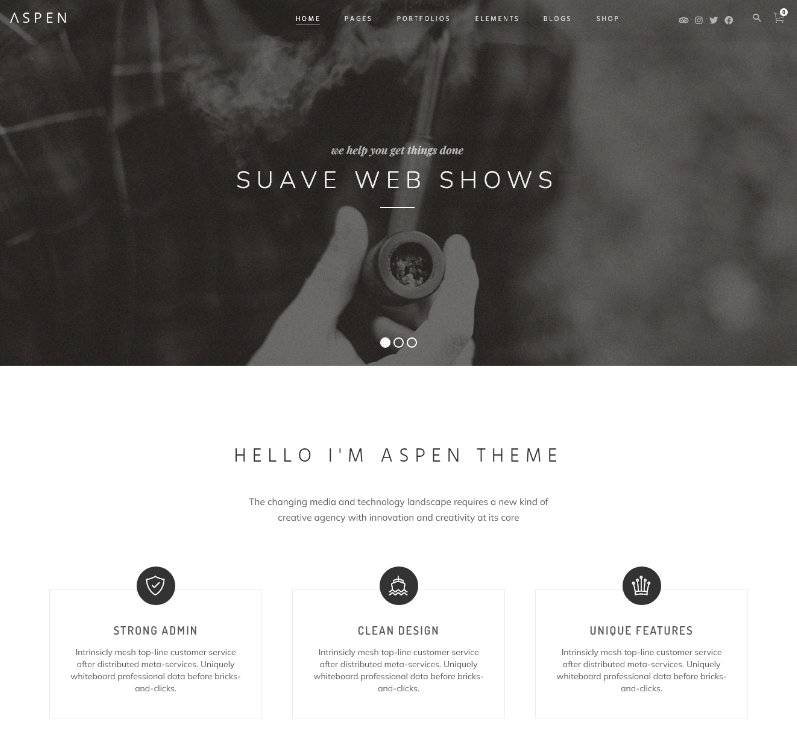
Aspen is a minimalist WordPress theme. Minimal layouts adapt well to a dark palette because there is less clutter to fight against the background. Pair it with a charcoal base and one accent color for a refined look.
Best for: photographers, writers and personal brands. Note: confirm the dark styling you want in the demo or set it through the theme options.
4. ShopStore – dark layout website theme for eCommerce
PremiumWooCommerce
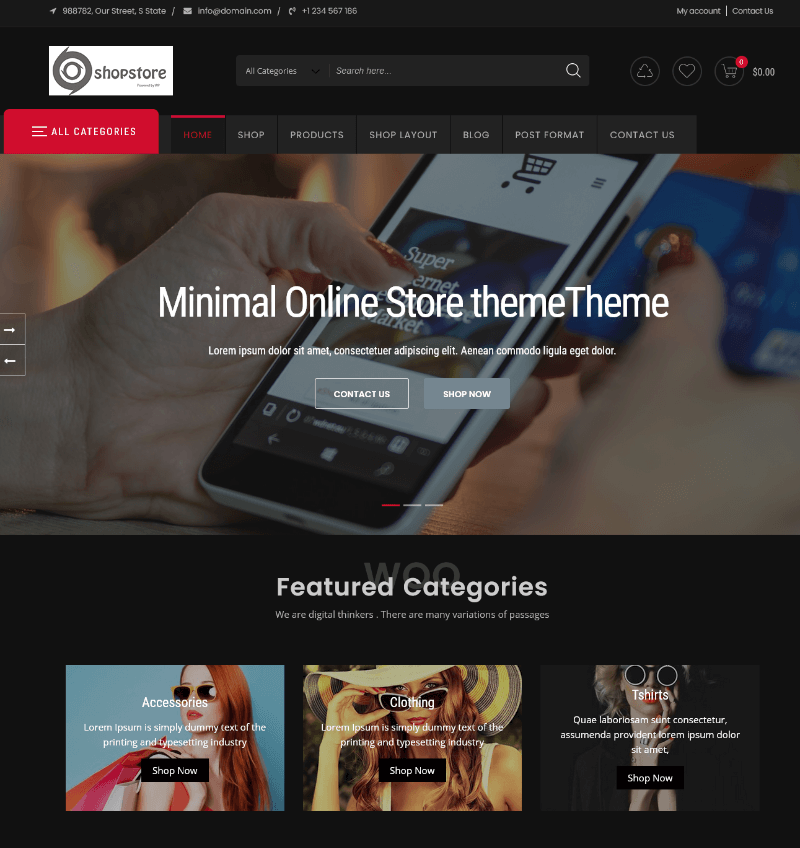
ShopStore gives you ready shop sections, product sliders and clear category navigation. On a dark layout, price tags and add-to-cart buttons are easy to spot, which helps conversions.
Best for: multi-category stores. Related reading: WordPress shop themes.
5. Shopper – best WooCommerce theme with a bold look
PremiumWooCommerce
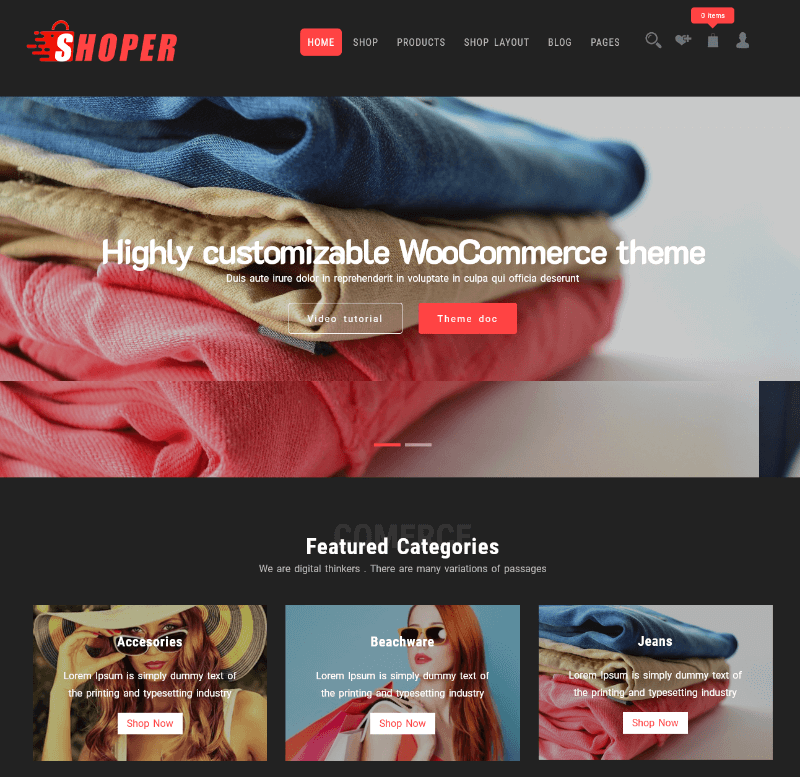
Shopper is a flexible WooCommerce theme that suits stores wanting a bolder, more modern feel. Its sections are easy to restyle with dark backgrounds and high-contrast buttons.
Best for: stores that want a custom look without heavy coding.
6. Networker – tech news WordPress theme with dark mode
PremiumDark modeMagazine

Networker is a tech news theme that lists dark mode in its name, so it fits readers who want a WordPress dark mode theme for long articles. Magazine blocks, headlines and category sections stay organized.
Best for: tech blogs, news sites and review sites. More ideas in gadget review themes.
7. Elision – retina-ready multipurpose theme
PremiumMultipurpose
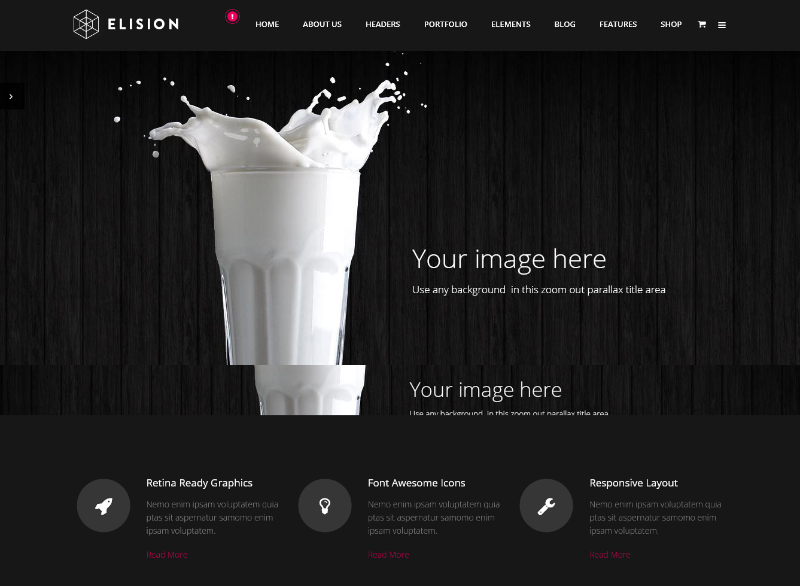
Elision is a multipurpose theme with sharp retina graphics, which matters on a dark background where blurry logos and icons are obvious. Use it for business sites that need many page types.
Best for: agencies and small companies. See also corporate WordPress themes.
8. Signify Dark – free dark WordPress theme
FreeWordPress.org
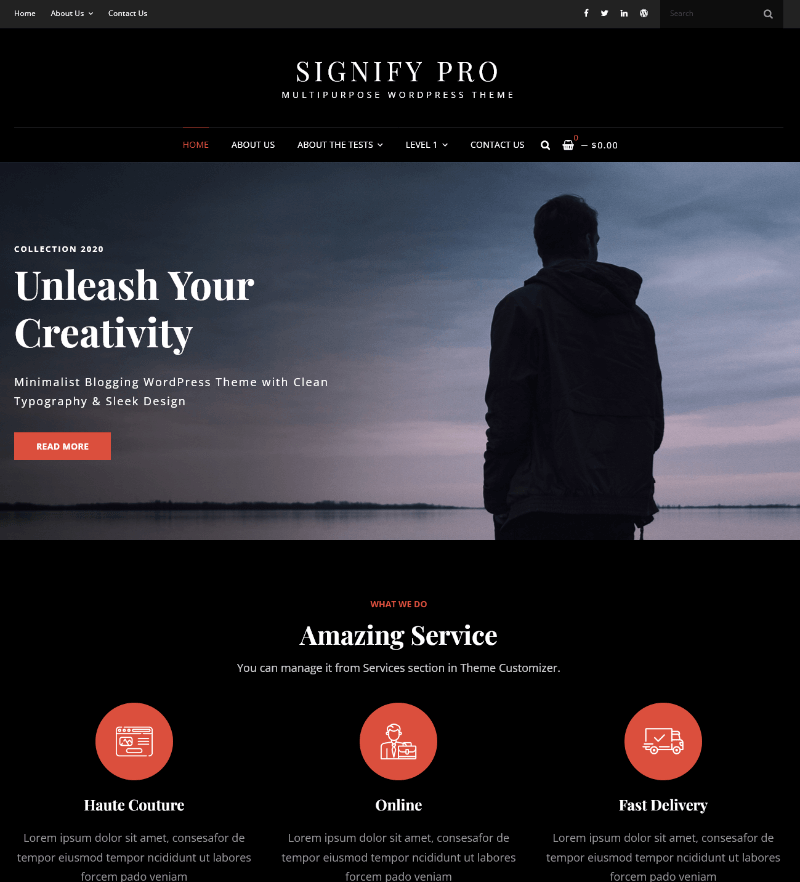
Signify Dark is a free black WordPress theme from the official directory. It is a good starting point if you want a dark blog or small business site without spending anything.
Best for: beginners and tight budgets. For installation, follow our guide on how to install a WordPress theme.
9. Gamey – dark Elementor WooCommerce theme for gaming
PremiumElementorWooCommerce
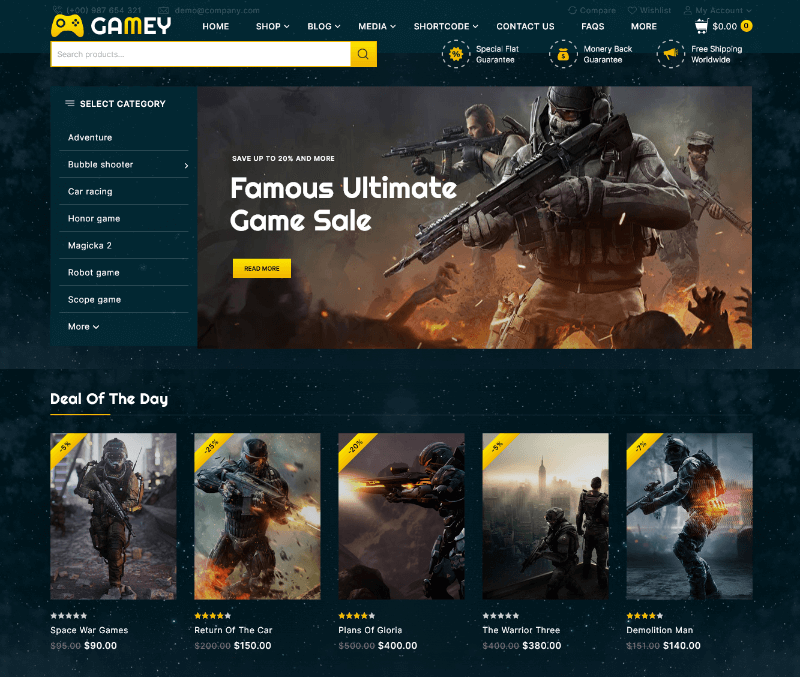
Gamey combines Elementor editing with WooCommerce for online game shops and gaming communities. Dark backgrounds and neon-style accents are common in this niche, so the theme fits visitor expectations.
Best for: game stores, esports and gear shops. Related: toys and games WordPress themes.
10. GoArch – architecture and interior WordPress theme
PremiumArchitecture
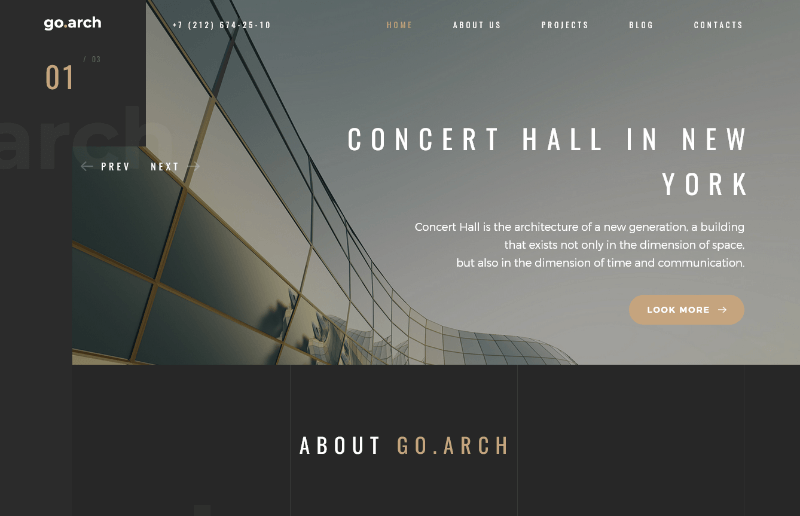
GoArch focuses on architects, builders and interior firms. Full-width project images and clean service sections work well on dark layouts that let buildings and spaces take center stage.
Best for: architecture firms and construction brands.
11. Tastyc – dark restaurant WordPress theme
PremiumRestaurant
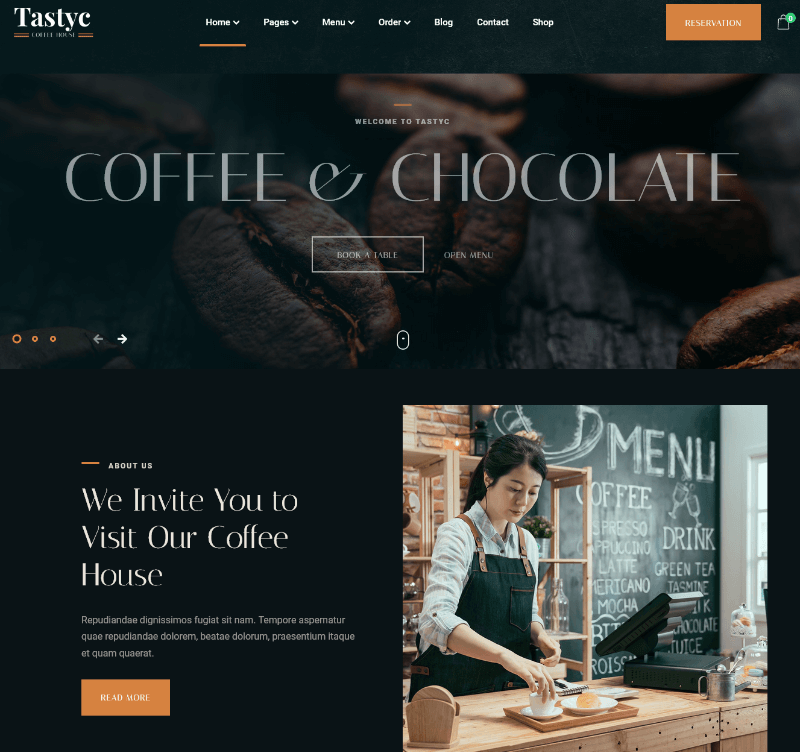
Tastyc is made for restaurants and cafes. Dark restaurant sites create a warm, evening-dining mood and make food photos look rich. Menus, reservations and galleries are the key sections to test.
Best for: restaurants, bars and cafes. Compare with coffee shop WordPress themes.
12. The Luxury – dark and light responsive theme
PremiumDark & light

The Luxury ships with both dark and light looks, so you can start dark and compare with a lighter option later. It suits upscale brands such as hotels, jewelry and fashion.
Best for: luxury and lifestyle brands.
13. Manufaktur – industry and factory theme
PremiumIndustrial
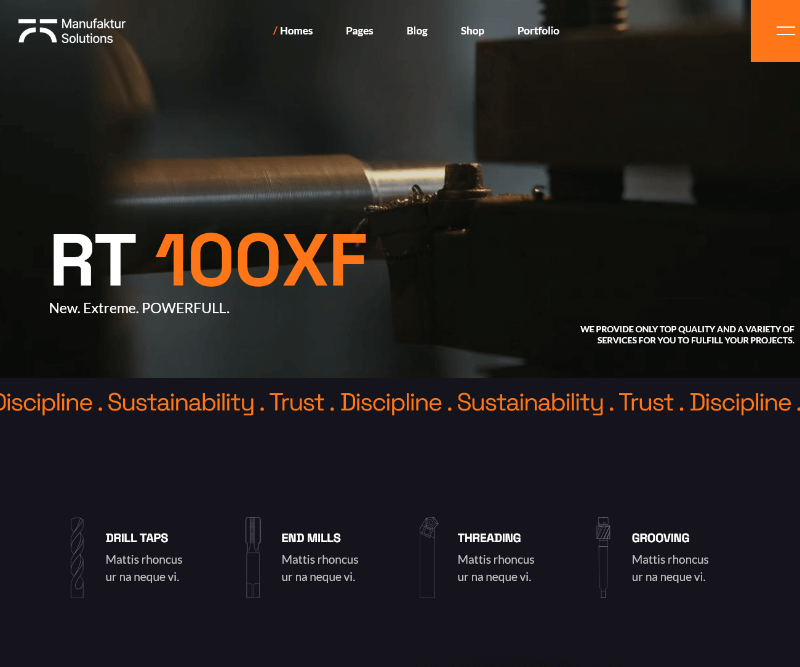
Manufaktur is for factories, engineering firms and industrial service companies. A dark, steel-like palette matches the machinery feel and gives B2B sites a serious tone.
Best for: manufacturers and suppliers. See best industrial WordPress themes.
14. LandX – multipurpose landing page theme
PremiumLanding page

LandX is built for landing pages that push one action. On a dark page, a bright call-to-action button stands out sharply, which is useful for app launches, services and lead generation.
Best for: startups and campaigns. See WordPress landing page plugins.
15. Blocksy – free theme with dark starter sites and a dark mode option
Free + ProWooCommerceBlock editor
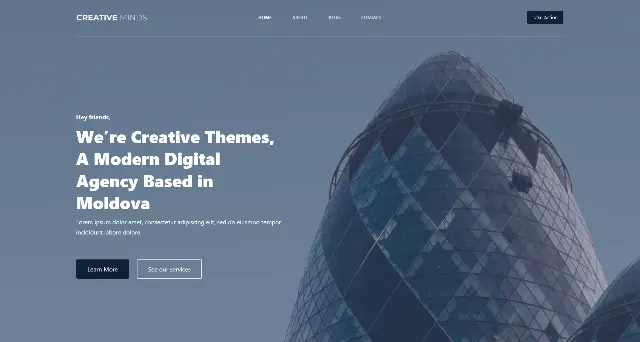
Blocksy is our flexible pick. It is a lightweight, block-editor-friendly theme with strong WooCommerce support, and you can set a global dark palette. Competitor guides also point to its dark options, making it a safe free base for a black background WordPress template.
Best for: blogs and stores that want a free start with room to upgrade.
Dark theme vs dark mode: what is the difference?
These terms are often mixed up:
- Dark theme: the site is designed dark from the start. Visitors see black or charcoal by default.
- Dark mode (toggle): visitors can switch between light and dark, or the site follows their device setting through the prefers-color-scheme media query.
If your audience is mixed, a WordPress dark mode template with a toggle is the safer choice. If your brand is built on a dark look, such as gaming, nightlife or luxury, go dark by default.
Simple CSS to follow the visitor’s device setting
Add this under Appearance > Customize > Additional CSS. Our guide on adding custom CSS in WordPress shows other methods.
@media (prefers-color-scheme: dark) {
  body { background:#14161c; color:#e8eaf0; }
  a { color:#9d86ff; }
  img { filter: brightness(.9); }
}
If you add a toggle script, paste it into our free JavaScript minify and beautify formatter to shrink the file before publishing. Smaller scripts keep a dark mode switch from slowing your pages.
Dark website design tips
- Use charcoal, not pure black, for large areas. It feels softer and reduces harsh edges around white text.
- Pick one strong accent color. Use it for buttons and links only. Need palette ideas? Browse our web color palettes.
- Choose clean fonts. Thin fonts can vanish on dark backgrounds. Try options from clean fonts for websites.
- Add generous spacing. White space (or dark space) improves scanning on a dark layout.
- Soften bright images. A slight overlay stops photos from glaring.
- Offer a toggle if possible. Let visitors choose.
- Test accessibility. Check every text and button color with a contrast checker.
Keep your dark WordPress theme fast
- Compress images and consider WebP (see WordPress WebP).
- Skip auto-playing video backgrounds unless needed.
- Limit animation plugins. Our animated WordPress themes guide covers the trade-offs.
- Use caching and a CDN, and minify CSS and JavaScript.
- Choose reliable hosting.
Low cost WordPress hosting for your dark site
A great theme still needs a solid server. Shared plans from reputable providers are enough for most new dark portfolios and blogs, while WooCommerce stores need more resources as they grow. Read our guide to cheap WordPress hosting plans under $5 per month, or see fastest WooCommerce hosting for stores. You can also compare plans directly at Hostinger or see the hosts recommended by WordPress.org. Look for data centers near your visitors in the USA, Canada, UK, Germany, Switzerland or France to keep load times low.
Frequently asked questions
What is the best dark WordPress theme?
It depends on your goal. Choose a dark WooCommerce theme such as The8 Shop Pro or Shopper for stores, Networker for tech news, Tastyc for restaurants, and Blocksy or Signify Dark for a free start.
Are there free dark WordPress themes?
Yes. Signify Dark and Blocksy are available on WordPress.org, and many multipurpose themes include free dark starter sites.
Is there a dark WooCommerce theme?
Yes. Several themes in this list support WooCommerce, including The8 Shop Pro, ShopStore, Shopper and Gamey. Test the cart and checkout colors in the demo.
Do dark themes hurt SEO?
No. Color does not directly affect rankings. Speed, mobile usability, readable text and quality content matter more.
How do I add dark mode to WordPress without changing my theme?
Use a dark mode plugin or add CSS with the prefers-color-scheme media query, as shown above.
Are dark websites bad for readability?
Only when contrast is poor. Use light text on charcoal, a clean font and enough line spacing.
Can I switch to a dark theme without losing content?
Your posts and pages stay in place, but design settings, widgets and builder layouts may change. Back up first and follow our guide to change your WordPress theme safely.
Final thoughts
The best dark WordPress themes balance style, contrast and speed. Start with your goal: a store needs strong WooCommerce support, a portfolio needs large imagery, a magazine needs readable typography. Test the live demo on mobile, check contrast, then pick a hosting plan that keeps your pages quick. Want more theme ideas? Browse our photography WordPress themes and glass WordPress themes next.