
Quick answer: Yes, Shopify has free themes. Shopify’s own Theme Store lists a handful of free themes (Dawn, Crave, Sense and the Horizon family are the best known), and the open-source community adds more through GitHub and theme marketplaces. This guide covers 12 free Shopify themes and starter themes, shows you how to get a free Shopify theme zip download safely, and helps you pick the right one for your store.
Does Shopify Have Free Themes?
Yes. Open the Shopify Theme Store, filter by price, and you will see a free tier built and maintained by Shopify itself. Free themes cost nothing to add, and you can publish them on any paid Shopify plan without a license fee.
Free does not mean basic. Shopify’s free themes support Online Store 2.0 features such as sections on every page, app blocks, filtering, and swatches. Where paid themes usually pull ahead is in niche layouts, extra built-in features, and distinctive styling. If you are still deciding whether Shopify is the right platform at all, read our guides on what Shopify is and the biggest brands using it and the ecommerce platforms comparison.
Quick Picks and Comparison Table
Short on time? Here is how the 12 free Shopify themes in this list compare at a glance.
| Theme | Source | Best for | Skill level |
|---|---|---|---|
| Crave | Shopify Theme Store | Food, drink and lifestyle brands | Beginner |
| Dawn | Shopify Theme Store | First stores, fast and clean | Beginner |
| Horizon | Shopify Theme Store | Flexible, block-based layouts | Beginner to intermediate |
| Sense | Shopify Theme Store | Health, beauty and wellness | Beginner |
| Debutify | Debutify | Conversion-focused stores | Beginner |
| ClassyGift | MonsterONE | Gift and seasonal shops | Beginner |
| nx-shopify | GitHub | Developers managing multiple themes | Advanced |
| Shopify Theme Tailwind | GitHub | Tailwind CSS developers | Advanced |
| Bootstrap Shopify Theme | GitHub | Bootstrap developers | Intermediate to advanced |
| Fashe | Colorlib | Fashion and apparel shops | Beginner |
| Apparelix | MonsterONE | Clothing stores | Beginner |
| Impulse | Shopify Theme Store (premium) | Large catalogs (paid benchmark) | Intermediate |
The 12 Best Free Shopify Themes
We split the list into three groups: official Theme Store themes, ready-made themes from other marketplaces, and developer starters from GitHub. Each entry says who it suits and what to watch out for.
1. Crave
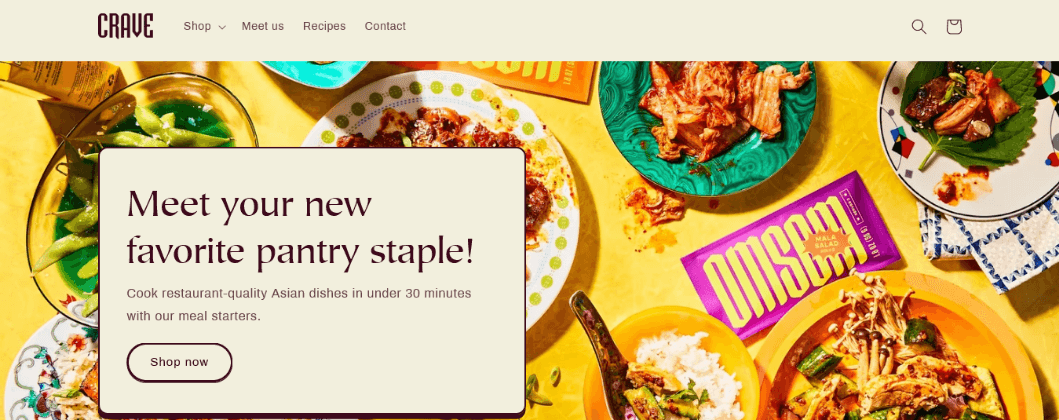
Crave is a free Shopify-built theme with a bold, appetite-friendly look, which makes it a natural fit for food, drink and lifestyle brands. Large imagery and clear product cards keep attention on what you sell. Browse the Crave preset on the Shopify Theme Store to see its demo.
Best for: small to medium catalogs with strong photography.
Watch out for: weak or mismatched product photos stand out quickly in a theme this visual.
2. Dawn
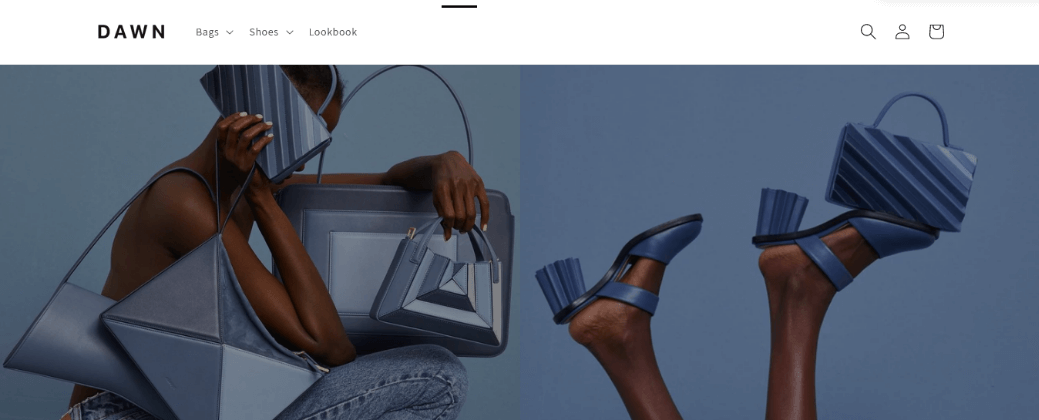
Dawn is Shopify’s reference theme and the most widely used free option. It is fast, clean and flexible, and most tutorials, apps and developer guides assume you are on Dawn. The code is also public on GitHub. See the Dawn preset for the live demo.
Best for: first-time store owners who want a safe, well-supported base.
Watch out for: the neutral design needs your own branding to avoid looking generic.
3. Horizon
Horizon is Shopify’s newer free theme family built around nested, reusable theme blocks. That gives you more freedom to rearrange page layouts in the editor without touching code. It is a good pick if you expect to redesign pages as your store grows. Check the Horizon preset for current features.
Best for: merchants who want layout flexibility from the editor.
Watch out for: older tutorials were written for Dawn, so some steps look different.
4. Sense
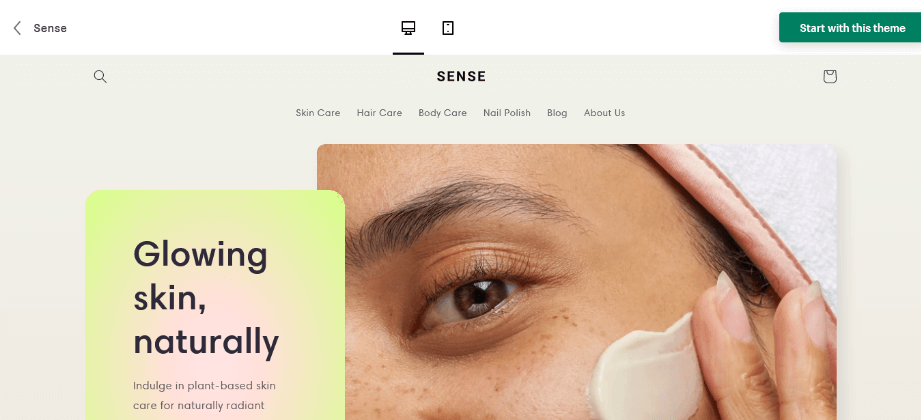
Sense is a free, softly styled theme aimed at health, beauty and wellness products. Its product pages have room for detailed descriptions, ingredients and trust-building content. Preview it on the Sense preset page.
Best for: skincare, supplements and any product that needs explaining.
Watch out for: big catalogs need extra attention to navigation and collection filters.
5. Debutify
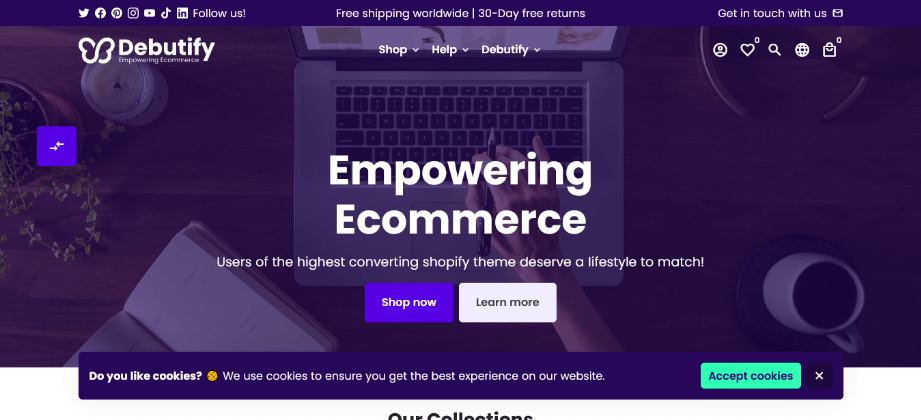
Debutify is a conversion-focused Shopify theme that has offered a free plan alongside paid add-ons. It is popular with dropshippers and new merchants who want sales-oriented features out of the box.
Best for: new stores that want conversion tools without buying a premium theme.
Watch out for: it is a third-party product, not part of the Shopify Theme Store, so check the current plan terms and which features sit behind a paywall.
6. ClassyGift
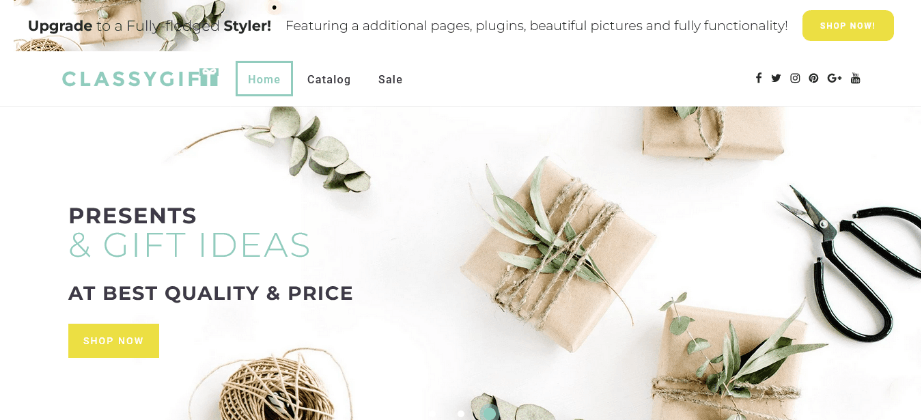
ClassyGift is a gift-shop themed Shopify template listed on MonsterONE, with a warm layout suited to seasonal and present-focused stores. See the ClassyGift listing for the demo and details. For more gift-led store ideas, our gift shop themes roundup has inspiration.
Best for: gift, hamper and holiday stores.
Watch out for: marketplace pricing and licensing can change, so confirm the terms on the listing before you download.
7. Nx-Shopify
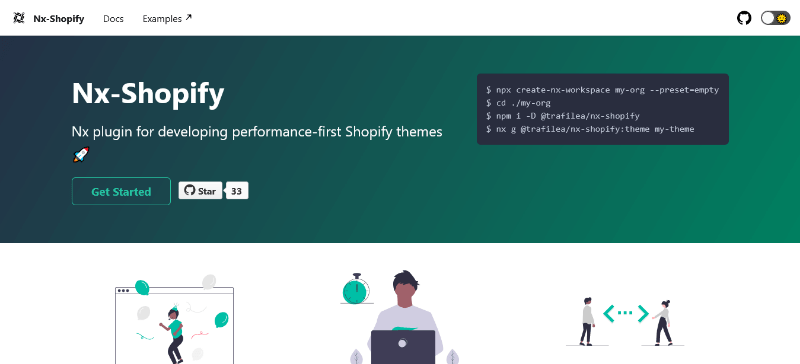
Nx-Shopify by Trafilea is an MIT-licensed Nx plugin for building performance-first Shopify themes. It is not a finished storefront. Instead it gives developers generators and tooling to create a theme, or to manage several themes with shared code in one workspace.
Best for: agencies and developers running more than one Shopify store.
Watch out for: you need Node.js and Nx knowledge; it is a toolkit, not a plug-and-play design.
8. freebie Shopify Theme by Tailwind
Shopify Theme Tailwind is a free MIT-licensed starting point for Online Store 2.0 development with Tailwind CSS and Vite. It ships with Dawn-friendly Tailwind settings, including a tw- class prefix, so utility classes do not clash with the base theme.
Best for: developers who already love Tailwind and want a modern build workflow.
Watch out for: it needs the Shopify CLI and a GitHub-based deploy flow, and editor changes after deployment must be merged back by hand.
9. Bootstrap Shopify Theme
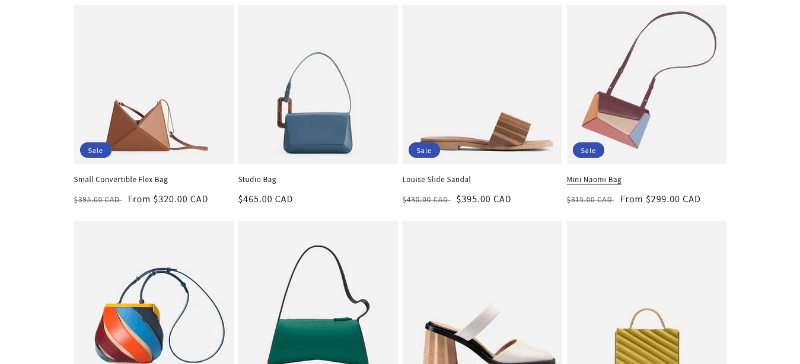
The bootstrap-shopify-theme project on GitHub brings the familiar Bootstrap grid and components to Shopify development. If your team already builds with Bootstrap, it shortens the learning curve. We also cover the framework in our Bootstrap ecommerce templates guide.
Best for: Bootstrap developers building a custom storefront.
Watch out for: check the repository’s last update and license, and test it against current Shopify theme requirements.
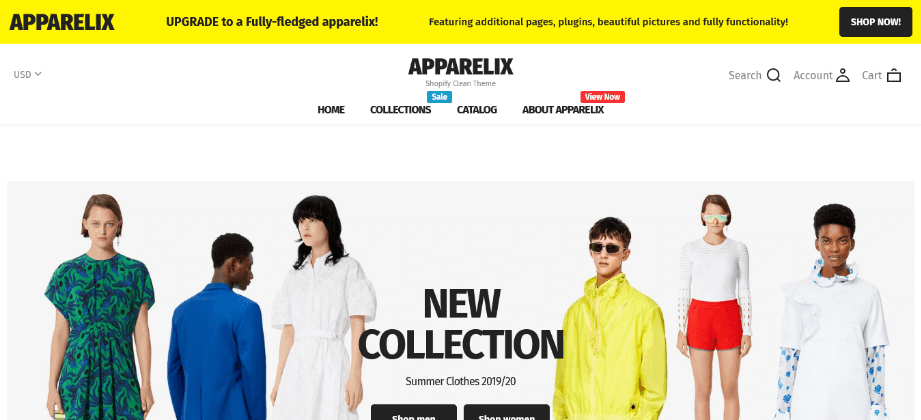
10. Apparelix
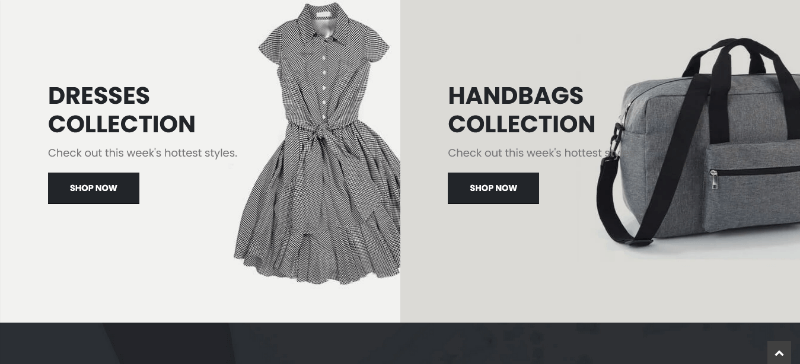
Apparelix is a free Shopify theme on MonsterONE built for clothing and apparel stores, with product-first sections and a tidy shop layout. View it on the Apparelix listing.
Best for: apparel brands testing a store with minimal spend.
Watch out for: confirm the current license and update policy on the listing page.
11. Fashe
Fashe from Colorlib is a free Shopify ecommerce theme with a clean, fashion-first layout. It suits clothing, shoes and accessories shops that want a simple storefront. See the Fashe page on Colorlib. Fashion sellers should also browse our fashion store themes for design ideas.
Best for: small fashion stores on a zero budget.
Watch out for: older free themes may lack newer Online Store 2.0 features, so test the editor before you build.
12. Impulse (premium benchmark)
Impulse is a popular premium theme for stores with large catalogs. We include it as a benchmark so you can see what paying for a theme adds: advanced filtering, rich merchandising sections and polished animations. Buy it only from the official Shopify Theme Store or the developer.
How to Get Free Shopify Themes (Step by Step)
Wondering how to get free Shopify themes into your store? Follow these steps for Theme Store themes:
- Log in to your Shopify admin and go to Online Store > Themes.
- Scroll to the Theme library and click Add theme > Visit Theme Store.
- Filter by Free, open a theme, and click through its presets to preview the demo.
- Click Add to theme library, then Customize to open the theme editor.
- Replace sample images and text, set your colors and fonts, then click Publish.
Pairing a theme with a strong palette and readable type matters more than most people expect. Our guides to web color palettes and clean fonts for websites help you finish the design.
Free Shopify Themes Zip Download: Safe Ways to Do It
A lot of people search for a free Shopify themes zip download because they want a file they can inspect, back up, or hand to a developer. There are three legitimate routes:
- Download your own copy from Shopify admin. After adding a free theme to your library, open Online Store > Themes, click the three dots beside the theme, and choose Download theme file. Shopify emails you a link to the zip.
- Download open-source themes from GitHub. On a repository such as Dawn, click Code > Download ZIP. Check the license first, since MIT-style licenses are the most permissive.
- Download from the theme author. Marketplaces and authors like Colorlib and MonsterONE provide a zip after you register or sign in. Read the license before using it on a client store.
To install a zip, go to Online Store > Themes > Add theme > Upload zip file, choose your file, and wait for Shopify to process it. If the upload fails, make sure the zip contains the theme folders (assets, config, layout, locales, sections, snippets, templates) at its top level rather than inside an extra parent folder.
How to Choose the Right Free Shopify Theme
Do not pick a theme by its homepage alone. Run it through these five checks:
- Catalog size. A handful of products needs rich product pages; hundreds need strong filtering and navigation.
- Product type. Food and lifestyle brands lean visual (Crave); wellness and beauty lean informative (Sense); fashion needs strong grids and swatches.
- Your skill level. If you do not write code, stick to Theme Store themes and the editor. Developers can use GitHub starters.
- Mobile experience. Open the demo on your phone and test the menu, filters, product gallery and cart.
- Support and updates. Official themes receive updates from Shopify; community themes depend on the author.
Selling something specific? We have niche roundups for jewelry, bakeries, candle shops, toy stores, home decor, pharmacies and single-product stores. Building a minimal look? See our minimalist ecommerce themes.
Free vs Paid Shopify Themes
Our advice: launch on a free theme, learn what your shoppers do, and only pay when you can name a specific feature that is costing you sales. If you decide Shopify is not the right fit, compare Shopify competitors or look at free WordPress and WooCommerce options such as our best free WooCommerce themes and free WordPress themes.
Speed and SEO Checklist for Any Free Shopify Theme
A theme only gives you a starting point. These steps help your store load fast and rank:
- Test your pages with Google PageSpeed Insights before and after installing apps.
- Compress product images and use modern formats; our WebP guide explains why they load faster.
- Add unique titles, meta descriptions and alt text to every product and collection page.
- Remove unused apps and sections, since each adds weight to your pages.
- Keep a clean menu and short URLs so shoppers and crawlers find products easily.
Platform choice affects SEO too, so read our breakdown of the best platform for SEO, learn from the most successful Shopify stores, and see how others do it in our list of online shopping websites. New to selling online? Start with what an ecommerce business is.
FAQ: Free Shopify Themes
Does Shopify have free themes?
Yes. Shopify’s Theme Store includes free themes built by Shopify, such as Dawn, Crave and Sense. The exact list changes over time, so use the Free price filter to see what is available today.
How to get free Shopify themes?
Go to Online Store > Themes in your Shopify admin, open the Theme Store, filter by Free, and click Add to theme library. You can also use open-source themes from GitHub or free themes from trusted marketplaces.
Where can I get a free Shopify themes zip download?
Add a free theme to your library, then use Download theme file from the theme’s three-dot menu. You can also download zip files of open-source themes like Dawn from GitHub. Avoid sites offering paid themes as free downloads, as these are often pirated and unsafe.
Is a free Shopify theme good enough to launch a store?
Yes. Many successful stores launch on free themes. Pay for a premium theme later if you need a specific layout or feature that a free theme cannot provide.
Can I change my Shopify theme later?
Yes. Your products, customers and orders stay in place when you switch themes, but you may need to rebuild theme-specific layouts and settings. Duplicate your current theme first so you can roll back.
Are free Shopify themes mobile friendly and SEO ready?
Official free themes are responsive and follow Shopify’s performance standards. Rankings still depend on your content, product data, image sizes and the apps you install.
Final Thoughts
The best free Shopify themes give you a fast, reliable base without spending a cent. Start with Dawn or Horizon if you want the safest path, choose Crave or Sense when your products suit their style, and turn to the GitHub starters only if you are comfortable with code. Whichever theme you pick, preview it with your own products on a phone before you publish.