
It is Monday. The contract is signed, the client wants a first look by Friday, and you are staring at an empty WordPress dashboard. This is exactly where WordPress starter themes with ready-made starter sites earn their keep. Instead of designing every page, wiring every menu and styling every button, you import a complete website in one click and spend your hours on the parts the client actually pays for: their brand, their content and their goals.
The timing could not be better. According to W3Techs, WordPress powers roughly 41% of all websites and around 59% of the sites whose CMS is known (August 2026 data). If you want the longer history, see our breakdown of the percentage of websites using WordPress. With that many sites being built, the agencies and freelancers who ship faster win the work.
In this guide we compare 15 starter site themes that ship with one-click demo import, explain how a starter site template cuts 15+ setup hours per client project, and give you a repeatable delivery workflow, a code snippet for scripted setups and a buying checklist.
Quick answer: For the widest choice of starter templates, start with Astra. For block-editor-first builds, look at Kadence and Blocksy. For fast WooCommerce storefronts on a small budget, The9 Store Pro and Startup Shop are built for it. For design-heavy brand sites, look at The7 and JupiterX.
Key takeaways
- A starter site is a complete pre-built website (pages, menus, demo content, settings) that imports on top of a compatible theme.
- In our planning model, a starter site saves about 17 hours on a typical brochure site and about 19.5 hours on a WooCommerce store.
- The biggest savings come from page building and visual design, not from content or launch tasks.
- Before you buy, check the license for client sites, the page builder you will use and how much page weight the theme adds.
What Is a WordPress Starter Theme (and a Starter Site Template)?
The phrase “starter theme” means two different things in WordPress, and mixing them up is the most common reason people pick the wrong tool.
The first meaning is the developer starter theme. It is a nearly blank foundation, such as Underscores, that gives a developer clean template files and no design. You write the CSS, build the layouts and end up with a custom theme.
The second meaning is the starter site theme, which is what this article covers. Here a flexible theme is paired with a library of starter templates for WordPress. Each starter site is a finished website design with a home page, inner pages, header, footer, sample content and styling. You click import, replace the placeholders and launch.
| Developer starter theme | Starter site theme (this guide) | |
|---|---|---|
| What you get | Blank templates and clean code | A complete, styled website |
| Design included | None or minimal | Full WordPress design with demo content |
| Skills needed | PHP, CSS, template hierarchy | Basic WordPress and a page builder or the block editor |
| Time to first draft | Days to weeks | Minutes to hours |
| Best for | Custom theme products, unique builds | Client sites, small business sites, stores, fast delivery |
You will also see page-builder template kits, which are collections of page layouts for a single builder. They are useful, but they usually import sections and pages rather than a whole theme setup. If you are deciding between the two, our roundup of the best Elementor template kits shows where kits fit.
How Starter Sites Save 15+ Setup Hours per Client Project
Where does the time go on a typical build? Mostly into decisions: which layout, which spacing, which button style, which header. A starter site makes those decisions for you, and they are decisions made by professional designers, so you start from a sound baseline instead of a blank page.
The chart below is a planning model, not a lab benchmark. It reflects a typical five to eight page business site built by one person. Your own numbers will vary with team size, client feedback loops and builder experience, so treat it as a template to compare against your own time tracking.
Notice two things. First, the savings pile up in page building, design and global styling, which is exactly what a starter site pre-builds. Second, content and launch tasks barely move, because a starter site cannot write your client’s copy or collect their logo files. That honesty matters when you quote a project: a starter site compresses the build, not the whole engagement.
| Project type | From scratch | With a starter site | Time saved |
|---|---|---|---|
| Brochure or service site (no shop) | 32 h | 15 h | 17 h |
| WooCommerce store | 36 h | 16.5 h | 19.5 h |
Outside our own model, builders report similar gains. One agency reviewer on the JupiterX website says a ready-made template library cut their typical site build from roughly 20 hours to roughly 10. That is a vendor-published testimonial, so read it as an example rather than proof, but it matches the shape of the savings above.
Speed is not the only benefit. Starter sites also give you:
- Consistency across projects, which makes QA, training and handoff easier.
- Faster client approvals, because the client can click through a real design on day one instead of reviewing wireframes.
- Lower risk, since the demo was tested with the theme’s own plugins and layouts.
- Better margins: if you bill fixed-price, every hour you do not spend is profit. Our agency-focused guide, Reduce WooCommerce Build Time by 50%: The Agency Playbook, covers that side in depth.
How a One-Click Starter Site Import Actually Works
“One click” is accurate, but a few things happen behind that click. Knowing them helps you troubleshoot when an import stalls.
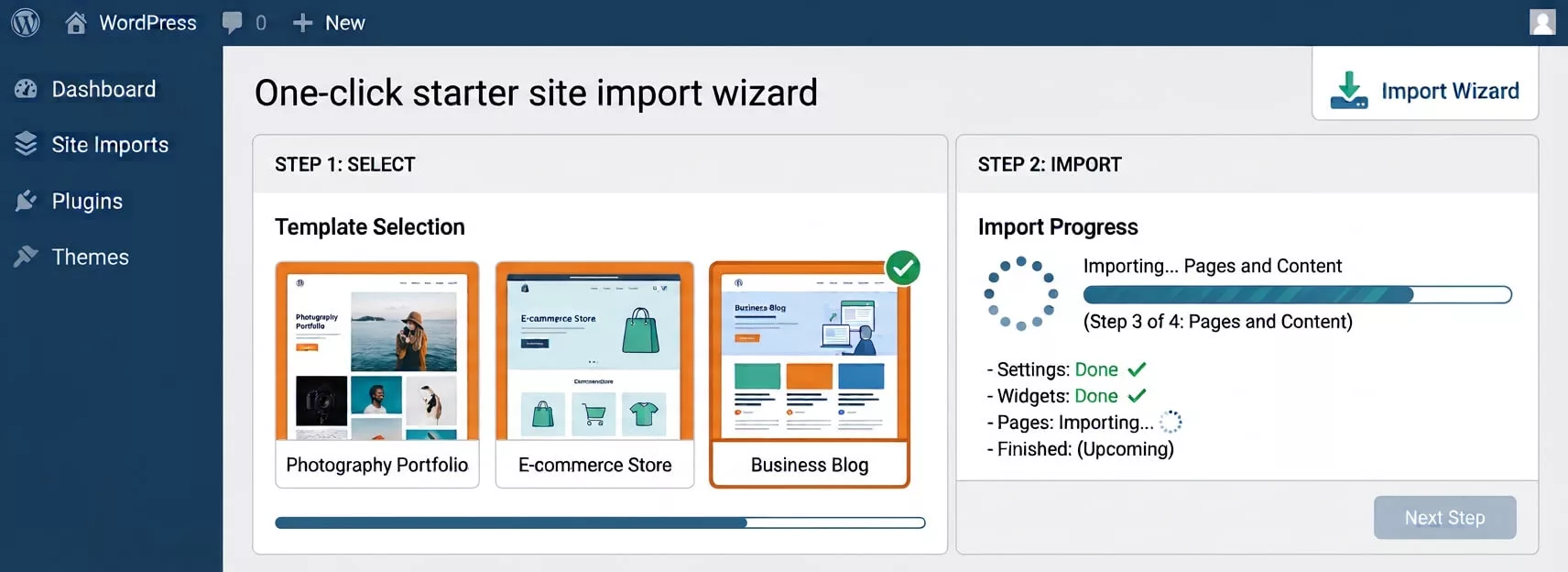
During step 4 the importer usually creates pages and posts, assigns the homepage, rebuilds navigation menus, downloads placeholder images, applies customizer or global style settings and installs any plugins the demo needs. It does not set up hosting, a domain, SSL, email or your client’s real content, so build those into your project plan.
Two practical rules keep imports clean. Run them on a fresh staging site, because many importers add content and some can overwrite settings. And choose your editor before you import: most libraries offer separate Elementor and block editor versions of each design. If you are weighing the block editor, our guides on WordPress block themes and block themes vs classic themes explain the trade-offs. Not sure how to add the theme in the first place? Follow our walkthrough on how to install a WordPress theme.
Script the boring parts with WP-CLI
If you spin up many client sites, scripting the pre-import steps saves a few more minutes every time. This example uses WP-CLI on a fresh install. Swap the theme slug for the one you are using and run it over SSH on your staging server.
# 1. Install and activate your starter site theme (example slug)
wp theme install astra --activate

# 2. Install the importer and the page builder the starter site needs
wp plugin install wordpress-importer --activate
wp plugin install elementor --activate

# 3. Import demo content from a WXR export file (optional, for custom kits)
wp import demo-content.xml --authors=create

# 4. Housekeeping before you hand the site to the client
wp rewrite structure '/%postname%/' --hard
wp post delete 1 2 --force   # removes the default "Hello world!" post and sample page
wp option update blogdescription ''
Most commercial starter libraries import through their own plugin screen rather than a raw XML file, so step 3 only applies if you maintain your own export. The WordPress Importer plugin is the official tool for that.
The second habit is to put your own code in a child theme so theme updates never overwrite your work. Our guide to creating a child theme in WordPress walks through it, and the WordPress Theme Handbook documents the standard. For a classic theme, a minimal functions.php looks like this:
<?php
// Load the parent theme stylesheet first, then the child stylesheet.
add_action( 'wp_enqueue_scripts', function () {
	wp_enqueue_style( 'parent-style', get_template_directory_uri() . '/style.css' );
	wp_enqueue_style(
		'child-style',
		get_stylesheet_uri(),
		array( 'parent-style' ),
		wp_get_theme()->get( 'Version' )
	);
} );
What to Look for in a Starter Site Theme: a 9-Point Checklist
A big library looks impressive on a sales page, but what matters is what happens on a Tuesday afternoon with a real client waiting. Score every candidate against this list.
- Import reliability. Does the importer handle pages, menus, media and settings cleanly, and can you import single pages instead of the whole demo?
- Editor support. Are designs available for the builder your team already uses? If you work in Elementor, compare options in our list of WordPress Elementor themes.
- WooCommerce readiness. Are there store designs with product, cart and checkout pages already styled? See our picks of the best free WooCommerce themes for budget builds.
- Performance. Look at page weight and test the demo against Google’s Core Web Vitals guidance. Our list of the fastest WordPress themes shows what good looks like.
- License for client sites. Some licenses cover one site, some three, some unlimited. A one-site license on a client project is a billing surprise waiting to happen.
- White labeling. Can you remove vendor branding from the dashboard and footer when you hand over the site?
- Update and support policy. How long do updates last, and who answers tickets?
- Translation and RTL. Clients who need multilingual or right-to-left sites should not discover gaps after launch.
- Design quality and niche coverage. Good starter sites design includes real structure (services, pricing, team, FAQ), not only a pretty homepage.
Also read the fine print on demo images. They are usually placeholders licensed for the demo only, so replace them with client-supplied or properly licensed photos before launch.
Starter Site Themes at a Glance
This table summarizes what each vendor advertises in October 2026. Library sizes, plans and prices change often, so confirm the current details on the vendor’s page before you quote a client.
| Theme | Starter library | Editors | Pricing model | Best for |
|---|---|---|---|---|
| Astra | 380+ free and premium templates | Elementor, block editor | Free core, premium toolkits | Maximum niche choice |
| Kadence WP | Large library plus AI-powered starters | Block editor (Kadence Blocks) | Free core, paid bundles | Block-editor-first builds |
| GeneratePress | Site Library (Premium) | Block editor, GenerateBlocks, other builders | Free core, Premium add-on | Lean, fast builds |
| Blocksy | Starter sites via companion plugin | Block editor, Elementor | Free core, Pro upgrade | Modern stores and blogs |
| The9 Store Pro | WooCommerce storefront demo import | Elementor | One-time purchase, GPL | Multi-niche online stores |
| OceanWP | One-click demo import | Elementor, Brizy, Beaver Builder, Divi, block editor | Free core, Pro bundles | Flexible multipurpose sites |
| Startup Shop | Starter content via setup wizard | Elementor | One-time purchase, GPL | Fashion and boutique shops |
| The7 | 75+ pre-made websites | Elementor, block editor (FSE), WPBakery | Premium license | Design-heavy business sites |
| JupiterX | Readymade websites and template library | Elementor-based builder | Premium license | Brand sites and shops |
| Zakra | 100+ templates | Block editor, BlockArt, Elementor, Brizy | Free core, Pro upgrade | Budget client projects |
| Neve | 110+ starter sites and templates | Block editor, Elementor | Free core, Pro plans | Fast, lightweight launches |
| Sydney | 28+ starter sites | Page-builder friendly | Free core, Pro upgrade | Business and corporate sites |
| Responsive Theme | 100+ Elementor and block templates | Elementor, block editor | Free theme, optional Pro | Zero-budget starts |
| Phlox | Demo library via importer | Elementor | Free core, Pro upgrade | Creative and portfolio sites |
| Hestia PRO | Premium starter sites on Business and Agency plans | Block editor, major page builders | Annual plans | One-page business sites |
1. Astra Website Templates
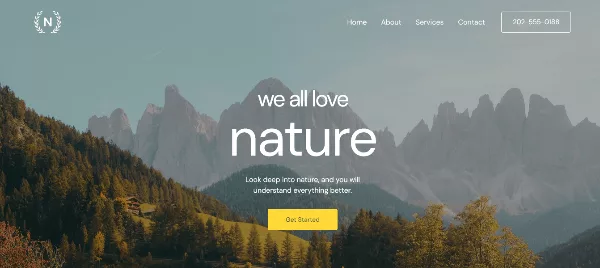
Astra’s template library is the largest on this list. Its Website Templates page advertises 380+ free and premium designs, and each one is a complete website: home, about, services, contact and blog pages with demo content, menus and images already in place. You install the free Starter Templates plugin, pick a design and import. The plugin sets up the theme, required plugins and pages for you, and the official Starter Templates guide walks through each step.
- Editors: every design is offered for Elementor and the block editor, and store designs connect to WooCommerce or SureCart.
- Performance: Astra says it loads in under 50KB and is built to pass Core Web Vitals without extra optimization plugins.
- Licensing: free templates need no attribution. Premium templates are included with the Essential Toolkit and Business Toolkit plans.
- Best for: agencies that serve many niches and want a starter site template for almost any brief.
One more useful detail: Astra says its Starter Templates plugin (version 2.0 and above) can also be used with other themes, which helps when a client already has a theme. If Astra is not quite right, our list of Astra theme alternatives covers the next best options.
Check It Now (Astra Website Templates)
2. Kadence WP
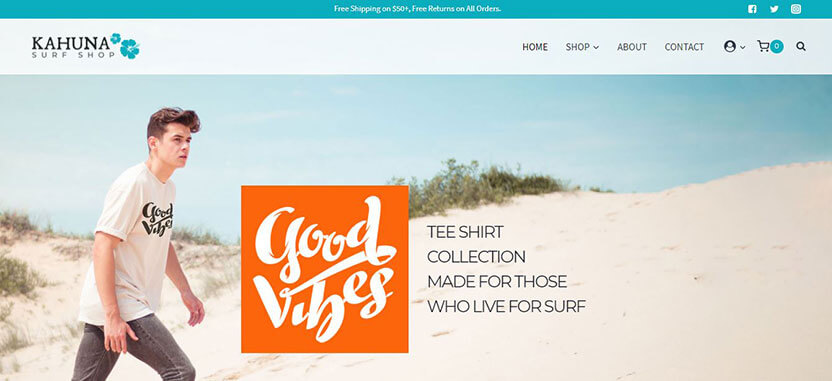
Kadence is the block-editor-first choice. Its starter templates install through a plugin called AI Powered Starter Templates by Kadence, which offers a guided wizard. You can choose a classic pre-designed template or let the AI option generate a starting design from your answers. Roundups put the library at 200+ designs, though counts shift as templates are added.
- Editors: built around Kadence Blocks, with global color and typography controls.
- Free vs paid: many templates are free, while premium designs need a paid Kadence plan.
- Handy trick: you can import specific pages rather than the entire template, which is ideal when a client only needs a few layouts.
- Watch out for: starter templates are meant for new sites, so run them on a fresh install rather than an existing live site.
- Best for: teams that live in the block editor and want a modern WordPress starter theme with strong design controls.
If you are comparing it against other block-friendly themes, see our guide to Kadence theme alternatives.
3. GeneratePress
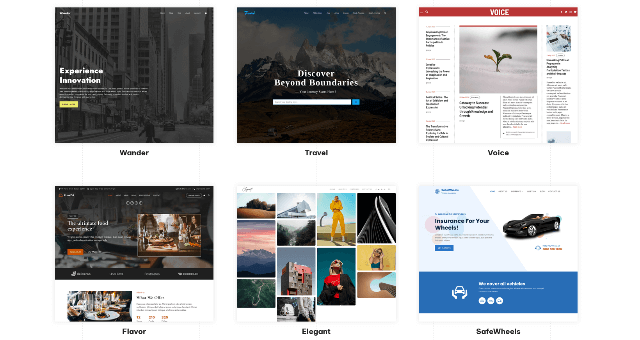
GeneratePress is the minimalist on the list. It has a long reputation for tiny page weight and clean code, and reviewers have reported a fresh install adding well under 10KB (gzipped) to a page. Ready-made designs come from the Site Library in GeneratePress Premium, and the theme pairs naturally with GenerateBlocks and works with page builders such as Elementor and Beaver Builder.
- Starter library: smaller and more restrained than Astra’s. The designs are clean foundations rather than flashy showpieces.
- Strengths: speed, stability and predictable markup that developers enjoy extending.
- Watch out for: the catalog is limited, so you will do more customizing than with a design-heavy library.
- Best for: developers who care about performance and want a lean base with a head start on layout.
4. Blocksy
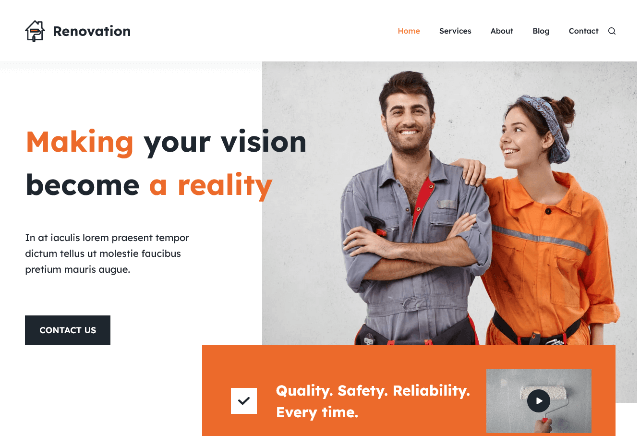
Blocksy is a modern, block-editor-friendly theme with a free core and a Pro upgrade. Its starter sites arrive through the Blocksy Companion plugin, which imports the design, content and settings together. Third-party roundups count 70+ starter sites, and the library covers blogs, business sites and stores.
- Editors: works with the block editor and Elementor.
- Stores: the Pro tier adds WooCommerce extras that suit shop builds.
- Best for: freelancers who want a polished, current look and good store features without a large price tag.
- Watch out for: some premium starter sites require the Pro plan, so check the badge before you promise a design to a client.
5. The9 Store Pro (aThemeArt)
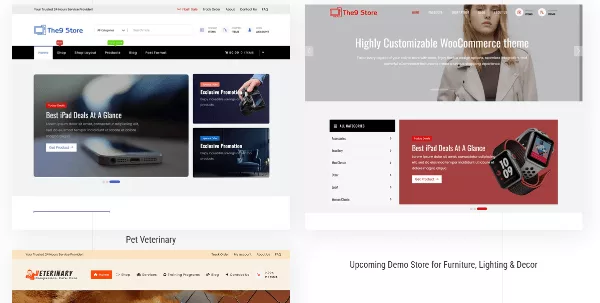
The9 Store Pro is our own WooCommerce storefront theme, designed for retail projects such as electronics, gadgets, fashion, furniture and beauty stores. It includes custom Elementor elements so you can shape product grids and landing sections visually, and it ships with a demo you import instead of building each store page by hand. One customer review on the product page reports importing the demo content and having everything ready in under ten minutes.
- What you get: a WooCommerce-ready storefront layout, a custom WooCommerce development toolkit, clean documentation and video guides.
- Licensing: GPL licensed with no footer copyright restrictions. WPML-ready with .po and .mo translation files included.
- Support perk: paid items include free installation and demo setup for one domain.
- Price: $30 at the time of writing.
- Best for: agencies and freelancers who want an affordable, fast starter template for WordPress stores across many product niches.
6. OceanWP
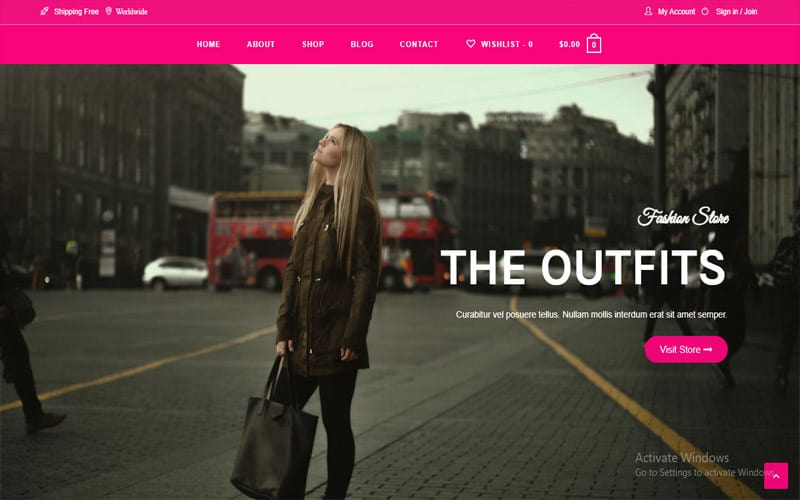
OceanWP is a long-running multipurpose theme known for its huge pile of options. Demos import through the Ocean Extra plugin, and the theme supports a wide range of builders, including Elementor, Brizy, Beaver Builder, Divi and the block editor. It also includes practical agency features such as sticky headers, a side panel, custom page layouts and global typography settings.
- Strengths: flexibility. You can tune almost every part of the layout without code.
- WooCommerce: store-ready, with demos aimed at online shops.
- Watch out for: the free version has limited features and some demos expect premium extensions. The sheer number of settings can also overwhelm newer team members.
- Best for: freelancers and small agencies who like to customize deeply and want one theme that can handle many briefs.
7. Startup Shop (aThemeArt)
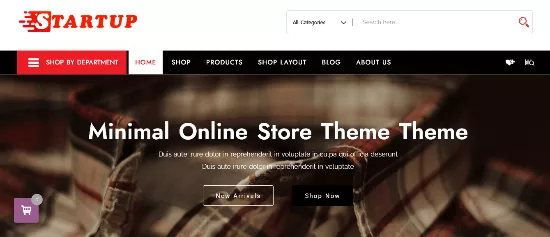
Startup Shop is our minimal WooCommerce theme for boutique and fashion brands, and it is one of the simplest ways to get a store online. A setup wizard imports starter content with a single click, then you customize layouts and widgets with Elementor’s drag-and-drop editor. It suits fashion, cosmetics, jewelry, watches, footwear and similar catalogs.
- Features: grid and list product layouts, quick product search and filtering, and 40+ Elementor widgets.
- Customization: unlimited colors and Google font options, plus translation files for WPML.
- Licensing: GPL license, with the footer credit removable.
- Compatibility: tested with plugins such as Jetpack and Yoast SEO.
- Price: $25 at the time of writing, with free installation and demo setup for one domain.
- Best for: small retail brands that want a clean starter site design and a quick launch.
8. The7

The7 is a veteran premium theme with serious scale: its site reports 335,000+ ThemeForest sales and 200,000+ live websites. The library offers 75+ pre-made websites, each importable in one click, for Elementor, the native block editor (full site editing, supported since version 12) and WPBakery. For stores, it adds 40+ bespoke WooCommerce widgets to Elementor.
- Agency features: white labeling lets you rename and rebrand the theme for client handoff.
- Bundled extras: the license includes plugins such as Slider Revolution and WPBakery Page Builder.
- Licensing: a 1-Site license and an Unlimited license for developers and agencies. At the time of writing, the first-year prices are $39 and $199, renewing at $49 and $249 per year.
- Best for: design-led business sites where you want deeper control than a lightweight theme offers.
9. JupiterX

JupiterX, from Artbees, positions itself as a full site builder on top of Elementor. It offers readymade websites, a block template library and a long list of tools: more than 100 widgets, a header builder, a form builder, a popup builder, motion effects and absolute positioning. Designers will appreciate that PSD and Sketch files are available for its readymade sites.
- Shops: a shop builder with 60+ shop designs, 20+ WooCommerce widgets, custom cart and checkout pages and a sales funnel builder.
- Strengths: huge feature depth, so one theme can cover marketing sites, blogs and stores.
- Watch out for: more features mean more to learn and more weight to test. Always run a speed check on your imported demo.
- Best for: brand sites and shops that need custom layouts, popups and funnels without extra plugins.
10. Zakra
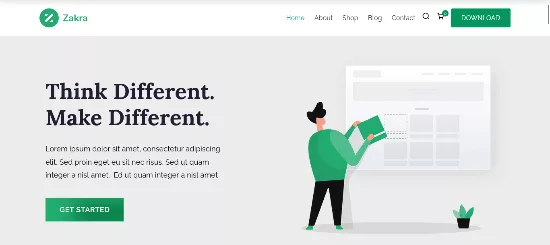
Zakra, from ThemeGrill, is a free multipurpose theme that advertises 100+ templates across business, eCommerce, magazine, blog, portfolio and LMS categories. The starter sites are built with Gutenberg, BlockArt Blocks, Elementor and Brizy, so you can pick the editor your client will be comfortable with. The theme works with WooCommerce, WPML, Yoast SEO and Rank Math.
- Social proof: the vendor reports 50K+ users and 550+ reviews on WordPress.org.
- Customization: header, footer, typography, color and layout options through the live customizer.
- Best for: low-budget client projects where a free theme with a decent library keeps the quote competitive.
11. Neve
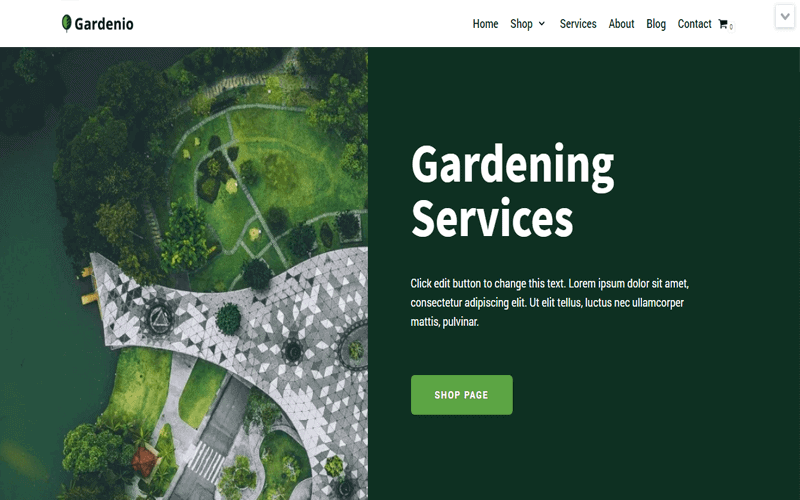
Neve, by Themeisle, is built around speed. Its product page cites a default install weight of just 28KB and says the theme is used on 200K+ sites. The starter library is built with the Block Editor and Elementor, and the vendor lists 110+ importable starter sites, with a banner announcing 150+ fresh ones. Neve also supports white labeling, which is a plus for agencies.
- Editors: works with Gutenberg and popular builders such as Elementor, Brizy, Beaver Builder and Divi Builder.
- Pro extras: header and footer builder, enhanced WooCommerce features and custom layouts.
- Watch out for: the premium starter sites require a Neve Pro plan.
- Best for: quick, lightweight launches where speed scores matter to the client.
12. Sydney
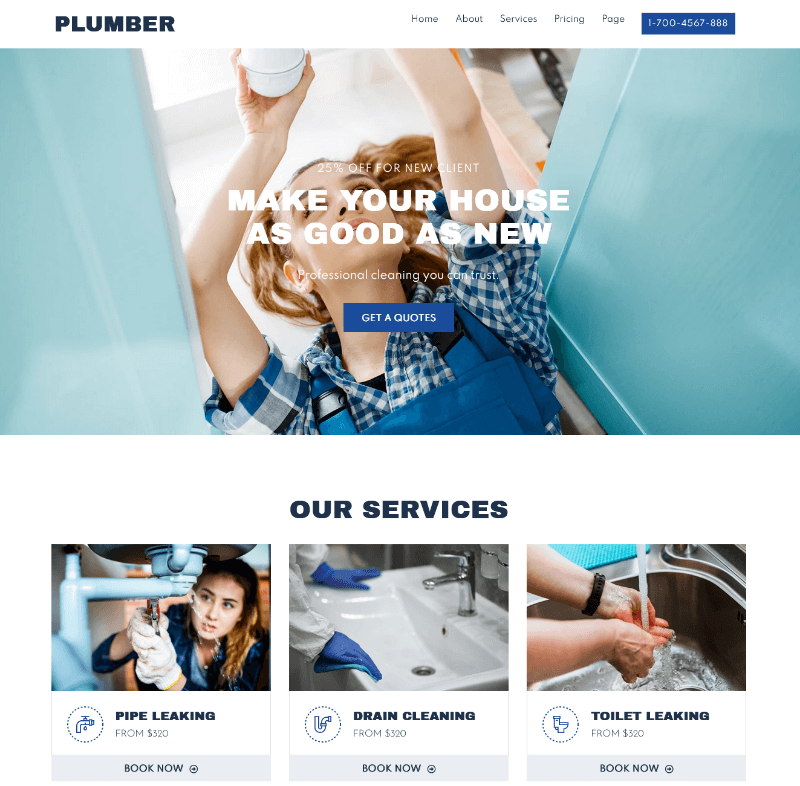
Sydney, from aThemes, is a business-focused theme. WPBeginner’s 2026 review lists 28+ professionally designed starter sites, a template builder that lets you replace standard theme elements on specific pages or across the whole site, a header and footer builder, multiple layouts and unlimited custom sidebars. A free version is available on WordPress.org, which makes it easy to test before you commit.
- Strengths: a corporate look, a flexible template builder and a clean, SEO-friendly structure.
- Watch out for: its starter library is smaller than the big names, so check that a design fits your client’s niche before you rely on it.
- Best for: agencies and consultancies, professional services and corporate brochure sites.
13. Responsive Theme
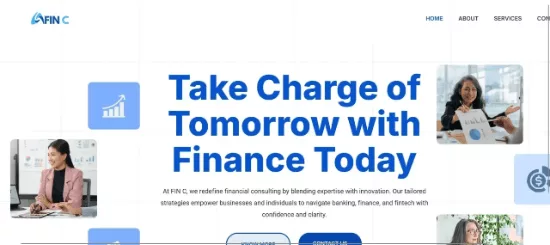
Responsive is a free theme that is a handy option when the budget is tight. WPBeginner describes it as offering 100+ Elementor and block editor templates, with SEO optimization and schema markup support, plus integrations with WooCommerce, BuddyPress and LearnDash. Templates import through a companion plugin, and the free path covers a surprising amount of ground.
- Strengths: zero upfront cost, a wide template range and compatibility with popular plugins.
- Watch out for: some of the richer templates sit behind the optional Pro plan.
- Best for: non-profits, community projects and first-time clients who need a solid start for free.
Looking for more no-cost options with sample content? Our guide to free responsive WordPress themes with demo content has plenty.
Check It Now (Responsive Theme)
14. Phlox

Phlox is an Elementor-oriented multipurpose theme with a strong creative streak. Its demos are imported through a built-in importer, and it is a popular choice for portfolios, studios, agencies and personal brands. It comes with a free core and a Pro tier that expands the demo library and design options.
- Strengths: distinctive layouts that avoid the “same template” look, which clients in creative fields appreciate.
- Watch out for: confirm which demos are free and which need Pro before you pitch a specific design.
- Best for: designers, photographers, studios and any client who wants a more expressive WordPress design.
15. Hestia PRO
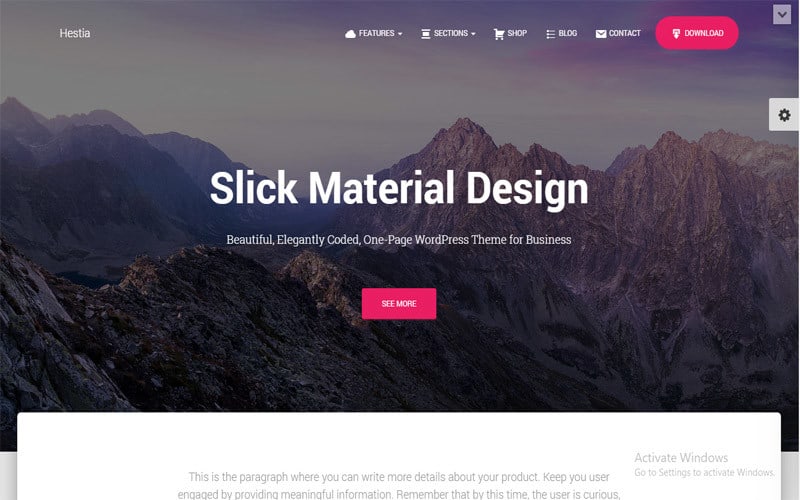
Hestia PRO, also from Themeisle, is a Material Design theme known for its one-page business layout. Its page says more than 70K sites run on it. Premium starter sites are included on the Business and Agency plans, and you can reorder homepage sections with drag and drop, add pricing and portfolio sections and use extended header options.
- Agency angle: the Agency plan is the one that lets you use Hestia PRO on client sites, and it includes white labeling and Otter Pro blocks.
- WooCommerce: the Business and Agency plans add extras such as quick view, wishlists, variation swatches and product comparisons.
- Watch out for: plans are annual, so factor renewals into your maintenance pricing.
- Best for: small businesses, startups and consultancies that suit a polished one-page layout.
A Repeatable Client Delivery Workflow with Starter Sites
A starter site is only as fast as the process around it. Here is a workflow you can adopt as-is. The time ranges assume a standard business site.
- Brief and pick the design (30 to 60 minutes). Match the client’s niche and editor preference to a starter site. Send the live demo link for early sign-off.
- Create a staging site (20 minutes). Use a fresh install and never import on the live site.
- Install the theme and import (10 to 15 minutes). Choose the editor first, then import the design.
- Set global styles (1 to 2 hours). Add the logo, colors and fonts once, and let the global styles flow through every page. Put custom code in a child theme.
- Replace the content (3 to 6 hours). Swap demo copy and images for the client’s real material. Rewrite headings, page titles and meta descriptions so nothing duplicates the vendor’s demo text.
- Strip demo leftovers (30 minutes). Delete unused pages, sample posts, spare plugins and unused media. Every extra plugin costs speed and security attention.
- QA and performance (1 to 2 hours). Test mobile layouts, forms, checkout and page speed. Run through our WordPress security checklist and scan the site with the free WordPress Security Checker before launch.
- Handoff (30 minutes). White-label the theme if the license allows it, document how to edit key sections and hand over logins.
Follow that sequence consistently and the 15+ hours we modeled earlier become a repeatable result, not a one-off lucky project.
Common Mistakes When Using Starter Sites for Clients
- Importing on a live site. Imports can add or overwrite content and settings. Always use staging.
- Skipping the license check. A single-site license on multiple client sites can breach the vendor’s terms. Match the plan to the project.
- Leaving demo content in place. Search engines may see duplicate or placeholder text, and clients see lorem ipsum in Google results.
- Keeping every demo plugin. Remove plugins you do not need, because each one slows the site and widens the attack surface.
- Editing the parent theme directly. Your changes disappear on update. Use a child theme or the theme’s custom CSS area.
- Choosing by demo screenshot alone. Test the live demo on mobile and run a speed test before you pick.
- Forgetting hosting. Even the best starter site feels slow on weak hosting. Pair the theme with hosting that fits the client’s traffic and budget.
How to Choose the Right Starter Site Theme
If you still cannot decide, use this shortcut based on your project.
| If your client… | Consider |
|---|---|
| Needs a design for an unusual niche | Astra, Kadence or The7 for the widest choice |
| Wants the fastest possible page loads | GeneratePress, Neve or Astra |
| Is building a WooCommerce store on a small budget | The9 Store Pro or Startup Shop |
| Needs advanced shop, popup and funnel features | JupiterX or The7 |
| Has almost no budget | Zakra, Responsive Theme or the free versions of Neve and Sydney |
| Prefers the block editor | Kadence, Blocksy or The7 (block editor demos) |
| Wants a creative portfolio feel | Phlox or The7 |
| Is a small business wanting a one-page layout | Hestia PRO |
Frequently Asked Questions
What is the best starter theme for WordPress?
There is no single winner. Astra has the largest library of starter templates, Kadence and Blocksy lead for block-editor workflows, and The9 Store Pro and Startup Shop are strong, affordable picks for WooCommerce stores. Match the theme to the client’s editor, budget and niche.
What is the difference between a starter theme and a starter site?
A developer starter theme is a nearly blank code foundation for building a custom theme. A starter site (or starter site template) is a finished website design, with pages and demo content, that you import in one click on top of a flexible theme.
How many hours does a starter site really save?
In our planning model it saves roughly 17 hours on a brochure site and about 19.5 hours on a WooCommerce store, mostly in design, page building and global styling. Your result depends on your process, so track your own hours on the first few projects.
Are WordPress starter templates free?
Many libraries include free templates. Astra, Kadence, Blocksy, Zakra, Neve, Sydney and Responsive all have free options, while premium designs usually need a paid plan. Always check the license terms for client work.
Can I use a starter site on an existing website?
You can, but it is risky. Importers can add pages and change settings, so test on a staging copy first. Starter sites work best on new or fully backed-up sites.
Do starter sites hurt SEO or performance?
Not by themselves. Problems come from leftover demo content, unused plugins and heavy images. Remove what you do not need, replace all demo text, compress images and test against Core Web Vitals before launch.
Do I need a child theme with a starter site?
If you plan to add custom CSS or PHP to a classic theme, yes. A child theme keeps your changes safe during updates. Block themes handle many customizations through the Site Editor instead.
Can I white-label a starter site for my clients?
Some themes support it, such as The7, Neve and Hestia PRO on its Agency plan. Others let you remove the footer credit. Check each vendor’s terms before promising a fully white-labeled handoff.
Final Thoughts: Ship Faster Without Shipping Generic
The best WordPress starter themes do not replace your craft. They remove the repetitive setup so you can spend your hours on strategy, brand and content, the work clients remember. Pick a library that matches your usual editor, confirm the license for client sites, and build a short, repeatable workflow around the import.
If you mostly build stores, start with a lean WooCommerce option such as The9 Store Pro or Startup Shop. If you serve many different niches, test Astra or Kadence first. Whichever you choose, run one project through the full workflow above and compare your tracked hours with our model. Chances are the first project pays for the theme.


