
Every agency owner knows the feeling. The client signs off on a “simple” WooCommerce store, the kickoff call goes well, and then the hours start leaking away. A theme needs rebuilding. Two plugins fight over the checkout. The client asks for “just one more” revision. Suddenly a four-week project is in week seven and your margin has quietly disappeared.
The good news: most of that lost time is predictable, and predictable problems can be engineered out. In this guide you will learn exactly where agencies lose hours on WooCommerce projects, the five levers that can realistically cut build time in half, and a repeatable workflow (with copy-paste code and checklists) you can roll out to your team this week.
Quick note on the “50%” claim: the numbers in this article come from an illustrative agency model (80 hours down to 40), not a lab benchmark. Your starting point will differ. Treat the model as a template: run a time audit on your last three builds, plug in your own hours, and see where the biggest savings sit.
1. Why WooCommerce Projects Take Longer Than Expected
WooCommerce is the default choice for a huge share of online stores. By Store Leads’ count, it powers roughly a third of tracked ecommerce sites (33.4%, as reported by Cloudways), and Store Leads data cited by PureThemes puts active stores at about 4.3 million in Q2 2026. Market-share figures vary a lot between trackers, so always check what each source counts, but the direction is clear: clients keep asking for WooCommerce, and your competitors keep saying yes.
That demand is exactly why speed matters. If you are still new to the platform itself, our explainer on what WooCommerce is and how it works covers the fundamentals. Here we focus on the agency side of the equation: delivery.
Common challenges agencies face when building WooCommerce websites
A brochure website is a page-building exercise. A WooCommerce store is a small software product. It has catalog structure, variable pricing, tax and shipping rules, payment gateways, transactional emails, customer accounts and a checkout that must never break. Each of those layers multiplies the number of decisions and the number of things to test.
- Scope creep hides inside “standard” features: filters, wishlists, quick view and subscriptions all sound small until you build them.
- Third-party dependencies pile up: every plugin you add is another update cycle, another potential conflict and another thing to explain to the client.
- Design and function are tangled: shop, product, cart and checkout templates need to look on-brand and convert, which means careful work in the template layer.
- Testing is non-negotiable: a broken contact form is annoying; a broken checkout costs the client money by the minute.
How repetitive development tasks reduce agency profitability
Most agencies do not lose profit on the hard, creative problems. They lose it on repetition: installing the same plugins, configuring the same tax settings, rebuilding the same product grid and fixing the same mobile menu bug for the fourth time this quarter. When a fixed-price project absorbs 80 hours but the quote assumed 55, the extra 25 hours come straight out of your margin.
Why faster workflows matter for client satisfaction
Clients rarely measure your code quality. They measure how quickly they see progress and how soon they can start selling. A faster workflow gives you a working staging store in days rather than weeks, which means earlier feedback, fewer surprise revisions and a launch date you can actually keep.
Speed also matters for the store itself. Portent’s analysis of over 100 million page views found that ecommerce sites loading in one second averaged a 3.05% conversion rate, and that rate fell steadily as load time grew. A lean build is not just cheaper to make; it usually sells better, too.
2. Where Web Agencies Lose Time During WooCommerce Development
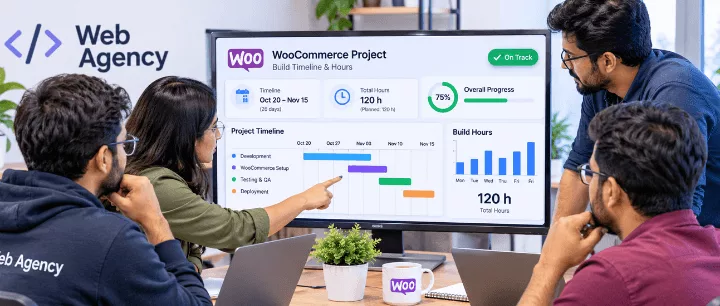
Before you can save time, you need to know where it goes. The model below shows a typical 80-hour WooCommerce build. Notice how much of the clock is spent on work that has nothing to do with the client’s unique brand or products.
| Build phase | Typical hours | Optimized hours | Main time-saving lever |
|---|---|---|---|
| Discovery and scoping | 8 | 6 | Reusable requirements questionnaire |
| Environment and WooCommerce setup | 10 | 3 | WP-CLI bootstrap script |
| Theme customization and layouts | 24 | 11 | Lightweight theme plus starter site |
| Plugin selection and conflicts | 10 | 4 | Pre-approved plugin stack |
| Content and product import | 8 | 6 | CSV templates and import checklist |
| QA, revisions and feedback | 12 | 6 | Fewer custom parts, staged client reviews |
| Speed, security and launch | 8 | 4 | Baked-in performance defaults |
| Total | 80 | 40 | -50% |
Starting every project from scratch
A blank WordPress install is a blank page, and a blank page is expensive. Every project that begins with “let’s install WordPress and see” repeats choices you have already made dozens of times: permalink structure, default pages, plugin list, user roles, email settings, image sizes and a hundred small options. None of it is creative work, yet it can swallow a full day.
Rebuilding common WooCommerce layouts and features
Shop archives, product pages, cart, checkout, order-received pages and “My Account” all follow the same structure on almost every store. Rebuilding them each time (header with mini-cart, filter sidebar, product gallery, trust badges, related products) is the biggest single time sink in the model above.
Spending too much time on theme customization
Heavy multipurpose themes promise infinite flexibility and deliver infinite options panels. Fighting a theme’s own opinions, overriding its CSS and patching its templates is slow. A child theme keeps those overrides safe from updates, but the real fix is starting from a theme whose defaults already match what you build.
Plugin compatibility and troubleshooting
Ten plugins from ten authors means ten release schedules. A conflict between a caching plugin, a checkout customizer and a payment gateway can take hours to isolate because the symptoms look unrelated. The more plugins you install per store, the more your debugging time grows, and it grows faster than linearly.
Revisions, testing and performance optimization
Late-stage revisions are costly because every change risks breaking something that already passed testing. Performance work done at the very end (“we’ll optimize before launch”) often turns into a scramble, because heavy images, unused scripts and bloated plugins are by then baked into the design.
3. How to Reduce WooCommerce Development Time by 50%
There is no single trick. The saving comes from stacking five practices so that each project starts at the 40% mark instead of zero. Here is the overview; the next sections go deep on each lever.
Use lightweight, ready-to-customize WordPress themes
A lean theme gives you clean markup, sensible WooCommerce templates and fewer overrides to write. You customize colors, typography and spacing instead of fighting layout engines. Section 4 explains how to evaluate one.
Start with pre-built starter sites and templates
A starter site is a complete, importable store: homepage, shop, product, cart and checkout layouts, menus and demo content. Importing one replaces the largest line item in the time model (theme and layouts) with a few clicks plus tailoring. See section 5.
Reuse design components and layouts
Save headers, footers, product cards, hero sections, FAQ blocks and testimonial rows as reusable patterns or synced components. When the next client needs “a trust-badge strip under the add-to-cart button”, you already built it.
Standardize your WooCommerce development workflow
Write down the way you build. A fixed sequence, a fixed checklist and a fixed definition of “done” mean fewer decisions, easier onboarding for new developers and fewer things forgotten before launch. Section 7 gives you a six-step version.
Automate repetitive setup and configuration tasks
If you do something on every project, script it. WP-CLI can install WordPress, activate WooCommerce, set currency, create pages and apply your baseline in under a minute. Section 6 includes a ready-to-adapt script.
| Lever | Typical hours saved (model) | Effort to set up once |
|---|---|---|
| Lightweight theme and reusable patterns | 6 to 10 | Medium (choose and test a base) |
| Starter site import | 8 to 14 | Low (pick per industry) |
| Pre-approved plugin stack | 4 to 6 | Medium (compatibility testing) |
| Workflow checklist | 3 to 6 | Low (write it down) |
| Automation scripts | 5 to 8 | Medium (script and test once) |
4. Choose Lightweight WordPress Themes Built for WooCommerce
Your theme decision shapes everything that follows: how fast the store loads, how many plugins you need and how many hours you spend overriding templates. If you want a shortlist to compare against, our roundup of the fastest WordPress themes is a good place to start.
Why theme performance matters for client projects
Google’s Core Web Vitals give you concrete thresholds to build against: Largest Contentful Paint (LCP) of 2.5 seconds or less, Interaction to Next Paint (INP) of 200 milliseconds or less, and Cumulative Layout Shift (CLS) of 0.1 or less, measured at the 75th percentile of real visits. You can read the official definitions on web.dev. A bloated theme can blow through those budgets before you have installed a single product.
Google data cited by BloggingWizard shows the probability of a visitor bouncing rises by 32% as load time moves from one second to three. For a store, every bounced visitor is a lost sale. For your agency, it is a support ticket waiting to happen.
Full Site Editing (FSE) vs. traditional theme customization
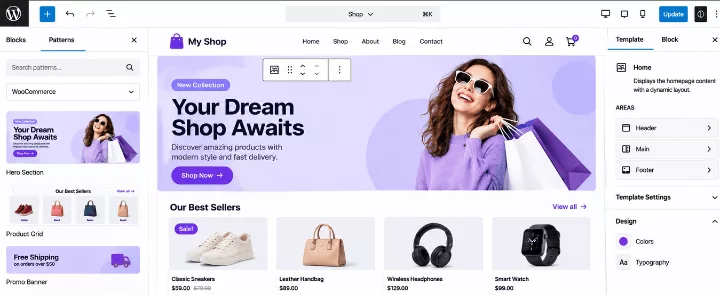
Full Site Editing lets you design headers, footers, templates and WooCommerce pages directly in the Site Editor using blocks, with design settings defined in a single theme.json file. Traditional (classic) themes rely on PHP templates, the Customizer and often a page builder. We compare the two approaches in depth in block themes vs classic themes, and the platform’s own documentation on block themes is worth bookmarking.
| Factor | Bloated multipurpose theme | Lightweight classic theme | Block (FSE) theme |
|---|---|---|---|
| Starting page weight | Heavy (many scripts and styles) | Light | Light |
| Design reuse across clients | Locked to builder or options panel | Child theme plus custom code | Patterns, templates and theme.json |
| Client self-editing | Easy but easy to break | Depends on the setup | Good, with locked template parts |
| Learning curve for the team | Theme-specific | PHP and WooCommerce hooks | Blocks and theme.json |
| Best for | One-off demos | Custom, code-heavy stores | Repeatable agency delivery |
Benefits of block-based design and reusable patterns
For an agency, the biggest advantage of block-based design is portability. Once you define your color palette, typography scale and layout widths in theme.json, you can drop the same file into the next project and change a handful of values. If you want a primer on the concept, see what a WordPress block theme is.
Here is a trimmed example of a reusable agency theme.json base:
{
  "$schema": "https://schemas.wp.org/trunk/theme.json",
  "version": 3,
  "settings": {
    "color": {
      "palette": [
        { "slug": "brand",   "name": "Brand",   "color": "#37bf91" },
        { "slug": "ink",     "name": "Ink",     "color": "#233d62" },
        { "slug": "surface", "name": "Surface", "color": "#f0f2f4" }
      ]
    },
    "typography": {
      "fluid": true,
      "fontFamilies": [
        {
          "slug": "body",
          "name": "Body",
          "fontFamily": "Georgia, 'Times New Roman', serif"
        },
        {
          "slug": "heading",
          "name": "Heading",
          "fontFamily": "Arial, Helvetica, sans-serif"
        }
      ]
    },
    "layout": { "contentSize": "720px", "wideSize": "1200px" }
  },
  "styles": {
    "elements": {
      "button": {
        "color": { "background": "var(--wp--preset--color--brand)", "text": "#ffffff" }
      }
    }
  }
}
Per client, you edit the palette and fonts, and the whole store follows. That is the kind of change that takes minutes, not days.
Reducing unnecessary plugins and third-party dependencies
A good theme replaces plugins instead of requiring them. If sliders, icon sets, sticky headers, mega menus and product quick view are already in the theme, you remove four or five plugin updates from every maintenance cycle. Fewer dependencies mean fewer conflicts, shorter QA and lower support costs after launch.
5. Build Client Stores Faster with WooCommerce Starter Sites
Starter sites (also called demo imports or website templates) are the single biggest accelerator in the model. Competing theme vendors lean on them heavily: WPZOOM advertises 50+ starter sites with one-click import, and ThemeHunk organizes its templates by store type such as ecommerce, grocery and multivendor. Agencies are noticing the same thing: pick the right starting point and the rest of the project gets shorter.
Import ready-made website designs
A good starter site imports the full structure in a few minutes: pages, menus, widgets, product categories, demo products and template parts. Your first real task becomes editing, not building.
Customize layouts, colors, fonts and branding
Start with the global settings: logo, palette and fonts. If your base uses theme.json or a global-styles panel, those few changes restyle the entire store. Then adjust layouts section by section, replacing demo imagery and copy with the client’s own.
Reuse product, shop, cart and checkout layouts
Do not redesign the cart and checkout for every client. These pages convert best when they are familiar, clean and fast. Keep a proven version, tweak spacing, trust badges and button colors, and spend your design budget on the homepage and product pages where brand personality matters.
Adapt starter sites for different industries
Fashion, grocery, electronics, furniture, beauty and digital downloads all need slightly different product-page patterns: size guides, delivery slots, comparison tables, 3D previews or license information. Choose a starter site closest to the client’s industry and add only the missing pieces.
| Industry | Starter site should already include | Typically add |
|---|---|---|
| Fashion and apparel | Grid and list shop, quick view, size-friendly layout | Variation swatches, size guide |
| Grocery and food | Category-first navigation, compact cards | Delivery rules, minimum order logic |
| Electronics | Spec tabs, comparison-friendly layout | Product compare, filters |
| Furniture and decor | Large imagery, lifestyle sections | Wishlist, extra product options |
| Digital products | Simple product pages, clear pricing | License handling, secure downloads |
Maintain consistent quality across client projects
Starter sites carry an underrated benefit: consistency. Every store built on a tested base inherits the same accessibility basics, the same responsive behavior and the same performance profile. New team members produce senior-quality results faster, and your QA checklist gets shorter because fewer things are custom.
6. Standardize Your Setup: Baseline Configuration and a Lean Plugin Stack
Starter sites handle the front end. The back end deserves the same treatment. Create a baseline that every store receives on day one, then automate it.
Automate setup with WP-CLI
The script below installs WordPress, cleans the defaults, activates WooCommerce, applies core options and generates the standard WooCommerce pages. Adapt the placeholders to your agency’s conventions, and run it on a fresh server as a non-root user. The full command list is in the WP-CLI documentation.
#!/usr/bin/env bash
# agency-woo-bootstrap.sh - run inside an empty site folder
set -e

wp core download --locale=en_US
wp config create --dbname=client_db --dbuser=db_user --prompt=dbpass
wp core install --url="https://staging.client-site.com" \
  --title="Client Store" \
  --admin_user="agency_admin" \
  --admin_email="dev@youragency.com" \
  --prompt=admin_password

# Clean the defaults before WooCommerce creates its own pages
wp site empty --yes
wp plugin delete hello akismet

# Core settings
wp rewrite structure '/%postname%/' --hard
wp option update blog_public 0            # keep staging out of search results
wp option update default_comment_status closed

# WooCommerce and baseline options
wp plugin install woocommerce --activate
wp option update woocommerce_currency "USD"
wp option update woocommerce_default_country "US:NY"
wp option update woocommerce_calc_taxes "yes"
wp wc tool run install_pages --user=agency_admin

# Your base theme and approved plugins (one slug per line in plugins.txt)
wp theme install your-base-theme --activate
cat plugins.txt | xargs -n 1 wp plugin install --activate
Remember to flip blog_public back to 1 when the client launches. Put that item on your launch checklist so it is never forgotten.
Ship an agency mu-plugin with sane WooCommerce defaults
A must-use plugin lets you apply the same defaults to every store without copying snippets into each theme. If you collect snippets regularly, our guide to useful code snippets for WordPress can help you build the library, and the WooCommerce hooks list with examples shows where to attach them.
<?php
/**
 * Plugin Name: Agency WooCommerce Defaults
 * Description: Shared defaults applied to every client store.
 */

// Declare HPOS (custom order tables) compatibility for custom code.
add_action( 'before_woocommerce_init', function () {
	if ( class_exists( \Automattic\WooCommerce\Utilities\FeaturesUtil::class ) ) {
		\Automattic\WooCommerce\Utilities\FeaturesUtil::declare_compatibility( 'custom_order_tables', __FILE__, true );
	}
} );

// Consistent shop grid.
add_filter( 'loop_shop_per_page', function () {
	return 12;
}, 20 );

add_filter( 'loop_shop_columns', function () {
	return 3;
} );

// Remove a product tab most stores never use.
add_filter( 'woocommerce_product_tabs', function ( $tabs ) {
	unset( $tabs['additional_information'] );
	return $tabs;
} );
Because custom code and extensions should work with High-Performance Order Storage, it is worth reading WooCommerce’s own HPOS documentation before you ship plugins to clients.
Build a lean, pre-approved plugin stack
Choose one plugin per job, test the set together once, and reuse it everywhere. A typical stack might cover SEO, caching, security, backups, product search, a side cart, variation swatches and a wishlist. Our list of essential plugins for WooCommerce is a useful reference when you assemble yours, and if you need a mini-cart experience, compare options in our WooCommerce side cart plugin roundup.
Do
- Pick one plugin per feature
- Test the full stack together on staging
- Record versions that passed testing
- Prefer plugins that declare HPOS compatibility
Don’t
- Install “just in case” plugins
- Overlap features (two sliders, two caches)
- Update everything on launch day
- Rely on abandoned or untested extensions
Performance, security and hosting defaults
Make performance and security part of the baseline rather than a last-minute task. For caching and asset optimization, our WP Rocket review explains what a premium cache plugin does in practice. For hardening, work through the WordPress security checklist on every build. And because even the leanest build suffers on slow servers, standardize on a hosting tier you trust; our guide to the fastest WooCommerce hosting compares the options.
7. Create a Repeatable WooCommerce Agency Workflow
A workflow turns good habits into default behavior. The six steps below map directly to the optimized column of the time model, so you can track your own hours against each stage.
Step 1: Define project requirements
Use a standard questionnaire so nothing important is discovered at week five. Capture catalog size, product types (simple, variable, subscription, digital), payment gateways, shipping and tax needs, languages and currencies, integrations (ERP, CRM, email marketing) and the “must-have” versus “nice-to-have” feature list. Get written sign-off before any build begins; it is your best defense against scope creep.
Step 2: Select a suitable theme and starter site
Match the client’s industry and feature list to a starter site you have already vetted. If more than about 30% of the design needs to change, you picked the wrong starting point. Re-evaluate rather than pushing forward.
Step 3: Configure WooCommerce and essential settings
Run your bootstrap script, then walk through the store-specific items: tax classes, shipping zones and methods, payment gateways in test mode, email templates and account settings. Doing this early means design review happens on a store that behaves like the real one.
Step 4: Customize branding and store layouts
Apply the client’s logo, palette and fonts globally, then adjust the homepage, category pages and product template. Import real products as early as possible, because real images and long product titles expose layout problems that demo content hides.
Step 5: Optimize speed, security and SEO
Compress and resize images, enable caching, review script loading, set up backups, harden logins and configure SEO basics (titles, meta, schema, XML sitemap, redirects). Measure with Lighthouse or PageSpeed Insights on key templates (home, category, product, cart, checkout) and record the scores in the project file.
Step 6: Test and launch the client website
Test on real phones, not just browser emulators. Place test orders with every payment method, check emails, test coupons and shipping rules, and verify that inventory updates correctly. Use the checklist below, then schedule launch for a low-traffic window with a rollback plan.
- Test order placed with every enabled payment gateway
- Transactional emails received and rendered correctly on mobile
- Tax, shipping zones and coupons verified against the requirements sheet
- Core Web Vitals checked on home, category, product, cart and checkout
- Search engine visibility turned back on (blog_public = 1)
- Backups, uptime monitoring and security hardening confirmed
- Forms, 404 page, privacy policy and cookie notice in place
- Client handover document and admin training session scheduled
8. How Faster Development Improves Agency Profit Margins
Time savings are nice. Profit is better. Here is what a 40-hour reduction means for an agency that sells WooCommerce stores at a fixed price. The numbers below are illustrative, not financial advice, and assume a $6,000 project fee and 160 productive hours per developer per month.
Complete more projects without increasing team size
In the model, one developer who delivered two stores per month can now deliver four, provided you have the sales pipeline to match. Capacity doubles without a single new hire, and that is where the real leverage sits.
Reduce development and maintenance costs
Fewer plugins, fewer custom templates and a tested baseline mean fewer post-launch tickets. Maintenance becomes a predictable monthly routine instead of firefighting. Many agencies turn that predictability into a paid care plan.
Improve project delivery timelines
A shorter build means earlier launches, happier clients and faster final payments. It also lets you offer a clearer promise in your proposals: “staging site in one week, launch in three” is a far stronger pitch than “six to ten weeks, depending”.
Increase revenue per development hour
| Metric (illustrative) | Typical build | Optimized build |
|---|---|---|
| Hours per project | 80 | 40 |
| Fixed project fee | $6,000 | $6,000 |
| Effective revenue per hour | about $75 | about $150 |
| Projects per developer per month (160 h) | 2 | 4 |
| Revenue per developer per month (if demand exists) | $12,000 | $24,000 |
Spend more time acquiring and supporting clients
The hours you free up do not have to go into more builds. Reinvest them in outreach, case studies, upsells such as conversion optimization, and proactive support. If you are weighing whether to grow in-house or partner with others, our overview of WordPress development agencies shows how other studios position their services.
9. Common Mistakes Agencies Should Avoid
Choosing bloated multipurpose themes
A theme with 40 demos and 300 options feels like insurance, but you pay for it in page weight, update risk and learning time. Pick a focused theme that does your type of project well and extend it with patterns.
Installing unnecessary plugins
Every plugin adds code that runs on every request, plus security surface and update overhead. If a feature is used on one page, consider whether a block, a snippet or a theme setting can do the job.
Ignoring mobile responsiveness
Most stores see the majority of their traffic on phones, so “desktop first, mobile later” is backwards. Review every template at 360 pixels wide, check tap-target sizes, and test the checkout with one thumb.
Skipping performance testing
“It feels fast on my machine” is not a test. Measure Core Web Vitals on real templates with realistic content, record the results at handover, and re-test after every major plugin addition.
Over-customizing features that already exist
Building a custom wishlist when your theme already includes one, or rewriting a checkout field editor that WooCommerce can handle with a filter, is time you will never bill for. Check what the theme, WooCommerce core and your approved stack can already do before writing code.
10. Why aThemeArt Themes and Starter Sites Can Help Agencies
Everything above comes down to one idea: start every project from a strong foundation. aThemeArt builds WordPress and WooCommerce products with exactly that use case in mind.
Lightweight WordPress and WooCommerce solutions
aThemeArt’s WooCommerce catalog includes themes such as Emart, The9 Store and Shopper, along with focused plugins for variation swatches, product search, wishlists, popup carts and extra product fields. If you work in Elementor, take a look at the fastest Elementor WooCommerce theme as a base for storefronts.
Ready-to-use designs for faster project delivery
Instead of designing the shop, product, cart and checkout from scratch, you start with working layouts built for stores and then adapt them to each client’s brand. That is the 40-hour model in practice.
Flexible customization for different client requirements
Different clients need different features. Lean themes with optional add-ons let you switch on only what a specific store needs, rather than shipping the same heavy package to everyone.
Reusable website foundations for agency projects
A consistent foundation is what lets you standardize your workflow, train new developers quickly and keep quality predictable from one project to the next.
Explore the aThemeArt Agency Bundle and available starter sites
If you build stores regularly, an agency-oriented license is usually more economical than buying single-site licenses over and over. Browse the starter sites, compare licensing and see what fits your pipeline in the aThemeArt Agency Bundle.
Explore the aThemeArt Agency Bundle
11. Frequently Asked Questions (FAQs)
How can web agencies build WooCommerce websites faster?
Combine five practices: a lightweight theme, pre-built starter sites, reusable patterns, a documented workflow and scripted setup. Together they remove the repeatable work (installation, configuration, layout building) so your team spends its hours on branding, product experience and testing.
How much time does a WooCommerce starter site save?
It depends on how close the starter site is to the client’s needs. In the model used in this article, importing and tailoring a good match cuts theme and layout work from about 24 hours to about 11, which is roughly half of the largest line item. Treat that as a planning figure and track your own hours to calibrate it.
Are lightweight WordPress themes better for WooCommerce?
In most cases, yes. Lighter themes load fewer scripts and styles, which makes it easier to meet Core Web Vitals targets, and they need fewer plugin workarounds. Faster stores also tend to convert better: Portent’s research found ecommerce conversion rates were highest at one to two second load times.
Is Full Site Editing suitable for agency projects?
Yes, especially for repeatable work. Block themes let you save templates, patterns and global styles in theme.json, so you can reuse them across clients. The trade-off is a learning curve for teams used to PHP templates or page builders, and you should lock key template parts so clients cannot accidentally break the layout.
Can agencies reuse starter sites for multiple clients?
Generally yes, but license terms matter. Check whether your license covers client projects and how many sites you can build. Agency-oriented plans usually allow multiple installations, while single-site licenses do not. Always customize branding, copy and imagery so each client’s store looks distinct.
How can agencies reduce WooCommerce development costs?
Standardize your stack, avoid unnecessary plugins, automate setup with WP-CLI, reuse templates and catch problems early with staged reviews. Lower build hours mean lower cost per project, and a smaller plugin footprint lowers long-term maintenance costs as well.
12. Conclusion: Build More WooCommerce Websites in Less Time
Faster WooCommerce delivery is not about cutting corners. It is about removing the work that never needed to be done twice: rebuilding layouts, reconfiguring settings and debugging a different plugin mix every time. A lightweight theme, a vetted starter site, a scripted baseline and a six-step workflow give you a foundation you can trust.
Start small. Time your next build phase by phase, pick the one or two biggest time sinks, and fix those first. Within a few projects, the 50% target stops being a promise on a page and becomes a number on your timesheet. Then you can use the extra capacity to take on more clients, improve quality and give your team some breathing room.
Ready to build your agency’s foundation? Browse aThemeArt’s WooCommerce themes and plugins, start with one starter site that matches your most common client type, and turn your next project into the first one on the new workflow.


