
Looking for the best WordPress theme providers? Your theme affects your website’s speed, design and flexibility, so choosing the right provider matters. Look for clean code, regular updates, useful documentation and reliable support. Poorly maintained themes can leave you dealing with bloated layouts and abandoned products.
This guide reviews 62 WordPress theme providers and related tools, including marketplaces, theme shops, lightweight theme studios and niche specialists. Whether you need free or premium WordPress templates or a team of WordPress development companies to build a custom solution, you will find options below.
Related reading: best WordPress blogs to follow, top WordPress YouTube channels and what a WordPress block theme is.
Quick Picks: Best WordPress Theme Providers at a Glance
- Best marketplace: ThemeForest
- Best free theme source: WordPress.org Theme Directory
- Best lightweight multipurpose themes: Astra and GeneratePress
- Best visual design tools: Elegant Themes (Divi) and Elementor
- Best for blogs and content: StudioPress (Genesis)
- Best for WooCommerce: UX Themes (Flatsome), CommerceGurus and aThemeArt
- Best for beginners: Themeisle and Colorlib
| Provider | Category | Best for |
|---|---|---|
| ThemeForest | Marketplaces & Directories | Shoppers who want maximum choice |
| WordPress.org Theme Directory | Marketplaces & Directories | Beginners and free-theme hunters |
| Codester | Marketplaces & Directories | Low-budget one-off projects |
| Qode Interactive | Marketplaces & Directories | Design-led business sites |
| GoDaddy | Marketplaces & Directories | One-stop hosting and theme setups |
| HubSpot Ecosystem | Marketplaces & Directories | Marketing and sales teams |
| Astra (Brainstorm Force) | Lightweight Multipurpose Theme Companies | Speed-focused sites of any kind |
| GeneratePress | Lightweight Multipurpose Theme Companies | Developers and performance purists |
| OceanWP | Lightweight Multipurpose Theme Companies | Flexible sites on a small budget |
| CreativeThemes (Blocksy) | Lightweight Multipurpose Theme Companies | Modern block-editor and Woo sites |
| Themeisle | Lightweight Multipurpose Theme Companies | Beginners who want polished free themes |
| ThemeGrill | Lightweight Multipurpose Theme Companies | Magazines, blogs and WooCommerce shops |
| aThemes | Lightweight Multipurpose Theme Companies | Global audiences and small businesses |
| Colorlib | Lightweight Multipurpose Theme Companies | Free WordPress and HTML templates |
| aThemeArt | Lightweight Multipurpose Theme Companies | Business, WooCommerce and eCommerce sites |
| Catch Themes | Lightweight Multipurpose Theme Companies | Minimal, elegant websites |
| Out the Box Themes | Lightweight Multipurpose Theme Companies | WooCommerce stores on a budget |
| Elegant Themes (Divi) | Premium Theme Shops & Builders | Visual builders and agencies |
| Elementor (Hello Elementor) | Premium Theme Shops & Builders | Drag-and-drop design |
| StudioPress (Genesis) | Premium Theme Shops & Builders | Bloggers and content publishers |
What Is a WordPress Theme Provider?
A WordPress theme provider (also called a theme shop, template provider or theme company) designs and distributes themes that control a site’s appearance and, in some cases, add layout features. Providers fall into several groups:
- Marketplaces: multiple authors sell products in one place, such as ThemeForest and Codester.
- Official directory: WordPress.org is the main source for free community themes.
- Theme studios: teams develop and maintain a collection of themes, such as WPZOOM, Themeisle and aThemeArt.
- Flagship-theme companies: providers focus on a core product and starter sites, such as Astra and GeneratePress.
- Builder companies: products combine themes with visual design tools, such as Elegant Themes and Elementor.
- WordPress development companies: agencies create custom themes, plugins and integrations for clients.
How to Choose the Right WordPress Theme Provider
- Review the design and demos. Check that the layout suits your niche, then test the demo on a phone and desktop.
- Check update history. Regular maintenance helps keep a theme compatible with current WordPress and PHP versions.
- Confirm plugin compatibility. Look for support for your page builder, WooCommerce and SEO tools.
- Read reviews and assess support. Feedback can help you understand how the provider handles problems.
- Compare free and premium options. Try the free version first and upgrade only for features you will use.
- Understand the licence. Check site limits, renewal terms and what happens to updates and support if you stop paying.
- Test performance. A lean theme can make it easier to deliver fast pages and good Core Web Vitals.
- Check refunds or trials. Read the terms before purchasing, as refund policies differ between providers.
Our guides on WordPress theme standards and how to upgrade a WordPress theme explain what quality code and safe updates look like.
Marketplaces & Directories
1. ThemeForest

ThemeForest brings together thousands of premium themes from independent authors. You can filter by niche, price and rating, then compare products before buying. Quality and maintenance vary by author, so check recent updates, reviews and support details.
Best for: Shoppers who want maximum choice. Visit ThemeForest
2. WordPress.org Theme Directory

The official WordPress theme directory is a reliable place to find free templates. Themes submitted to the directory are reviewed against its requirements, and the default Twenty-series themes are available there. Support is generally provided through theme-specific forums.
Best for: Beginners and people looking for free themes. Visit WordPress.org Theme Directory
3. Codester

Codester is a budget-friendly marketplace where independent creators sell themes, plugins and scripts. It can be useful when you need a niche template or a single purchase rather than a recurring subscription.
Best for: Low-budget one-off projects. Visit Codester
4. Qode Interactive
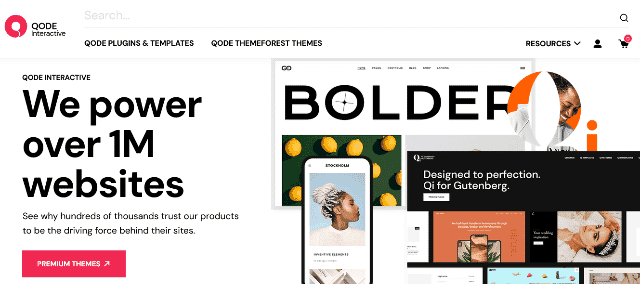
Qode Interactive grew from the Mikado, Select, Elated and Edge brands. Its catalogue covers boutiques, restaurants, agencies, news sites and more, with an emphasis on detailed layouts and premium styling.
Best for: Design-led business sites. Visit Qode Interactive
5. GoDaddy
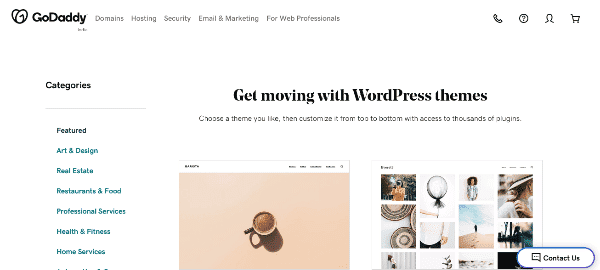
GoDaddy is best known for hosting and domains, and it also offers WordPress-oriented website and theme options, including products such as Go and Primer in its wider ecosystem. Bundled services can simplify initial setup, although the available products and plans should be checked before purchase.
Best for: One-stop hosting and theme setups. Visit GoDaddy
6. HubSpot Ecosystem

HubSpot is not a traditional WordPress theme shop, but its ecosystem includes themes, apps and services for teams running marketing and sales operations around HubSpot. It is worth considering when a website needs to work closely with a CRM.
Best for: Marketing and sales teams. Visit HubSpot Ecosystem
Lightweight Multipurpose Theme Companies
7. Astra (Brainstorm Force)

Astra combines a lightweight core theme with a large collection of starter sites for education, coaching, eCommerce and business. Free and Pro options work with Elementor, the WordPress block editor and other popular builders.
Best for: Speed-focused sites across many niches. Visit Astra (Brainstorm Force)
8. GeneratePress

GeneratePress is an open-source theme known for clean code, accessibility and a small page footprint. It offers a free version and premium features, including starter sites, and can be used with major page builders.
Best for: Developers and performance-minded site owners. Visit GeneratePress
9. OceanWP

OceanWP offers a free theme and demos, alongside paid demos and extensions for business websites, WooCommerce stores and portfolios. It supports common page-building workflows, including Elementor and the block editor.
Best for: Flexible sites on a modest budget. Visit OceanWP
10. CreativeThemes (Blocksy)

CreativeThemes develops Blocksy, a modern theme designed to work well with the block editor and WooCommerce. It includes starter sites and customisation controls for both new projects and established brands.
Best for: Modern block-editor and WooCommerce sites. Visit CreativeThemes (Blocksy)
11. Themeisle

Themeisle makes Neve, Hestia and other WordPress products. Its free themes offer a useful starting point, while paid upgrades add features and extra design options. Compare the current plans and support terms to find the right fit.
Best for: Beginners who want polished free themes. Visit Themeisle
12. ThemeGrill

ThemeGrill is behind products such as ColorMag, Zakra and Spacious. Its catalogue includes starter templates and themes compatible with popular builders, and the company also offers related plugins and development services.
Best for: Magazines, blogs and WooCommerce shops. Visit ThemeGrill
13. aThemes
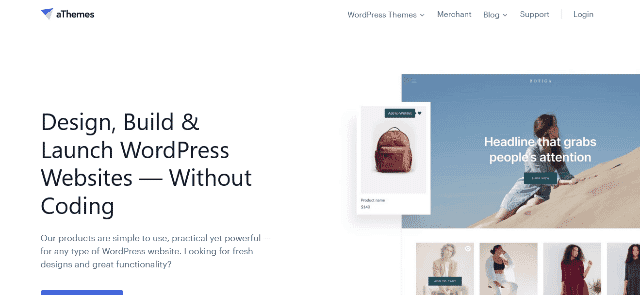
aThemes is known for products such as Sydney, Airi and Astrid. Its themes include options for multilingual and right-to-left sites, with a mix of free and premium features for small businesses and online stores.
Best for: Small businesses and multilingual audiences. Visit aThemes
14. Colorlib

Colorlib publishes tutorials and free WordPress themes such as Sparkling, Shapely and Illdy. It also offers HTML templates and design resources that can help when building websites outside WordPress.
Best for: Free WordPress and HTML templates. Visit Colorlib
15. aThemeArt

aThemeArt builds free and premium WordPress themes, plugins, admin dashboards and HTML templates, including BC Business Consulting, Joyas, The9 Store and eMart Shop. Browse the premium WordPress themes or free WordPress themes.
Best for: Business, WooCommerce and eCommerce sites. Visit aThemeArt
16. Catch Themes
Catch Themes offers a long-running catalogue built around clean, minimal design, with free versions and live demos. Pro upgrades add features that vary by theme, so review the details before choosing a plan.
Best for: Minimal, elegant websites. Visit Catch Themes
17. Out the Box Themes
This small studio develops clean, responsive themes, including Panoramic. Its products offer customisation options, and the available update and support details can help you decide whether a free or premium version suits your project.
Best for: WooCommerce stores on a budget. Visit Out the Box Themes
Premium Theme Shops & Builders
18. Elegant Themes (Divi)

Elegant Themes develops Divi and Extra, both connected to a visual drag-and-drop builder. Its membership includes themes, layout packs and plugins, while Divi’s design tools can be used for many kinds of websites.
Best for: Visual builders and agencies. Visit Elegant Themes (Divi)
19. Elementor (Hello Elementor)

Elementor is primarily a page builder rather than a traditional theme shop. Its Hello starter theme and template kits make it a useful option for designers who want to create page layouts visually.
Best for: Drag-and-drop design. Visit Elementor (Hello Elementor)
20. StudioPress (Genesis)

The Genesis Framework and its child themes have a history of use on blogs and business websites, with an emphasis on structured code and customisation. Review current product availability and support before starting a new project.
Best for: Bloggers and content publishers. Visit StudioPress (Genesis)
21. Themify

Themify offers themes with a built-in drag-and-drop builder. Products such as Themify Ultra are intended for users who want to customise blogs, restaurant websites and online stores without writing much code.
Best for: No-code site building. Visit Themify
22. ThemeFusion (Avada)

ThemeFusion develops Avada, a widely used multipurpose WordPress theme. Its visual builder and demo library give agencies and site owners a way to assemble layouts for different types of projects.
Best for: Feature-rich business sites. Visit ThemeFusion (Avada)
23. Thrive Themes
Thrive Themes develops website tools for marketers, bloggers and small businesses that focus on lead generation and sales. Review the current product bundle to see which themes, editors and marketing features are included.
Best for: Conversion-focused marketers. Visit Thrive Themes
24. Themeco (X & Pro)
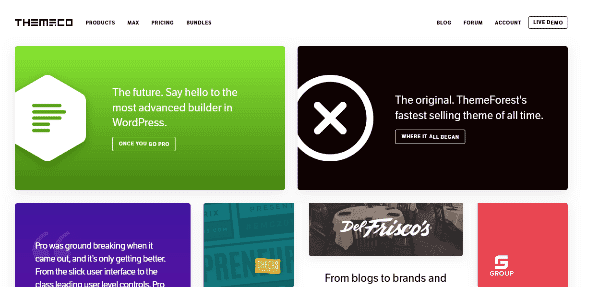
Themeco’s X and Pro products provide extensive control over layouts, headers and footers. Their design tools suit people who want to fine-tune page components and build custom layouts.
Best for: Designers who want detailed layout control. Visit Themeco (X & Pro)
25. UX Themes (Flatsome)

UX Themes creates Flatsome, a popular WooCommerce-oriented theme with a live builder. It is designed for shops, boutiques and service websites that need flexible product and landing-page layouts.
Best for: WooCommerce stores. Visit UX Themes (Flatsome)
26. Muffin Group (Betheme)
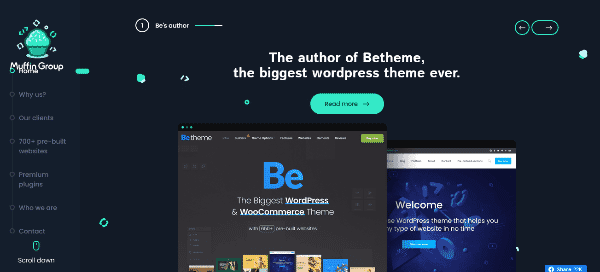
Muffin Group develops Betheme and related products with a broad library of pre-built websites. Its layouts and builder tools are intended to help launch projects across different niches.
Best for: Sites that benefit from prebuilt layouts. Visit Muffin Group (Betheme)
27. Kriesi (Enfold)
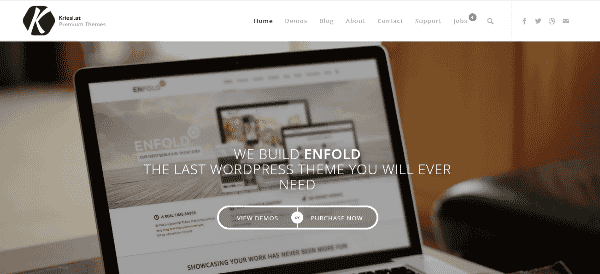
Kriesi is the studio behind Enfold, a multipurpose theme used for corporate, creative and eCommerce websites. Check the latest demo, update history and compatibility notes to see whether it matches your needs.
Best for: Corporate and creative sites. Visit Kriesi (Enfold)
28. YOOtheme

YOOtheme offers themes and a UI-kit approach with options for multilingual websites. Its design tools are especially worth exploring for agencies building polished sites for clients.
Best for: Agencies and multilingual sites. Visit YOOtheme
29. Undsgn (Uncode)

Undsgn makes Uncode, a theme focused on typography, flexible layouts and portfolio presentation. It is a candidate for creative websites where visual detail is a major part of the brand.
Best for: Creative portfolios. Visit Undsgn (Uncode)
30. SiteOrigin
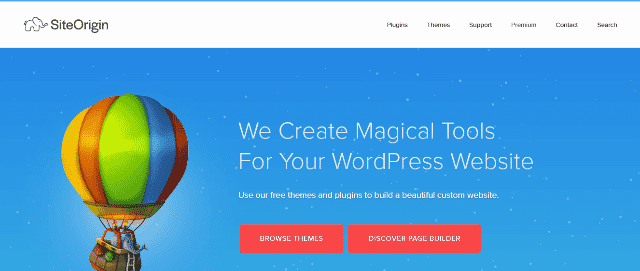
SiteOrigin provides a page builder and themes such as Vantage and North, with premium add-ons for extra functionality. It can suit users who want to start with free tools and extend their setup as needed.
Best for: Free-first page building. Visit SiteOrigin
31. CSS Hero

CSS Hero is not a theme marketplace. It is a visual CSS editor that lets you adjust the appearance of compatible themes without writing CSS manually, making it a companion tool for design tweaks.
Best for: Visually adjusting an existing theme. Visit CSS Hero
Large Catalogues & Niche Theme Studios
32. WPZOOM

WPZOOM’s catalogue includes themes such as Inspiro, Foodica and Academica. The designs cover publishing, food and business websites, with layouts intended to make content easy to present.
Best for: Magazines, food and business sites. Visit WPZOOM
33. MyThemeShop

MyThemeShop is known for minimalist themes such as Schema, Point and SociallyViral. Its product history also intersects with the Rank Math SEO ecosystem; check its current catalogue and support information before buying.
Best for: SEO-minded bloggers. Visit MyThemeShop
34. CSSIgniter

CSSIgniter has developed mobile-friendly themes for a range of website types since 2009. Its products support popular plugins and common WordPress editing workflows; confirm compatibility for your specific setup.
Best for: Small businesses and local services. Visit CSSIgniter
35. ProteusThemes
ProteusThemes is associated with products such as StructurePress, CargoPress and BuildPress for construction, logistics and automotive businesses. Review the current product and trial terms before choosing a theme.
Best for: Construction and trade businesses. Visit ProteusThemes
36. Pixelgrade

Pixelgrade develops design-led themes such as Rosa, Mies and Listable, with tools to customise colours and fonts. Check whether a free or lite version is available for the particular product you want.
Best for: Portfolios and boutique businesses. Visit Pixelgrade
37. WPExplorer

WPExplorer is best known for Total, a multipurpose theme sold through ThemeForest. It offers a broad set of options for different site types, so compare the demo, update history and support terms before purchasing.
Best for: Flexible multipurpose sites. Visit WPExplorer
38. Blossom Themes
Blossom Themes offers templates for fashion, travel, weddings, photography and magazines. Features such as demo import and customisation options can help bloggers get a site started without building every layout from scratch.
Best for: Bloggers and creatives. Visit Blossom Themes
39. Theme Junkie

Theme Junkie has offered free and premium themes with a focus on practical layouts. Check its current range, compatibility and support details before relying on a particular product for a new site.
Best for: People looking for straightforward themes. Visit Theme Junkie
40. Webnus
Webnus is known for Deep, a multipurpose theme with a range of demos, alongside related plugins. It may suit agencies, schools and freelancers looking for a flexible starting layout.
Best for: Multipurpose demo-based sites. Visit Webnus
41. Theme Freesia
Theme Freesia provides free and premium responsive themes with configuration options for branding and page layouts. Compare the demo and update activity to make sure a theme is suitable for your project.
Best for: Quick branded websites. Visit Theme Freesia
42. Compete Themes

Compete Themes is associated with straightforward themes such as Tracks, Author and Mission News. Its designs can be useful for content-focused websites where readability and a simple structure matter.
Best for: Blogs and writers. Visit Compete Themes
43. CyberChimps

CyberChimps has offered responsive themes and plugins for business websites, blogs, retail and eCommerce projects. Check the current products and compatibility information before selecting a theme for a new site.
Best for: Budget-conscious business sites. Visit CyberChimps
44. ThemeHunk
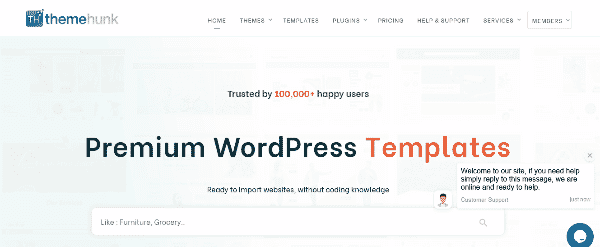
ThemeHunk develops business and store-focused themes such as Oneline Lite and Top Store. These products may suit coaching centres, small businesses and shops looking for a starter design.
Best for: Small-business starters. Visit ThemeHunk
45. Neuron Themes

Neuron Themes is associated with visually polished products such as Bifrost and Arkhitekton. Compare the demos and supported features to see whether a product suits a professional services website.
Best for: Professional service firms. Visit Neuron Themes
46. Tesla Themes
Tesla Themes has shifted its catalogue toward modern WordPress workflows, with themes and starter designs intended for contemporary sites. Check its latest offering and documentation before choosing a product.
Best for: Block-editor-first sites. Visit Tesla Themes
47. Themetry
Themetry has offered a small collection of lightweight designs suited to photography and showcase websites where the content should remain central. Review current product availability and support details before committing.
Best for: Photographers and portfolios. Visit Themetry
48. 8THEME

8THEME has developed all-in-one themes with control panels for shop, service and portfolio websites. Confirm that the theme’s current features and integrations match your WordPress setup.
Best for: Shops and service sites. Visit 8THEME
49. GoodLayers

GoodLayers develops themes such as Infinite, TravelTour and Kingster, with visual layouts for different industries. Explore the current demos and theme requirements to choose a suitable starting point.
Best for: Travel and education sites. Visit GoodLayers
50. ThemeREX

ThemeREX develops visually bold themes for different industries, including products such as Invetex and Charity Is Hope. Check the latest feature list, update history and support options when evaluating a product.
Best for: Eye-catching business sites. Visit ThemeREX
51. Dessign.net

Dessign.net has offered WordPress themes, HTML templates and design assets, including starter templates for modern editing workflows. Review its current catalogue to find products suited to your project.
Best for: Freelancers and small agencies. Visit Dessign.net
52. RocketTheme

RocketTheme began in the Joomla ecosystem and has also offered WordPress themes and templates. Browse its current products and platform requirements to make sure a design supports your site.
Best for: Multi-niche layouts. Visit RocketTheme
Community, Education & eCommerce Specialists
53. BuddyBoss

BuddyBoss builds themes and platform tools for online communities, social networks, courses and membership sites. It is worth considering when interaction between members is central to the project.
Best for: Community and membership sites. Visit BuddyBoss
54. ThimPress

ThimPress is known for Eduma and other education-focused WordPress products. Depending on the product, its offering may include setup, maintenance and hosting-related assistance.
Best for: Online course and LMS sites. Visit ThimPress
55. StylemixThemes

StylemixThemes creates premium themes and plugins such as Consulting and MasterStudy for business, education and online commerce. Compare the current feature lists to choose the product that matches your use case.
Best for: Education and consulting sites. Visit StylemixThemes
56. Themeum

Themeum is associated with WordPress products for education, events and online businesses. Check the current product range and maintenance status before selecting a theme for a new project.
Best for: Courses and events. Visit Themeum
57. CommerceGurus

CommerceGurus develops store-focused themes such as Shoptimizer, which emphasise performance and checkout conversions. It is a useful option to evaluate when the main goal is to improve the shopping experience.
Best for: WooCommerce conversion. Visit CommerceGurus
58. HasThemes

HasThemes offers a toolkit spanning WordPress, Shopify and Bootstrap products. Its catalogue includes themes such as 99fy; review the current compatibility, features and support details before purchasing.
Best for: Multi-platform store owners. Visit HasThemes
59. Wbcom Designs

Wbcom Designs offers themes and community-oriented plugins for WordPress, including products aimed at BuddyPress and business websites. Check the plugin and theme requirements if you are building a membership or social site.
Best for: BuddyPress communities. Visit Wbcom Designs
60. BoldGrid
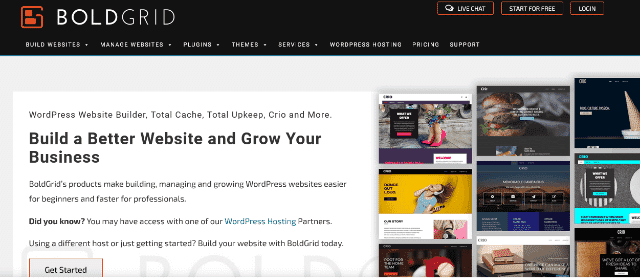
BoldGrid offers the Crio theme and related plugins, along with partnerships with hosting providers. Its tools may be convenient when you want a guided setup rather than assembling every component separately.
Best for: Hosting-bundled starts. Visit BoldGrid
61. HeroThemes
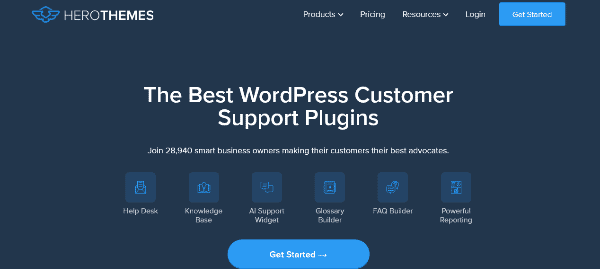
HeroThemes develops knowledge-base and support products such as KnowAll and HelpGuru. They can help businesses publish organised documentation and let customers find answers without contacting support directly.
Best for: Documentation and help centres. Visit HeroThemes
62. AffiliateTheme
AffiliateTheme is designed for affiliate websites, with product-data and affiliate-link features intended to simplify the process of presenting offers. Check its current platform compatibility and licensing before building a site around it.
Best for: Affiliate marketers. Visit AffiliateTheme
Free vs Premium WordPress Templates
Free themes are a sensible starting point, especially from WordPress.org and providers such as Astra, GeneratePress, OceanWP and Themeisle. Paid plans may add more starter sites, advanced header and footer controls, WooCommerce features, priority support and extra plugins. Upgrade only when the extra features solve a real need. Browse our free WordPress themes and premium WordPress themes to compare the options.
WordPress Development Companies vs Theme Providers
If a ready-made theme cannot meet your requirements, a WordPress development company can create a custom theme, plugin or integration. Custom work generally costs more and takes longer, but it can provide a better fit for specialised workflows. Some studios on this list, including ThemeGrill, aThemeArt and WPZOOM, also offer development services. For more technical context, read our guide to WordPress development frameworks and our article about Fortune 500 companies using WordPress.
Frequently Asked Questions
What is a WordPress theme provider?
A WordPress theme provider is a company, studio or marketplace that designs, sells or distributes themes and templates. Some focus on one main product, others maintain broad catalogues, and some also offer plugins, page builders and development services.
Where is the best WordPress theme download website?
For free themes, the official WordPress.org Theme Directory is a sensible place to start. For paid themes, compare marketplaces and independent providers such as ThemeForest, Elegant Themes, Themeisle, Astra, StudioPress and aThemeArt. Check maintenance history, reviews and support terms before downloading.
Are free WordPress templates good enough?
Yes. Many websites can start successfully with a well-maintained free theme from WordPress.org or a provider such as Astra, GeneratePress, OceanWP or Themeisle. Paid versions commonly add more demos, customisation controls, support and extra features.
How do I choose between free and premium WordPress templates?
Start with a free version and a live demo to test the layout and performance. Upgrade when you need specific features such as more starter sites, WooCommerce tools, header controls or direct support.
What is the difference between a WordPress theme provider and a WordPress development company?
A theme provider distributes ready-made themes. A WordPress development company builds custom themes, plugins and integrations for a particular client. Some theme studios, including ThemeGrill and aThemeArt, offer both products and services.
Can I use one theme on many websites?
It depends on the product licence and purchase plan. Some providers offer single-site, multi-site or unlimited-site options. Review the licence and the separate terms for updates and support before installing a theme on multiple websites.
How do I install a theme from a provider?
Download the theme ZIP, then go to Appearance > Themes > Add New > Upload Theme in your WordPress dashboard. Upload the file and activate the theme. See our guide on how to install a WordPress theme for the full steps.
Conclusion
The best option depends on your project rather than a single universal ranking. Marketplaces such as ThemeForest offer variety, WordPress.org provides free themes, and focused providers such as Astra, GeneratePress, Themeisle and aThemeArt offer their own design approaches and feature sets. Shortlist a few options, test their demos, check recent updates and support terms, and choose one that fits your needs and budget.
Ready to start? Explore our premium WordPress themes, browse a free WordPress theme, or learn how to install a theme. Building a store? See our guide to essential WooCommerce plugins.


