
Elementor is only as good as the addons sitting on top of it. The right plugin gives you mega menus, post grids, WooCommerce layouts and header/footer builders without writing a line of code. The wrong one quietly loads hundreds of kilobytes of CSS and JavaScript on pages that never use a single widget.
This guide walks you through the best Elementor addons worth installing, grouped by what they do best. If you only want a shortlist of must have Elementor plugins, jump to the comparison table. If you are still deciding how to build your site, our guide to WordPress Elementor themes is a good place to start.
What Are Elementor Addons?
Elementor addons are WordPress plugins that add extra widgets, extensions, templates and builder tools to Elementor. Out of the box, Elementor gives you the essentials. Addons fill in the gaps: pricing tables, post carousels, mega menus, WooCommerce product grids, popup builders, news layouts and more.
Because they extend the page builder, addons are some of the most useful must have Elementor plugins you can install. They are also one of the most common causes of slow Elementor sites, so choose carefully. Before you add one, make sure your base setup is healthy. Our list of must-have WordPress plugins covers the rest of the stack.
How We Picked the Top Elementor Addons
Every plugin on this list was judged on the same criteria:
- Performance: does it load assets only where widgets are used?
- Widget quality: deep controls beat a big widget count with shallow options.
- WooCommerce and content coverage: shop layouts, post grids and news blocks.
- Builder tools: header/footer, theme builder, mega menu and templates.
- Support and updates: an active developer and a trustworthy track record.
- Value: what you get free versus what you pay for.
Features and limits change between releases, so always confirm the current widget count and pricing on each plugin’s official page before you buy.
Quick Comparison: Top Elementor Addons at a Glance
| # | Addon | Best For | Free Version | Standout Feature |
|---|---|---|---|---|
| 1 | Essential Addons for Elementor | All-round widget coverage | Yes (WordPress.org) | Huge widget library and element manager |
| 2 | Marquee Addons | Lightweight creative widgets | Check official site | Marquee and motion-style elements |
| 3 | Element Pack | Large premium widget library | Lite on WordPress.org; Pro on CodeCanyon | Big widget set and ready layouts |
| 4 | SEFE (Sina Extension) | Extra widgets and builder extensions | No (CodeCanyon) | One-time purchase on CodeCanyon |
| 5 | Epic News Elements | News and magazine sites | No (CodeCanyon) | Blog and news layout blocks |
| 6 | Premium Addons for Elementor | Animation and visual effects | Yes (WordPress.org) | Lottie, parallax, per-widget loading |
| 7 | Royal Elementor Addons | Budget builds | Yes (WordPress.org) | Theme builder and template library |
| 8 | ElementsKit Lite | Mega menu and header/footer | Yes (WordPress.org) | All-in-one kit with mega menu |
| 9 | Header Footer Elementor | Simple headers and footers | Yes (WordPress.org) | Lean and fast |
| 10 | Qi Addons for Elementor | Clean, modern widgets | Yes (WordPress.org) | Polished design-first widgets |
The 10 Best Elementor Addons
1. Essential Addons for Elementor
Best all-rounderFree + Pro
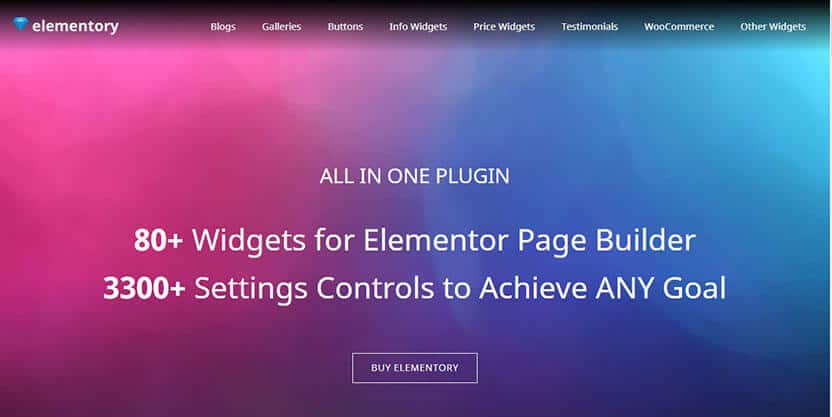
Essential Addons for Elementor is one of the most widely installed Elementor addons, and it earns that spot by covering almost every common need: data tables, filterable galleries, product carousels, timelines, forms and WooCommerce widgets. A built-in element manager lets you switch off widgets you do not use, which helps keep page weight down.
- Key features: large widget library, WooCommerce widgets, template library, element manager, extensions.
- Best for: business sites, blogs and stores that want one addon to do most things.
- Watch out for: open the element manager right after installing and disable what you will not use.
2. Marquee Addons
Creative effects
Marquee Addons is a newer option for site owners who want scrolling text, logo strips and motion-friendly elements without piling on heavy scripts. Scrolling brand bars and animated text rows work well on landing pages and agency sites. If you want to show partner logos, pair it with ideas from our Elementor slider guide.
- Key features: marquee-style elements and creative widgets for Elementor.
- Best for: landing pages, portfolios and brand showcases.
- Watch out for: check the official site for the current free and Pro widget list before you commit.
3. Element Pack Addon for Elementor
Big premium libraryCodeCanyon
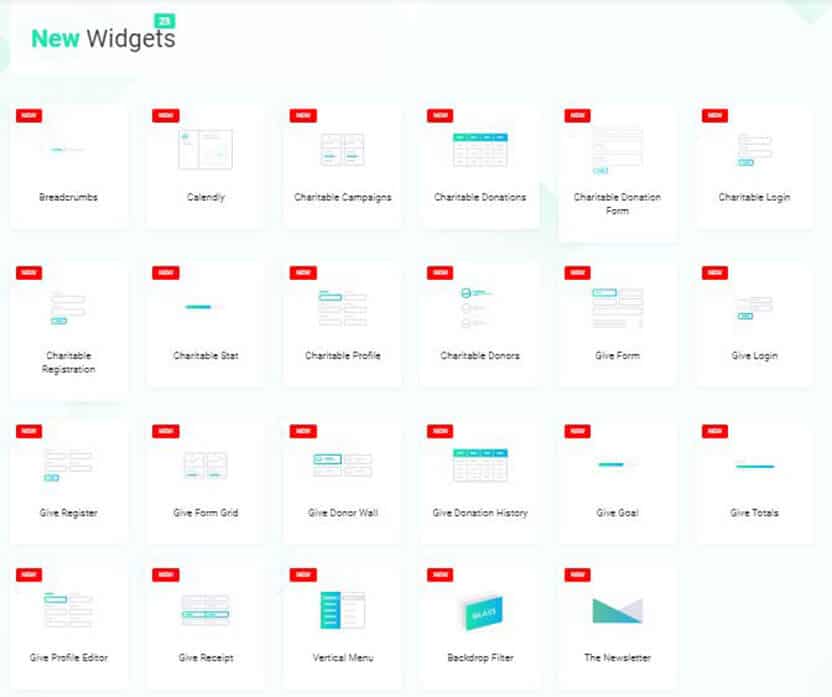
Element Pack is a long-running premium addon with a very large library of widgets, ready-made layouts and design effects. It is a strong pick if you build many client sites and want a deep toolbox in a single purchase.
- Key features: extensive widget collection, templates, creative effects and WooCommerce support.
- Best for: agencies and freelancers who build varied layouts.
- Watch out for: with so many widgets, enable only the modules you need.
4. SEFE: Sina Extension for Elementor
One-time purchaseCodeCanyon
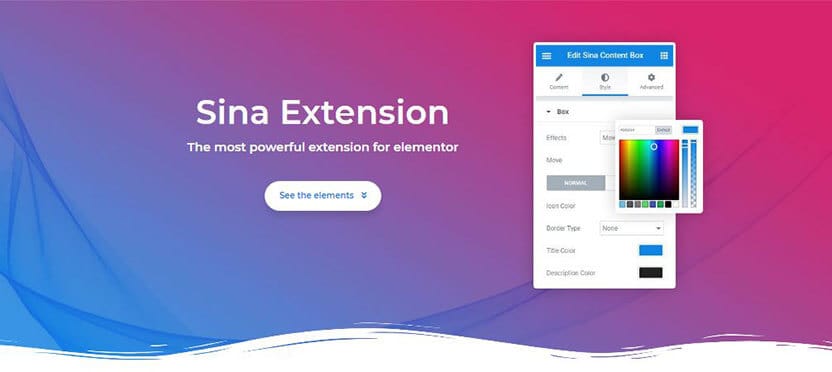
SEFE (Sina Extension for Elementor) adds extra widgets and builder extensions on top of Elementor, sold as a one-time CodeCanyon purchase rather than a yearly subscription. That pricing model appeals to buyers who prefer to pay once.
- Key features: additional widgets and extensions for Elementor.
- Best for: buyers who like a one-off license and want extra layout options.
- Watch out for: confirm the latest update date and Elementor compatibility on the CodeCanyon page.
5. Epic News Elements
News and magazineCodeCanyon
Epic News Elements focuses on publishing: post blocks, sliders and magazine-style layouts that work with Elementor and WPBakery. If you run a blog or news site, it saves you from building every grid by hand. Pair it with a news theme for a complete magazine setup.
- Key features: news, magazine and blog elements for Elementor and WPBakery.
- Best for: blogs, news portals and magazine sites.
- Watch out for: it is niche. It is a better fit for content sites than for stores.
6. Premium Addons for Elementor
Best for animationFree + Pro
Premium Addons for Elementor is known for its animation-forward widget set, including Lottie animations, parallax backgrounds and particle effects, many of them in the free version. Assets load per widget, so pages without those widgets stay light.
- Key features: a large free widget set, Lottie, parallax, widget library and per-widget asset loading.
- Best for: campaign pages and visually rich landing pages.
- Watch out for: heavy motion can hurt mobile scores, so test every animated page.
7. Royal Elementor Addons
Best for tight budgetsFree + Pro
Royal Elementor Addons packs a lot into its free version: a theme builder for headers, footers and archives, a pre-built template library and a solid widget set. Pro unlocks more widgets and options.
- Key features: theme builder, template library, popups and mega menu options.
- Best for: small businesses, portfolios and non-profits that need strong free features.
- Watch out for: WooCommerce depth is lighter than in dedicated shop addons.
8. ElementsKit Lite
Best mega menu kitFree + Pro
ElementsKit Lite is an all-in-one kit that bundles widgets, a header and footer builder, a mega menu and a template library. If your biggest need is a polished navigation system, this is one of the easiest ways to get it inside Elementor.
- Key features: mega menu, header and footer builder, widgets and templates.
- Best for: sites that need advanced navigation and a flexible header.
- Watch out for: do not run two full toolkits at once. Use ElementsKit as your main addon.
9. Header Footer Elementor
Lean and simpleFree
Header Footer Elementor from Brainstorm Force does one job and does it well: it lets you design your site header, footer and blocks with Elementor. Because it is deliberately small, it is easy on performance and pairs well with fast themes. See our roundup of the fastest WordPress themes for good partners.
- Key features: header, footer and custom block builder with a few helpful widgets.
- Best for: anyone who only needs a custom header and footer.
- Watch out for: it is not a general widget library, so pair it with another addon if you need more.
10. Qi Addons for Elementor
Design-firstFree + Pro
Qi Addons for Elementor from Qode Interactive delivers clean, modern widgets with a design-first approach. It is a good fit when you want tidy, well-styled elements that match a premium theme without extra tweaking.
- Key features: polished free widgets, with a Pro upgrade for more elements and options.
- Best for: portfolios, agency sites and brand pages.
- Watch out for: check which widgets are Pro-only before you design around them.
How to Choose the Right Elementor Addon
Start with your site type, then match the addon to the job.
- Online store: look for product grids, carousels and cart widgets. Read our guides to WooCommerce Elementor themes, product slider plugins and product tables.
- Blog or news site: pick an addon with post grids and magazine blocks, like Epic News Elements.
- Business or agency site: Essential Addons, Premium Addons or Element Pack give you range.
- Team pages and sliders: check widget quality for Elementor team members and sliders.
- Tight budget: Royal Elementor Addons and Header Footer Elementor are strong free starting points.
Prefer to skip the build-from-scratch step? Browse the best Elementor template kits or free Elementor themes, and use an icon pack for Elementor to polish the design. For storefronts specifically, see the best Elementor shop themes.
How to Keep Elementor Fast With Addons
Addons are only a problem when they are used carelessly. Follow these rules:
- Use one main widget pack. Stacking several full toolkits duplicates scripts and styles.
- Disable unused widgets in the addon settings panel.
- Turn on Elementor’s asset-loading performance options described in the Elementor Help Center.
- Test with PageSpeed Insights and aim to pass the Core Web Vitals thresholds: LCP under 2.5 seconds, INP under 200 ms and CLS under 0.1.
- Serve modern images. Our guide to WordPress WebP shows how.
- Stay secure. Keep addons updated and follow our WordPress security checklist. If something goes wrong, see how to recover a hacked WordPress site.
How to Install an Elementor Addon
- Back up your site first. A guide to running WordPress on localhost is handy for safe testing.
- Go to Plugins > Add New, search for the addon, then click Install Now and Activate. For CodeCanyon products, upload the downloaded ZIP under Plugins > Add New > Upload Plugin.
- Open the addon’s settings and enable only the widgets you plan to use.
- Edit a test page with Elementor, add a widget and check it on desktop and mobile.
- Run a speed test, then roll out to live pages.
New to the platform? Start with what WordPress is and how to create a WordPress website. Selling online? Read what WooCommerce is first.
Frequently Asked Questions
What are the best Elementor addons?
Essential Addons for Elementor, Premium Addons, Element Pack, Royal Elementor Addons and ElementsKit are among the top Elementor addons. The best choice depends on whether you need widgets, a mega menu, news layouts or WooCommerce features.
Which are the must have Elementor plugins?
Most sites need one main widget addon, a header and footer solution, and a template library. Essential Addons, Header Footer Elementor and a good template kit cover those three needs.
Do Elementor addons slow down my website?
They can if they load assets on every page or if you stack several packs. Use one main addon, disable unused widgets and test with PageSpeed Insights.
Are free Elementor addons good enough?
Yes, for many sites. Royal Elementor Addons, Premium Addons, ElementsKit Lite, Qi Addons and Essential Addons all offer capable free versions on WordPress.org.
Do I need Elementor Pro to use addons?
Not always. Many addons work with free Elementor. Elementor Pro adds features like the Theme Builder, but check each addon’s requirements.
Is a CodeCanyon addon better than a WordPress.org addon?
Neither is automatically better. CodeCanyon products like Element Pack, SEFE and Epic News Elements usually involve a one-time or yearly license with support. WordPress.org plugins often have a free tier. Check the last update date and reviews for either.
Can I use more than one Elementor addon?
Yes, but keep it to one main pack plus a specialist plugin. Overlapping widgets and duplicate scripts hurt speed and stability.
Final Verdict
If you want one addon that does a bit of everything, start with Essential Addons for Elementor. Choose Premium Addons for animation, ElementsKit for mega menus, Royal Elementor Addons for the best free feature set, and Epic News Elements for magazine sites. Add Header Footer Elementor if you only need a custom header and footer.
Whatever you pick, install it on a staging site, enable only the widgets you need and test on mobile before launch. Want more ideas for your build? Explore our WordPress landing page plugins and free WordPress themes.


